

Transactions
How to find a purchase or a refund and see everything that happened in it.
Every purchase and refund is here: from the till, a website or the API.
Open Transactions.
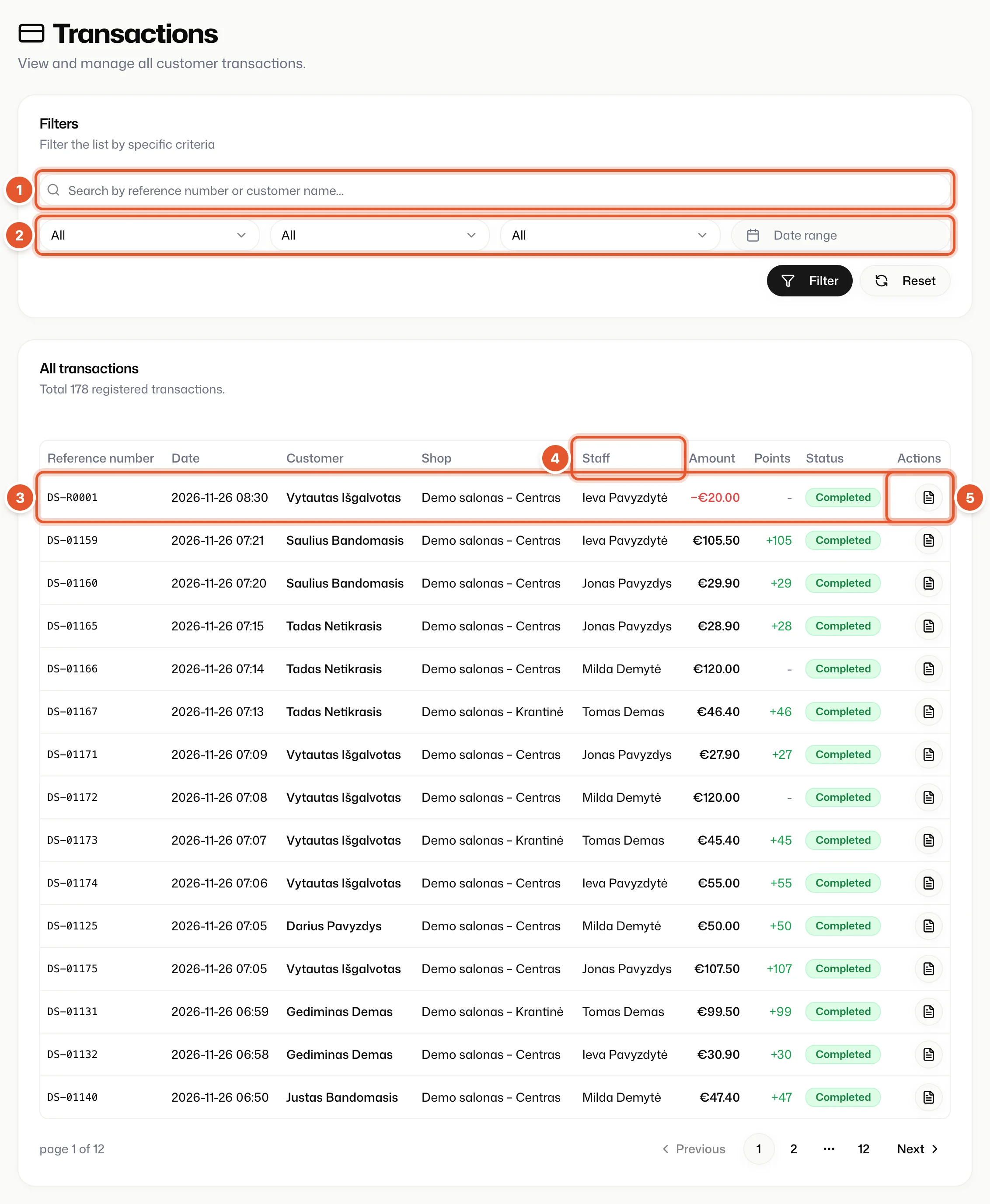
- 1. Search — reference number or customer.
- 2. Filters — shop, staff, status, date.
- 3. Refund — an amount with a minus.
- 4. Staff — who sold it.
- 5. Actions — open the purchase.
A refund is a separate row with a minus. It reduces the turnover; the original purchase stays.
Purchase page
In the list press the sheet icon on the right.
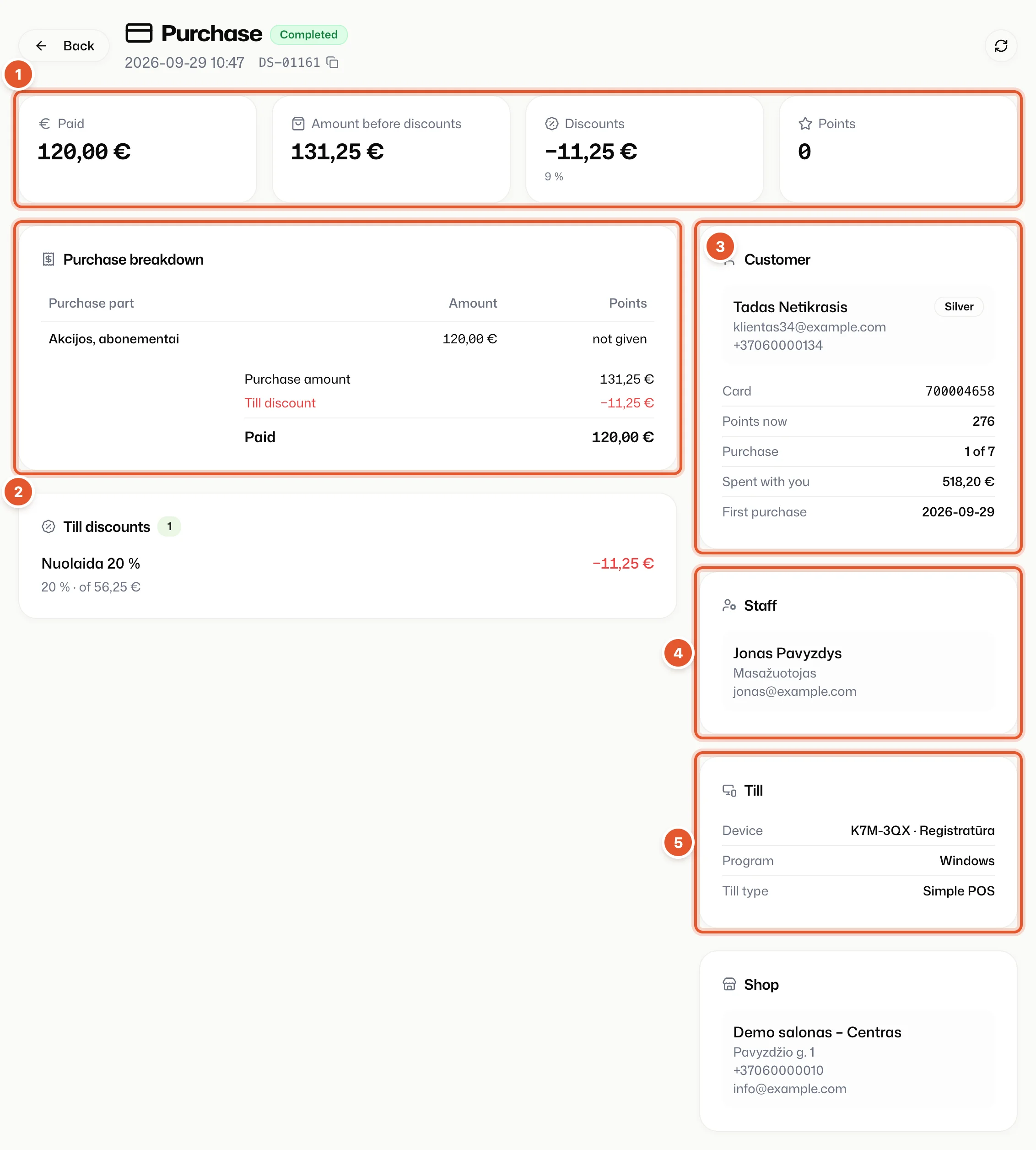
- 1. Summary — what was paid, points and discounts.
- 2. Purchase breakdown — each part separately.
- 3. Customer — who bought.
- 4. Staff member — who sold.
- 5. Till — on which device.
- Purchase breakdown – what was paid for, which discounts, how many points for each part.
- Customer – their tier, current points, which purchase this is and how much they spent in total.
- Staff member and Till – who sold it and on which device. The device code is also at the till, at the bottom left.
Refunds
A refund is made at the till: the customer's Previous Purchases → Refund. More in Past purchases.
If something goes wrong
| What you see | What to do |
|---|---|
| The device is “Unknown” | The purchase was made with an older till version. Update the till. |
| A purchase is missing | Clear the filters: Reset. Check the date and the shop. |