

Reports
How to get sales, customer, points and other reports as a PDF or Excel file.
Open Reports.
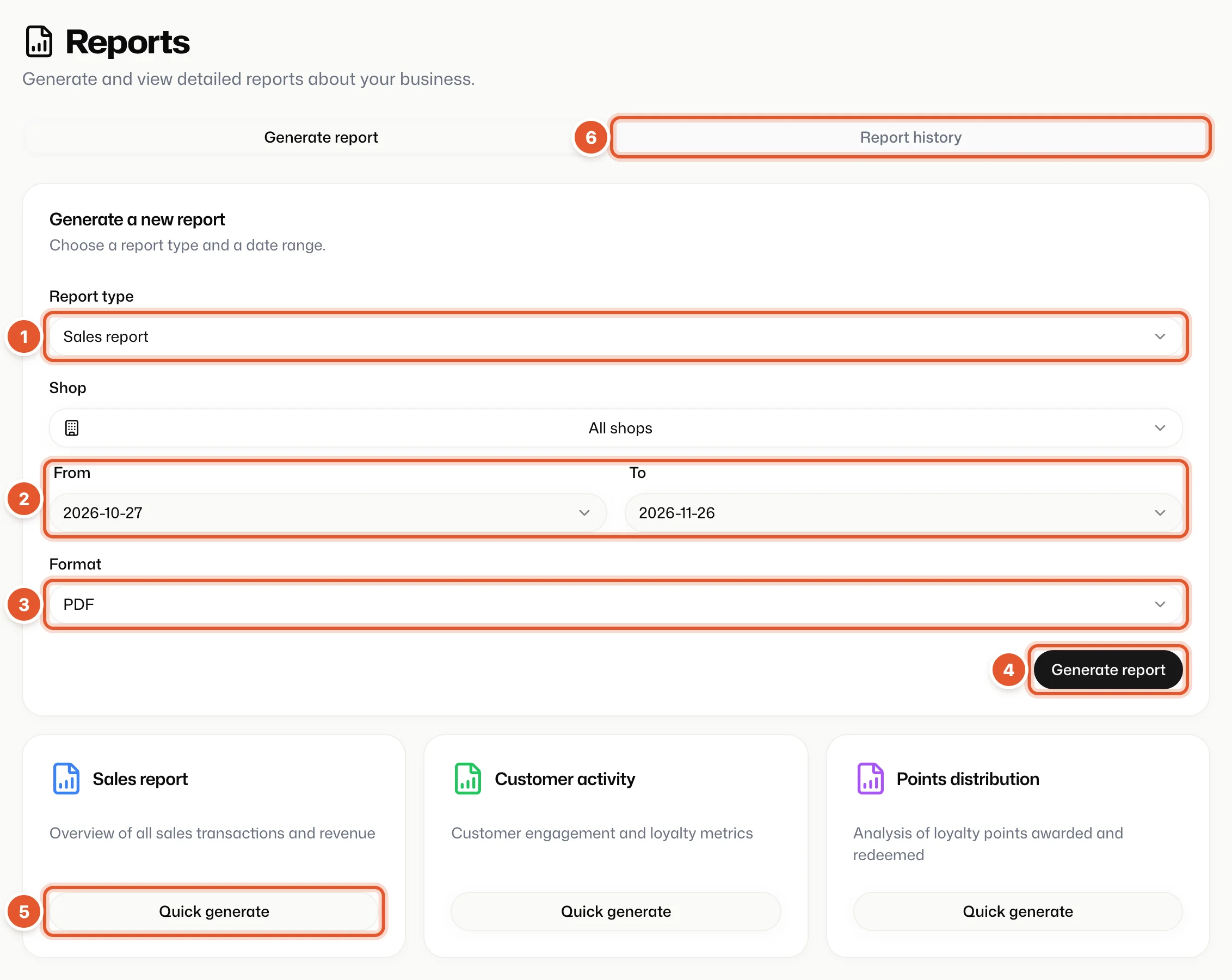
- 1. Report type — what you need.
- 2. Dates — the period.
- 3. Format — PDF or a spreadsheet.
- 4. Generate report — creates the file.
- 5. Quick generate — with one press.
- 6. Report history — reports made earlier.
Generate
Choose the report type, the shop and the dates.
Choose the format and press Generate report.
Quick generate at the bottom creates the most common reports with one press.
| Report | What is in it |
|---|---|
| Sales report | Purchases and revenue. Refunds are taken off. |
| Customer activity | Who comes back and who stopped visiting. |
| Points distribution | How many points were given and used. |
| Card usage | How the cards are used. |
| Transaction report | Every purchase on its own. |
Earlier reports are under the Report history tab.