

Promotions
How to submit a promotional banner for the start of the Loyalty.lt app.
A promotion is a banner at the start of the Loyalty.lt app. All app users see it, so Loyalty.lt reviews it before showing it.
Open Promotions.
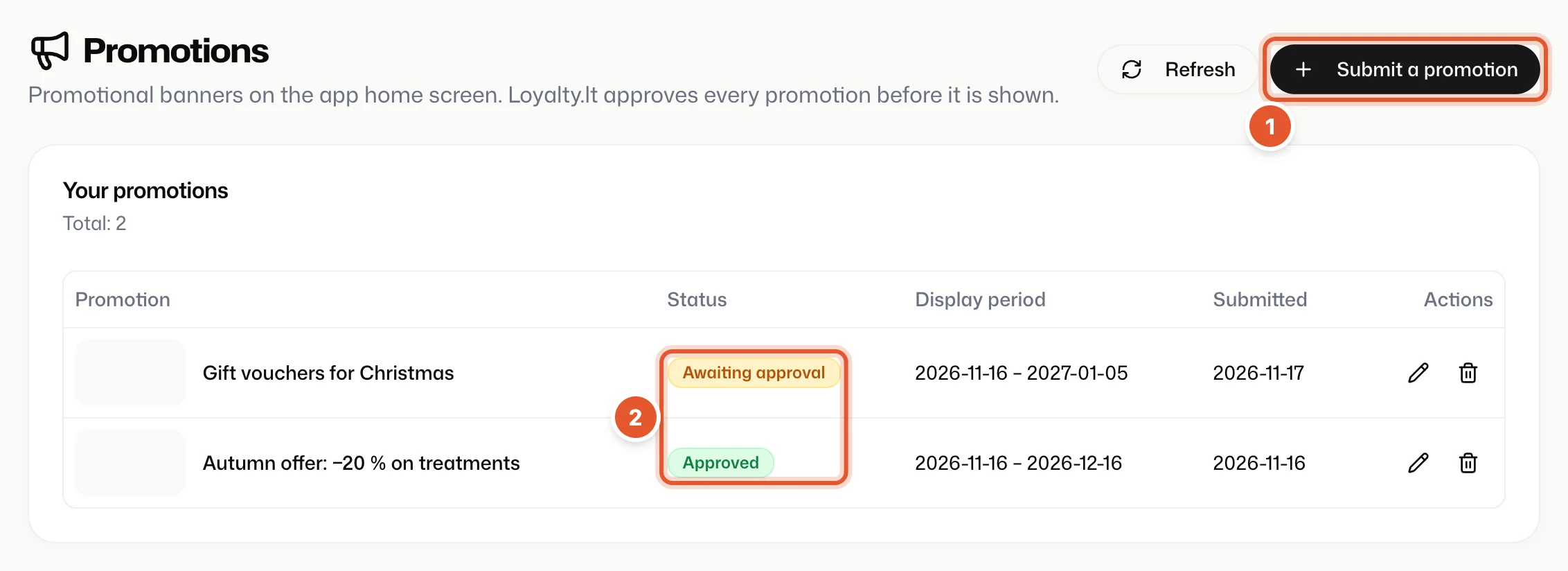
- 1. Submit a promotion — a new promotion.
- 2. Status — customers see only an approved one.
Submit a promotion
Press Submit a promotion, type the title and add a picture.
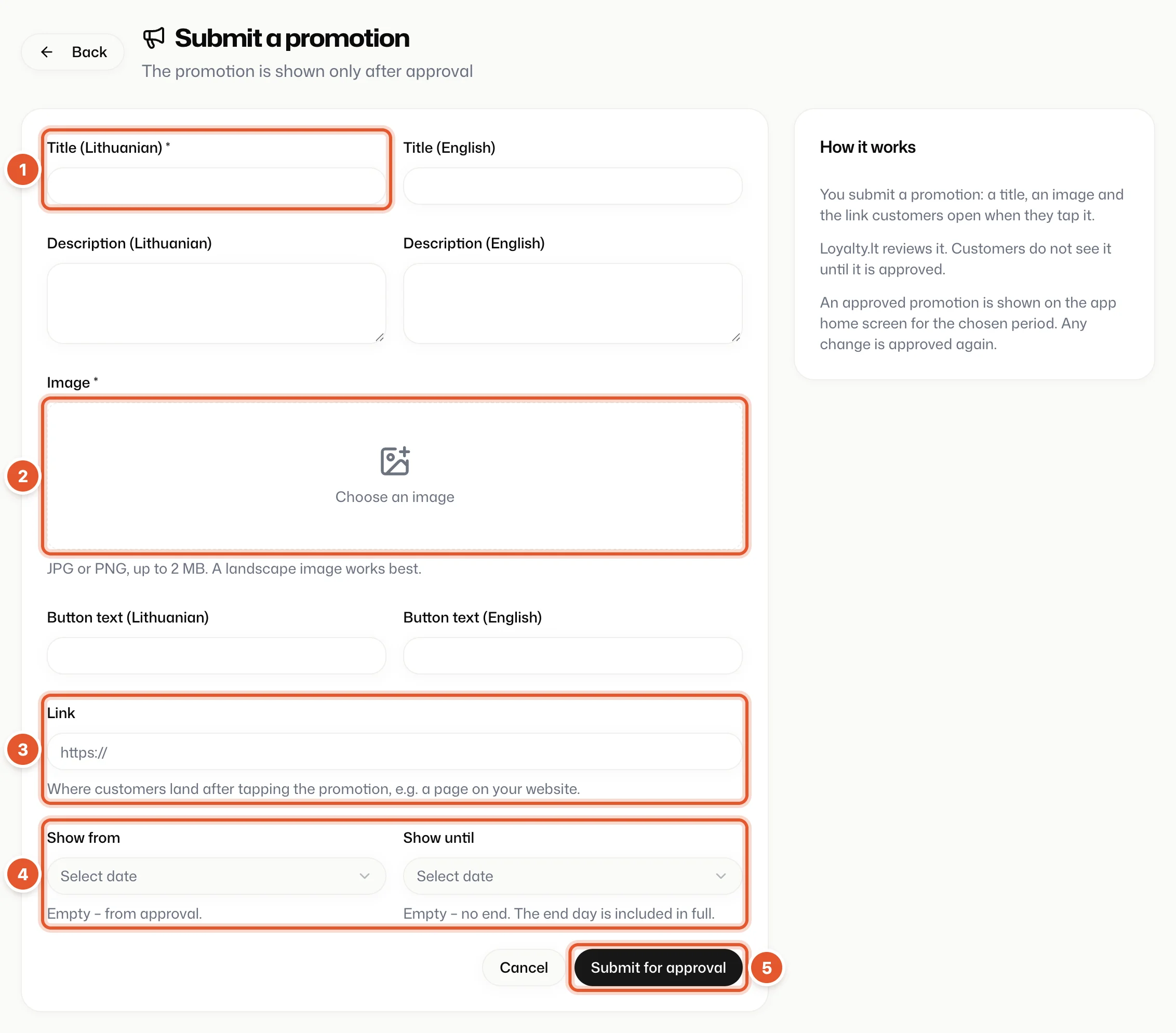
- 1. Title — Lithuanian is required.
- 2. Image — JPG or PNG, up to 2 MB.
- 3. Link — where the customer goes with a tap.
- 4. Display time — optional.
- 5. Submit for approval — Loyalty.lt reviews the promotion.
Enter the link the customer opens with a tap. It must start with https://.
If needed, set from when until when to show it. Press Submit for approval.
A change needs approval again
A changed promotion is not shown in the app until we approve it again.
If something goes wrong
| What you see | What to do |
|---|---|
| “Image is too large – up to 2 MB” | Make the picture smaller. JPG and PNG work. |
| “The link must start with https://” | Paste the full web address. |
| Status Rejected | Open the promotion – the reason is at the top. Fix it and submit again. |