

SMS templates and sender names
How to register the name a customer sees instead of a number, and prepare texts.
Sender name
The customer sees the sender name instead of a number. Without an approved name a campaign cannot be sent.
Open SMS MarketingSender Names.
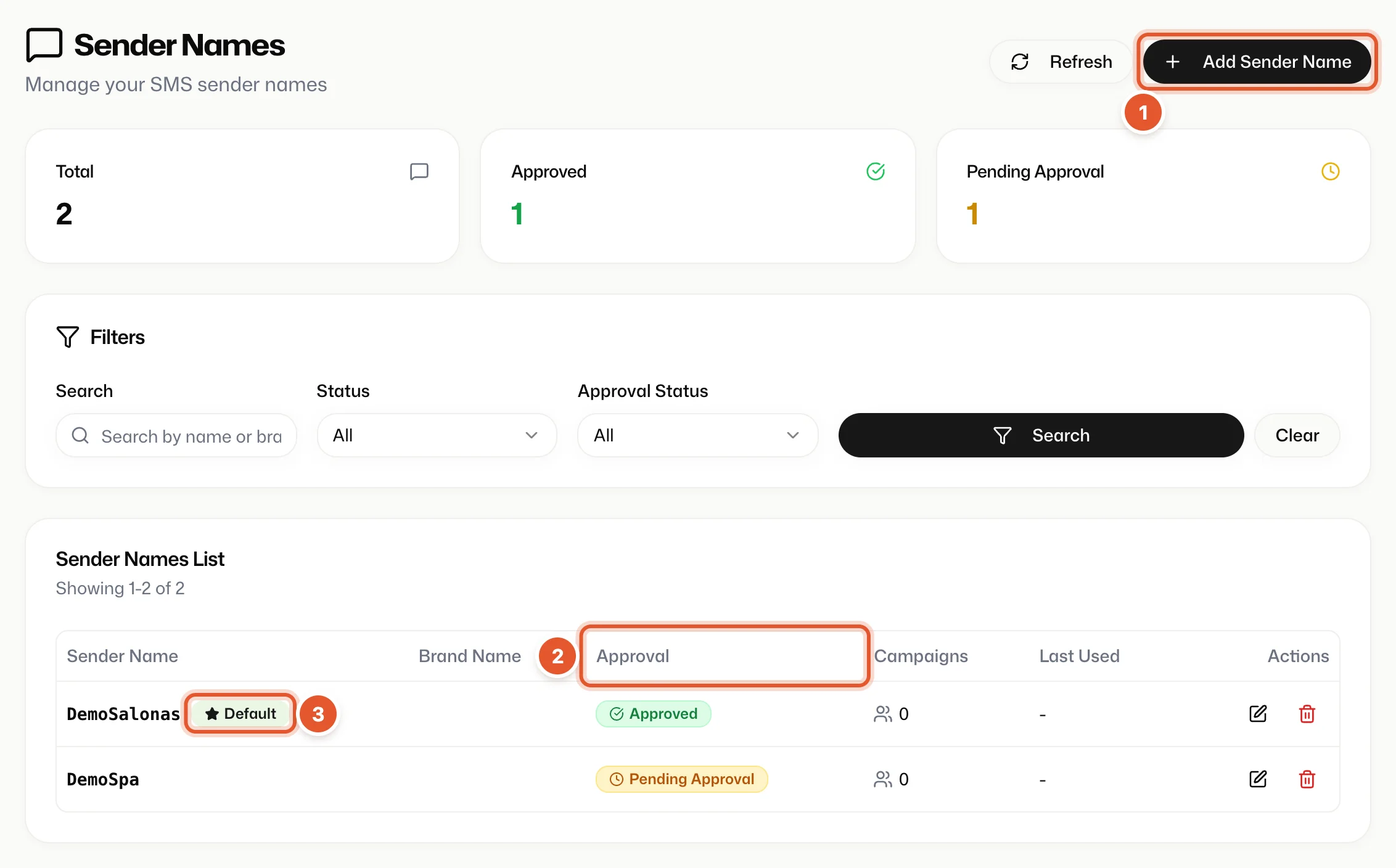
- 1. Add Sender Name — a new name.
- 2. Approval — only an approved one can be used.
- 3. Default — chosen by itself.
Press Add Sender Name.
Type up to 11 characters: letters, digits, dot, hyphen, space. The name cannot be changed later.
Wait for our approval. The name must match your company or brand.
Templates
A template is a ready text for a campaign or an automatic message.
Open SMS MarketingTemplates.
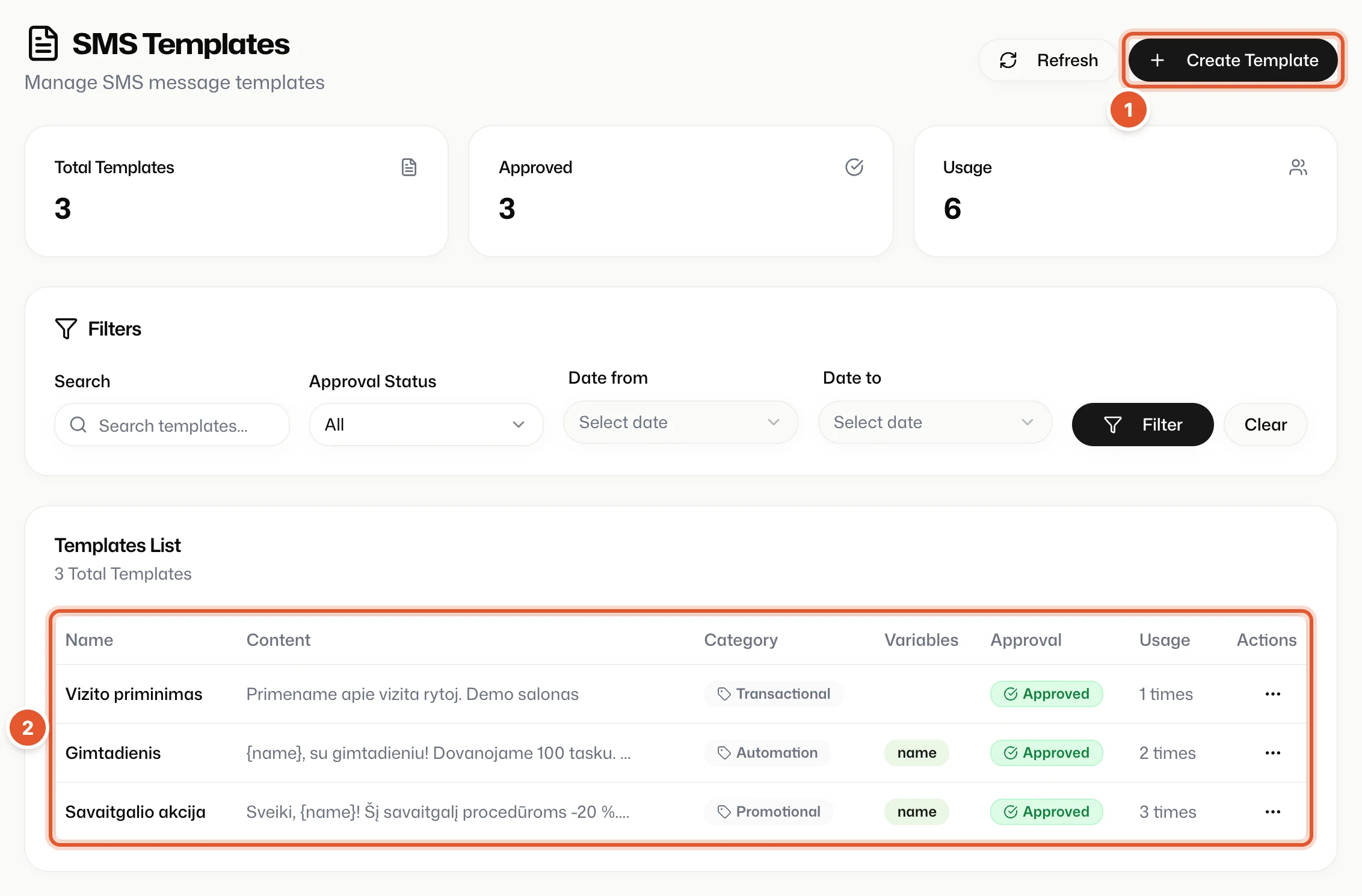
- 1. Create Template — a new text.
- 2. Templates — text, category, how many times used.
Press Create Template, type the name, category and text. You can insert the customer's name into the text.
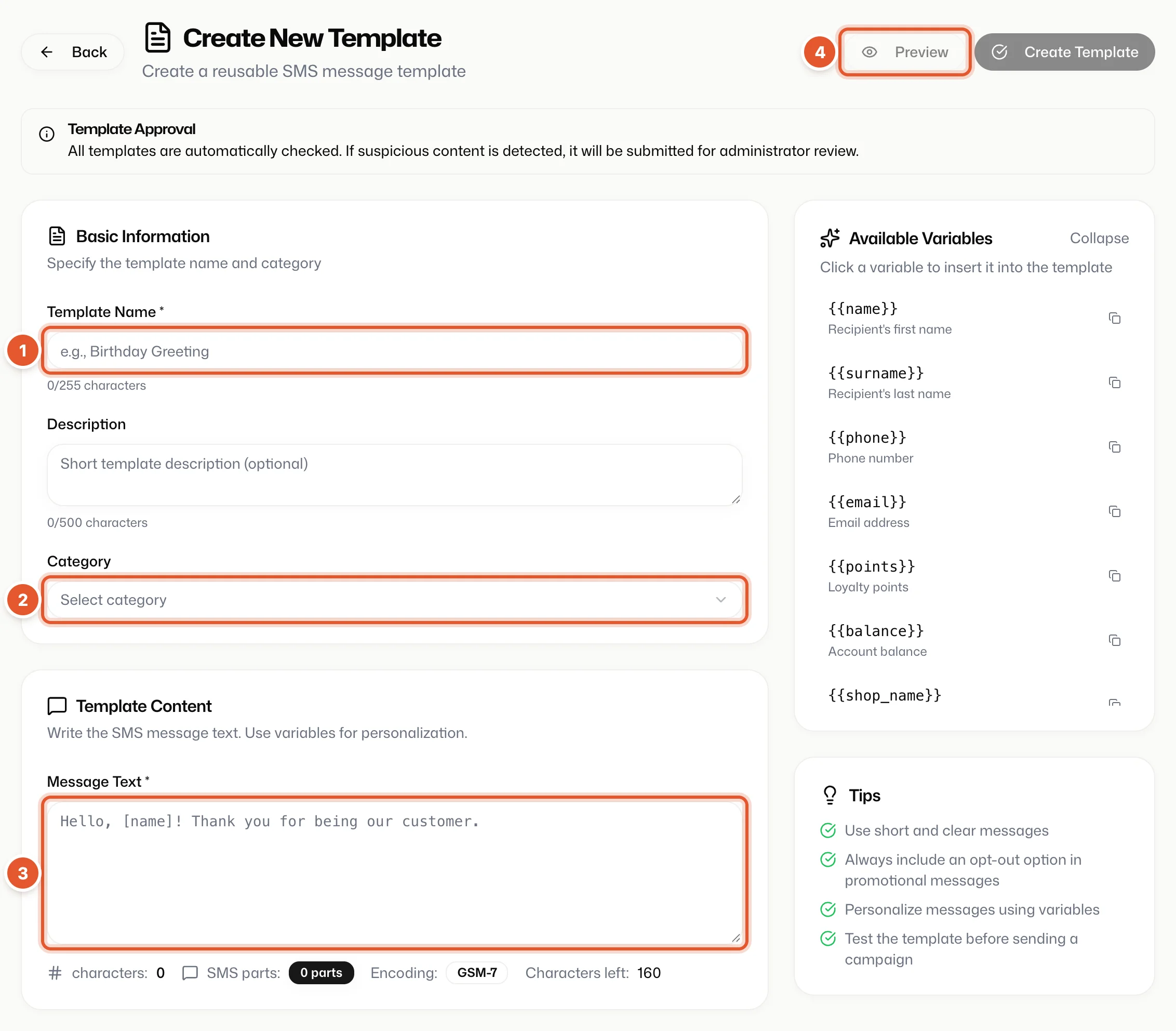
- 1. Template name — only you see it.
- 2. Category — promotion, reminder or automatic.
- 3. Message text — what the customer gets.
- 4. Preview — how it will look on the phone.
If something goes wrong
| What you see | What to do |
|---|---|
| The name is rejected | Choose a name close to your company's name. Other brands cannot be used. |