

Coupons
How to find a customer's coupon, see its status and redeem a coupon in the portal.
A customer wins a coupon in a game (for example, by collecting stamps) or gets it for an offer. Usually the cashier redeems it. Here you see all coupons.
Open Coupons.
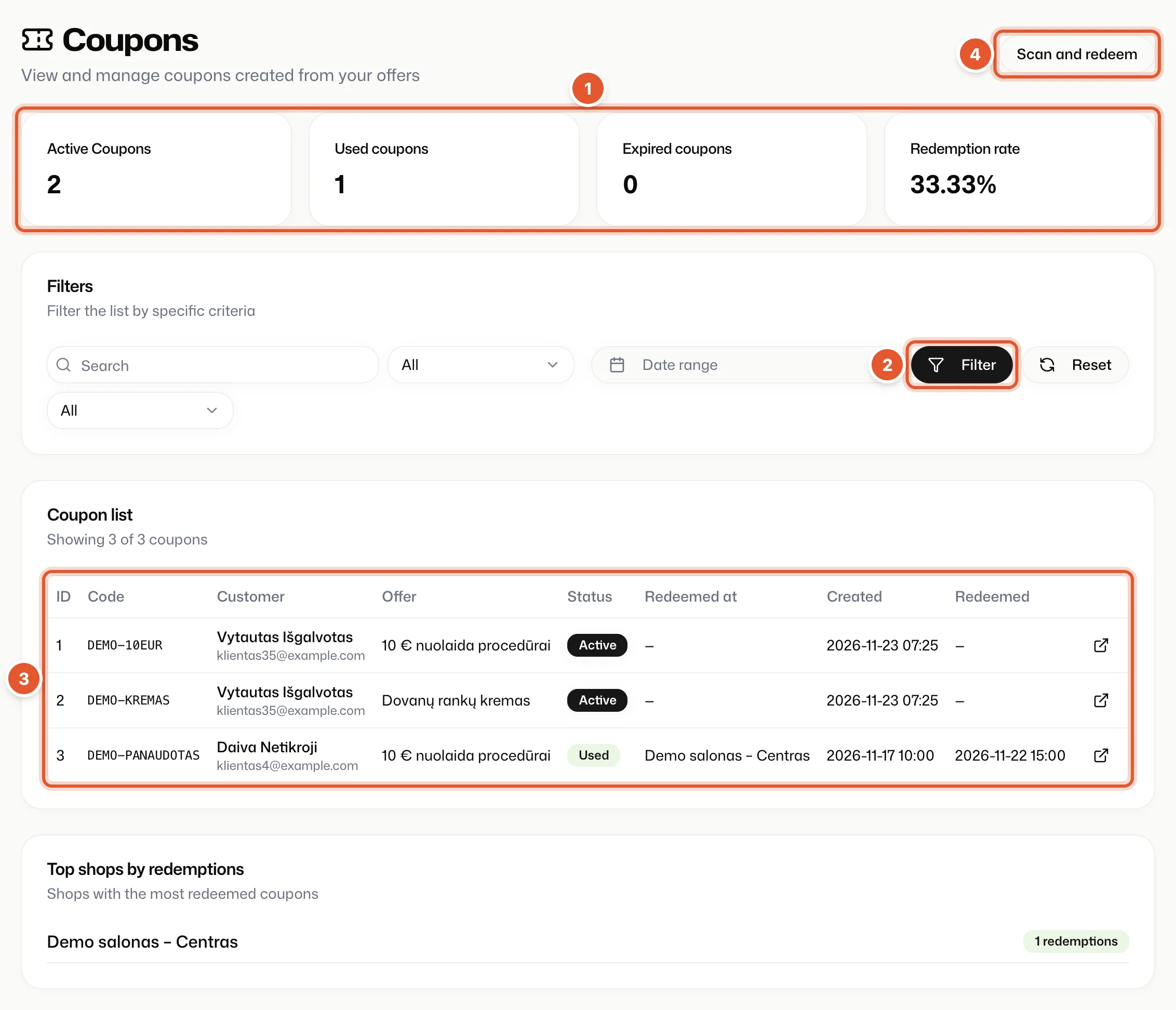
- 1. Numbers — how many are active, used, expired.
- 2. Filter — by code, customer, status, date.
- 3. Coupon list — who it belongs to, what for and its status.
- 4. Scan and redeem — redeem a coupon without the till.
Coupon page
In the list press the eye. You see who the coupon belongs to, until when it is valid and who redeemed it.
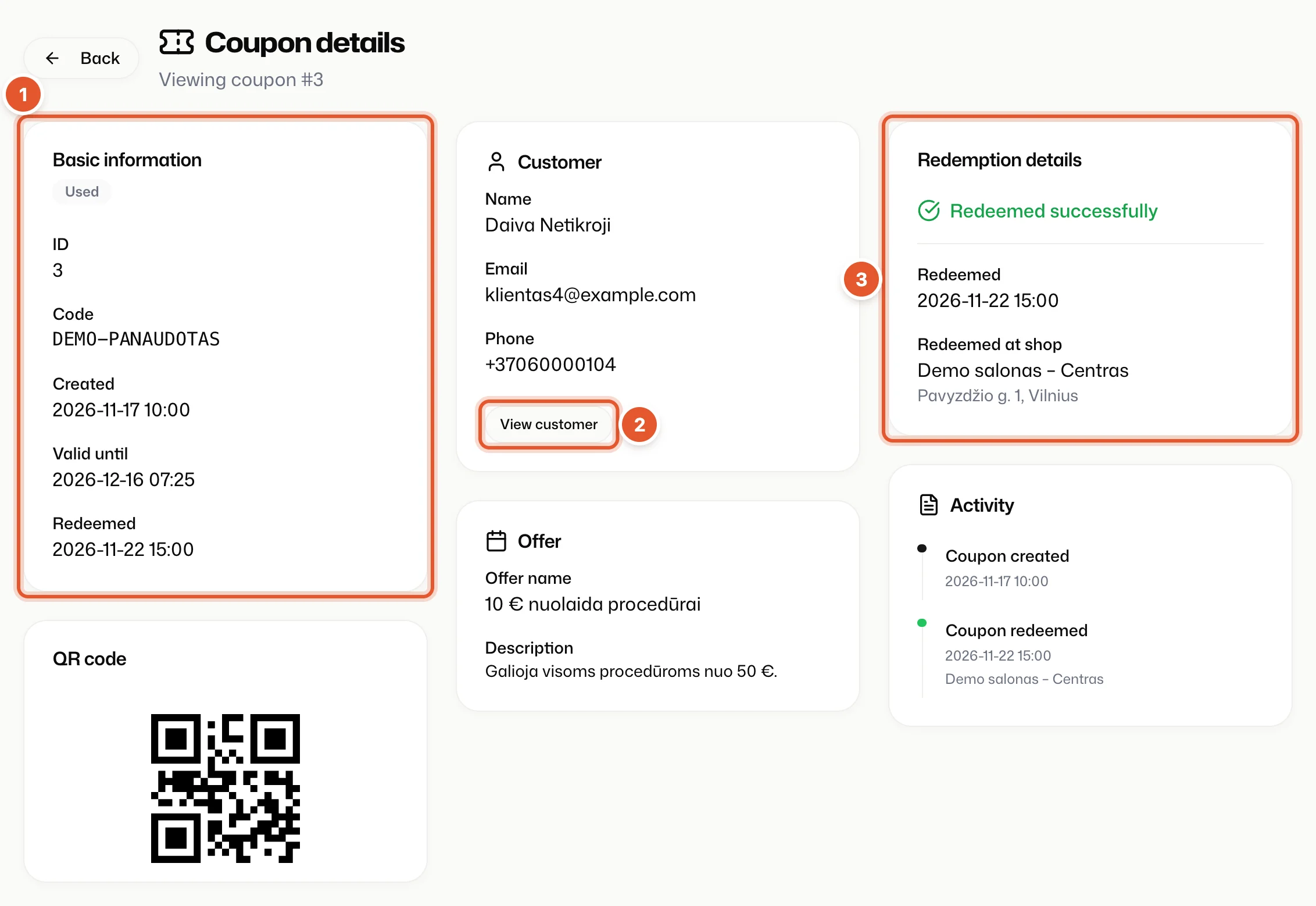
- 1. Basic information — code and validity.
- 2. View customer — the customer's page.
- 3. Redemption information — when and where it was redeemed.
Redeem a coupon in the portal
Use this when no till is at hand.
A redeemed coupon cannot be returned
Before confirming, make sure the customer really gets the gift now.
Press Scan and redeem.
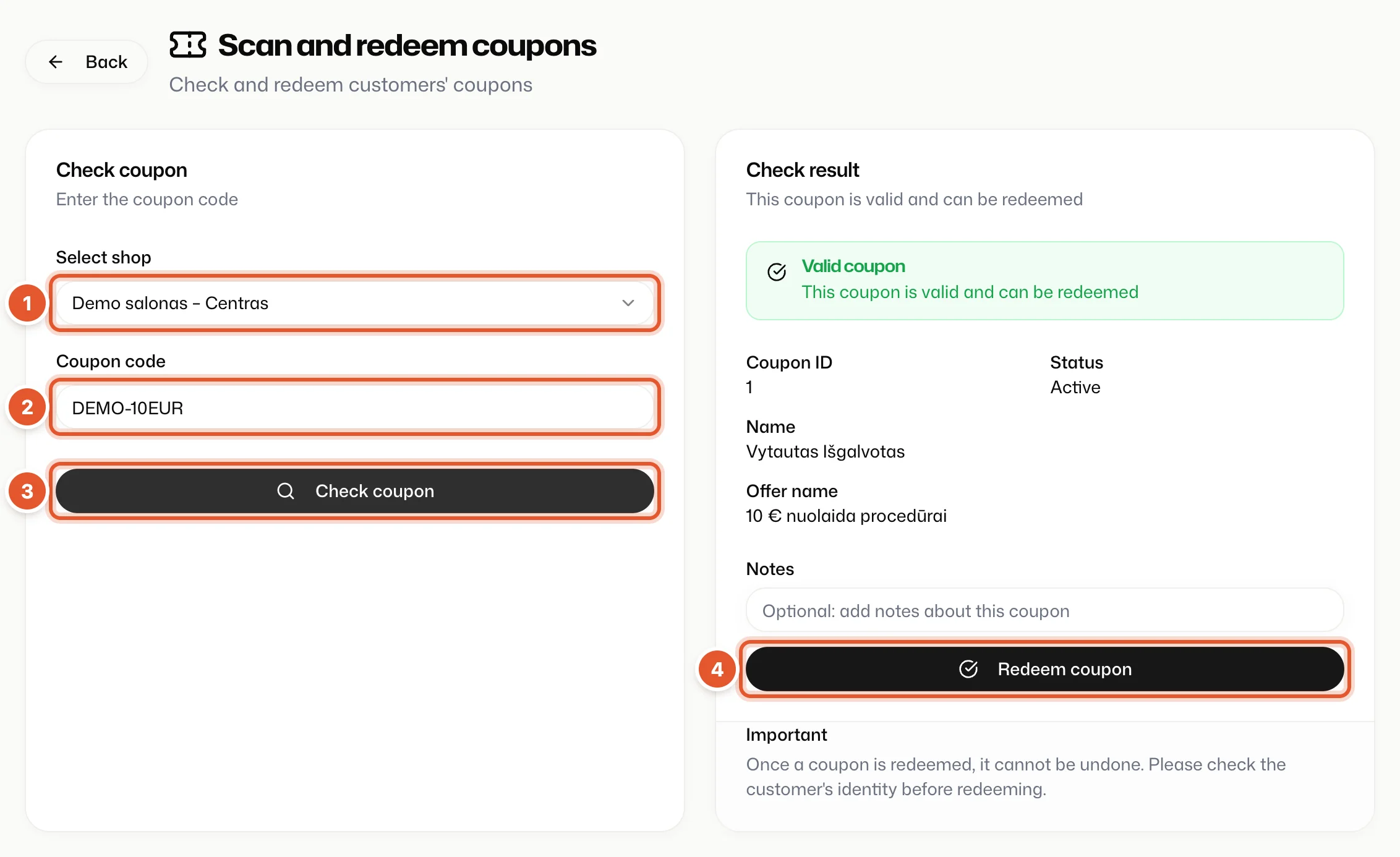
- 1. Shop — where the coupon is redeemed.
- 2. Coupon code — type it or scan it with a scanner.
- 3. Check coupon — does not redeem anything yet.
- 4. Redeem coupon — cannot be undone.
Choose the shop, type the coupon code and press Check coupon.
Look at what the coupon is and press Redeem coupon.
Statuses
| Status | What it means |
|---|---|
| Active | Can be redeemed. |
| Used | Already redeemed; you see when and where. |
| Expired | Its validity ended. |
| Cancelled | Can no longer be redeemed. |