

Email automation
How to send emails automatically – after joining, on a birthday or when points expire.
Open Email messagesAutomations.
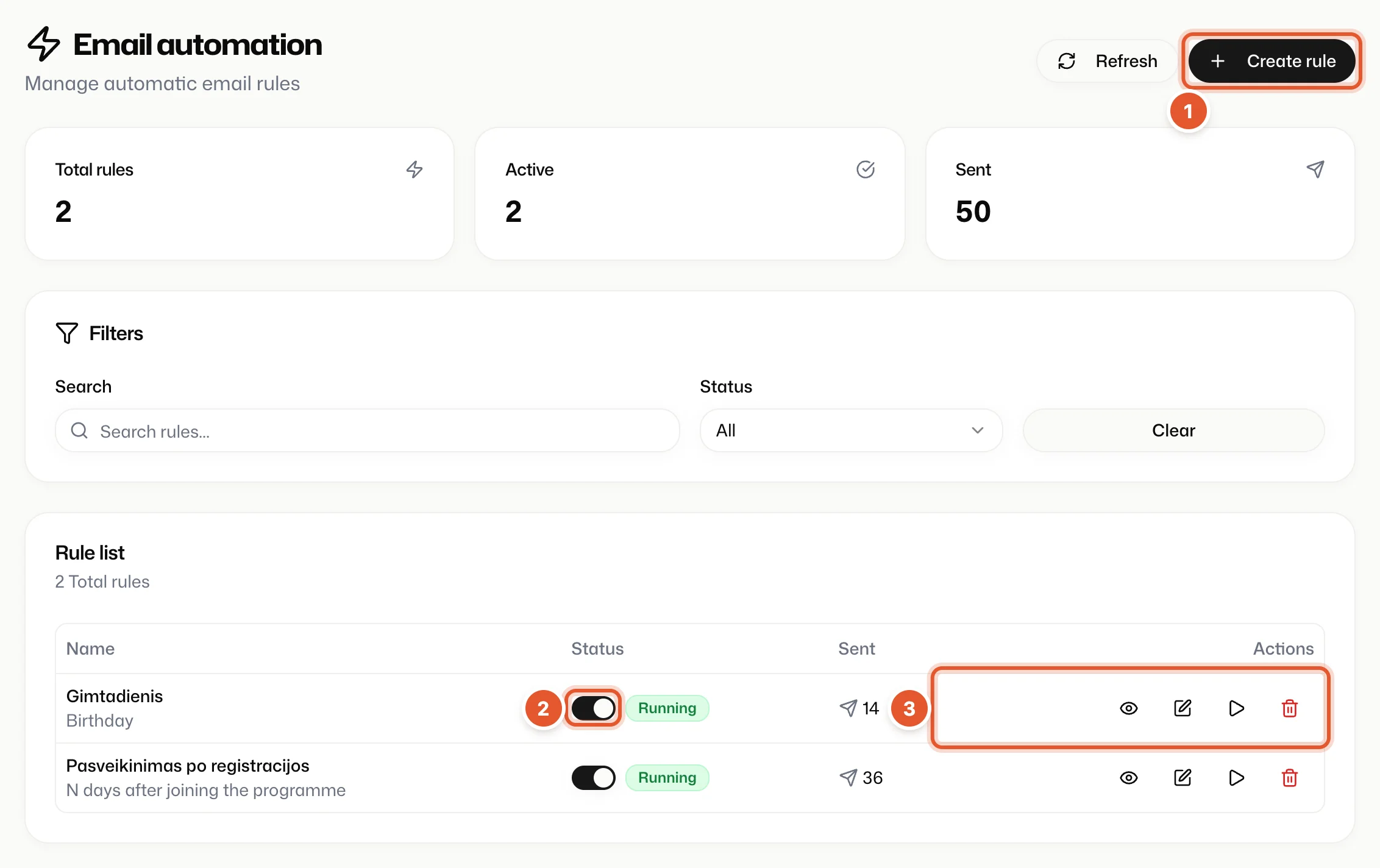
- 1. Create rule — a new rule.
- 2. Status — on or off.
- 3. Actions — who would get it, edit, run now, delete.
Create a rule
Press Create rule, choose when to send and write the email.
| When | What it means |
|---|---|
| N days after joining the programme | A welcome for a new customer. 0 – the same day. |
| Birthday | An email on the birthday. |
| No purchase for N days (bought before) | A reminder about you. |
| Points expire within N days | Encourages using the points. |
| Anniversary of joining the programme | Thanks for staying. |
Emails are sent only between 08:00 and 20:00 Lithuanian time.
Run now
When you run a rule by hand, everyone who meets the condition right now gets the email at once. Look at who they are first.