

API keys
How to create a key for an online shop or another program.
An API key lets another program, such as an online shop, work with your loyalty programme. A developer needs it.
Open API CredentialsAll Credentials.
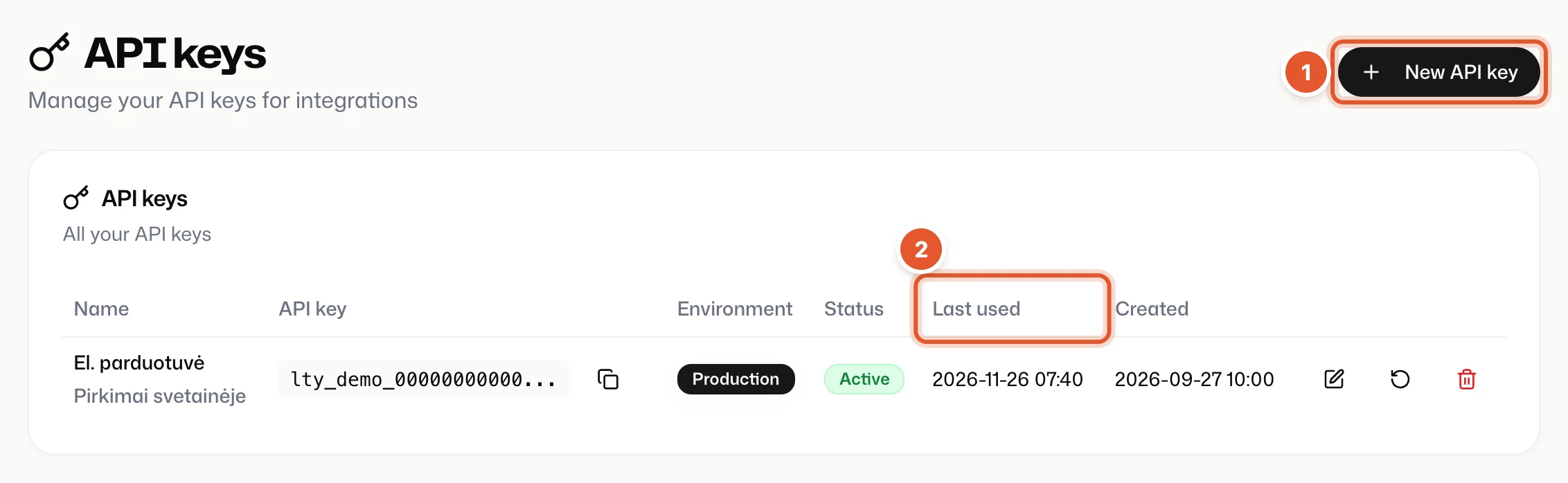
- 1. New API key — for a new program.
- 2. Last used — whether the key is still in use.
Create a key
Press New API key, type what it is for and choose the environment.
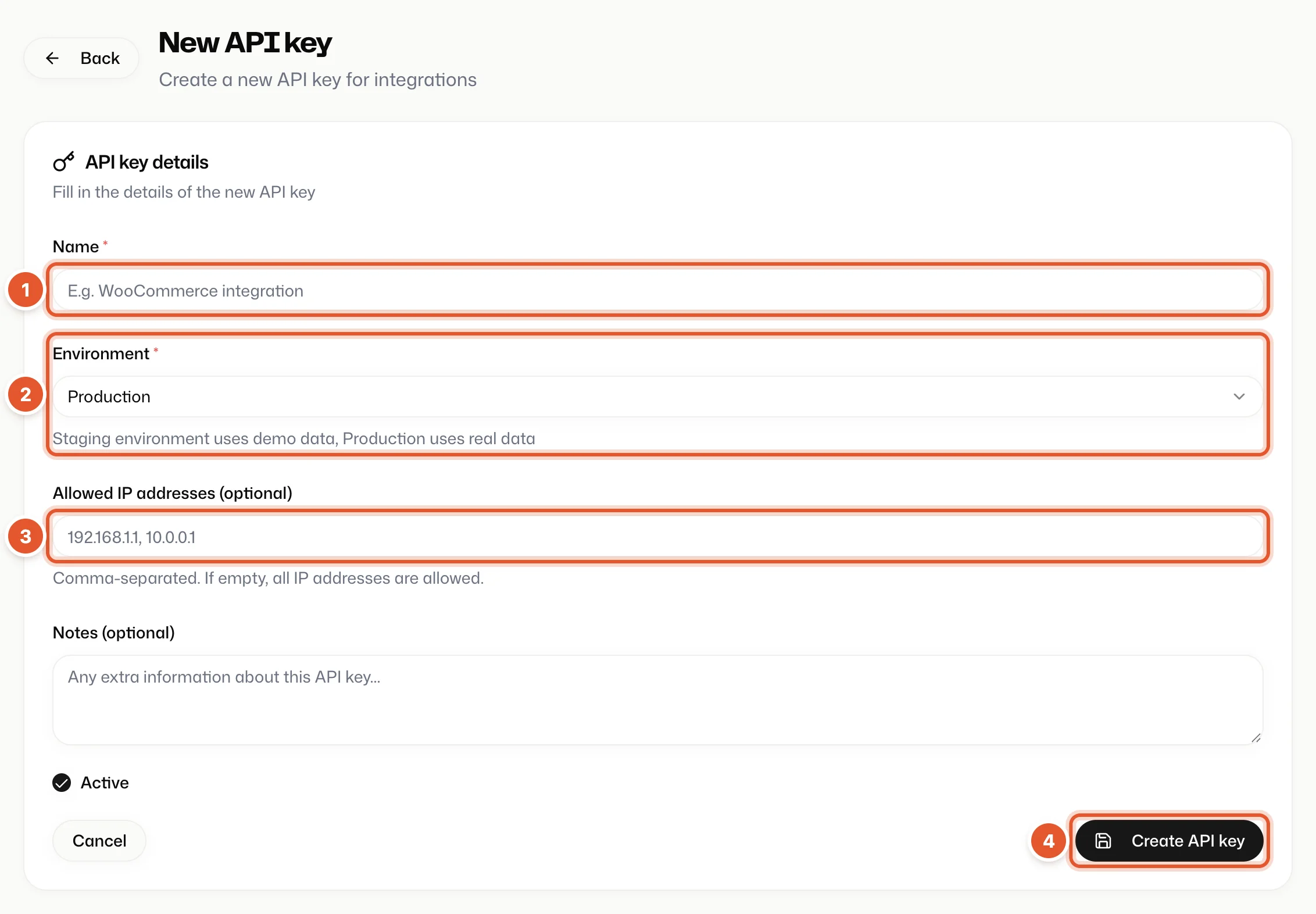
- 1. Name — what the key is for.
- 2. Environment — real or test data.
- 3. Allowed IP addresses — the key works only from them.
- 4. Create API key — the secret is shown once.
Copy the key and the secret. The secret is shown only once.
Give them to the developer safely, not by email.
Deleting a key stops the integration
All programs using it stop working at once.
For developers: API documentation.