

Invoices
How to find, download and pay an invoice.
Open BillingInvoices.
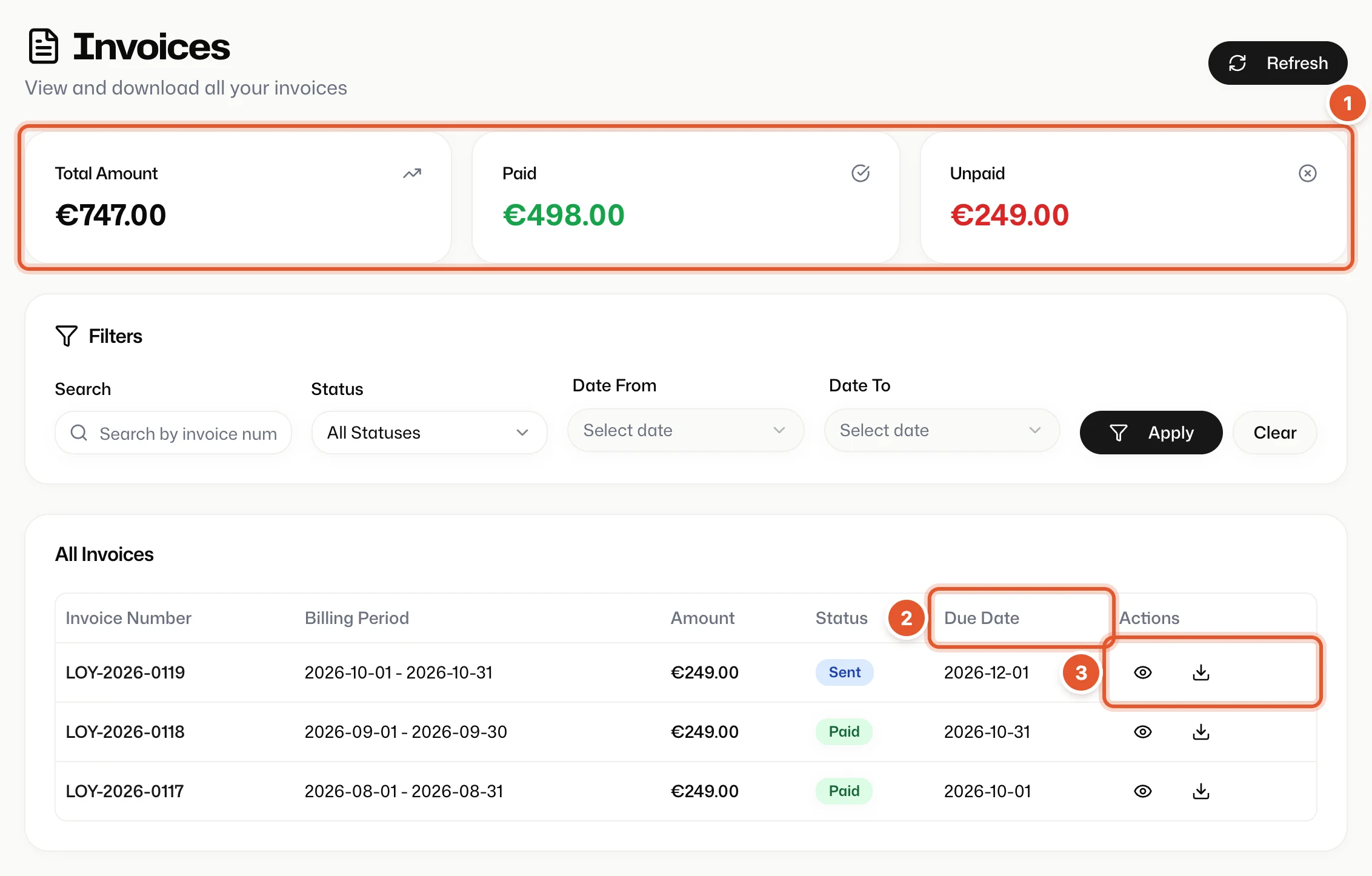
- 1. Totals — total, paid, unpaid.
- 2. Due date — until when to pay.
- 3. Actions — view, download PDF.
Invoice page
In the list press the eye. You see what it is for, the due date and the lines.
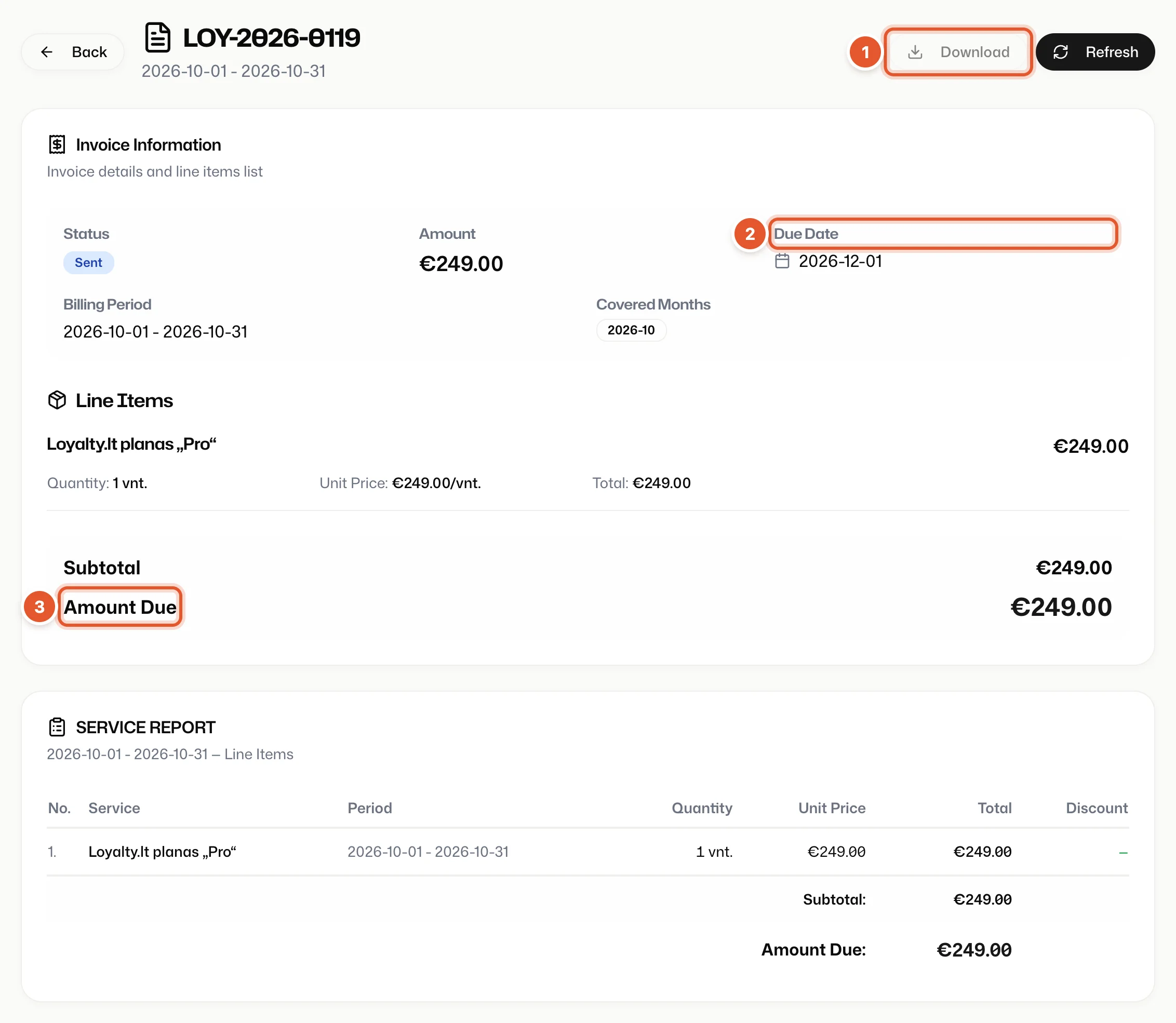
- 1. Download — a PDF file.
- 2. Due date — until when to pay.
- 3. Amount due — the final amount.
Download saves a PDF. You also get the invoice by email.
Unpaid
BillingPending Payments shows what needs paying and what is still accumulating.
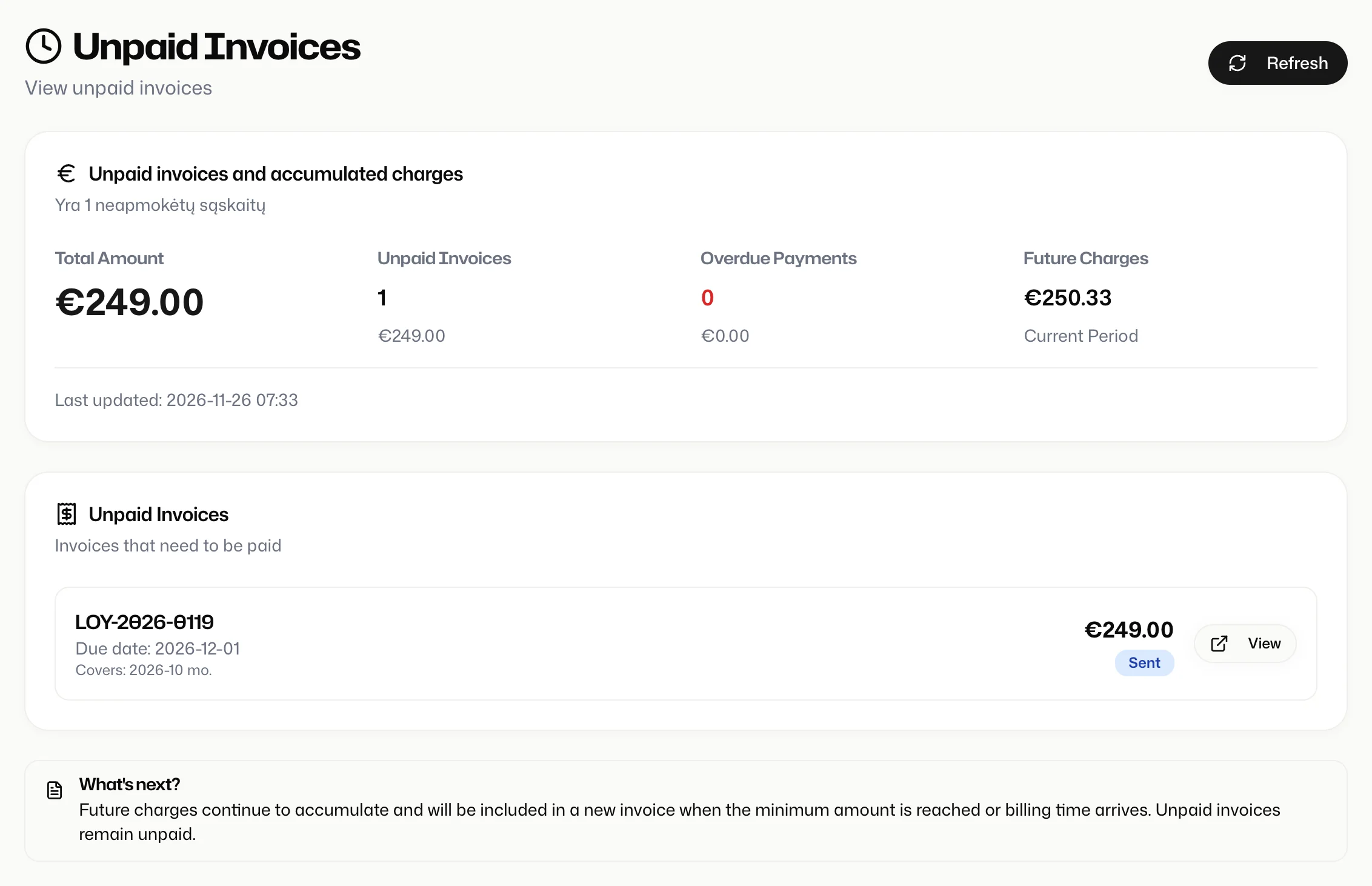
Late payment interest applies when overdue
Late payment interest is a separate line on the invoice, with the rate and the number of days.
If something goes wrong
| What you see | What to do |
|---|---|
| You paid, but the invoice shows unpaid | A bank transfer sometimes takes 1–2 days. If it does not update, write a support ticket. |
| You do not get invoices by email | Check Billing email on the Company information page. |