

SMS automation
How to send SMS automatically – on a birthday, after a purchase or after a long absence.
A rule sends an SMS by itself when a customer meets the condition.
Open SMS MarketingAutomation.
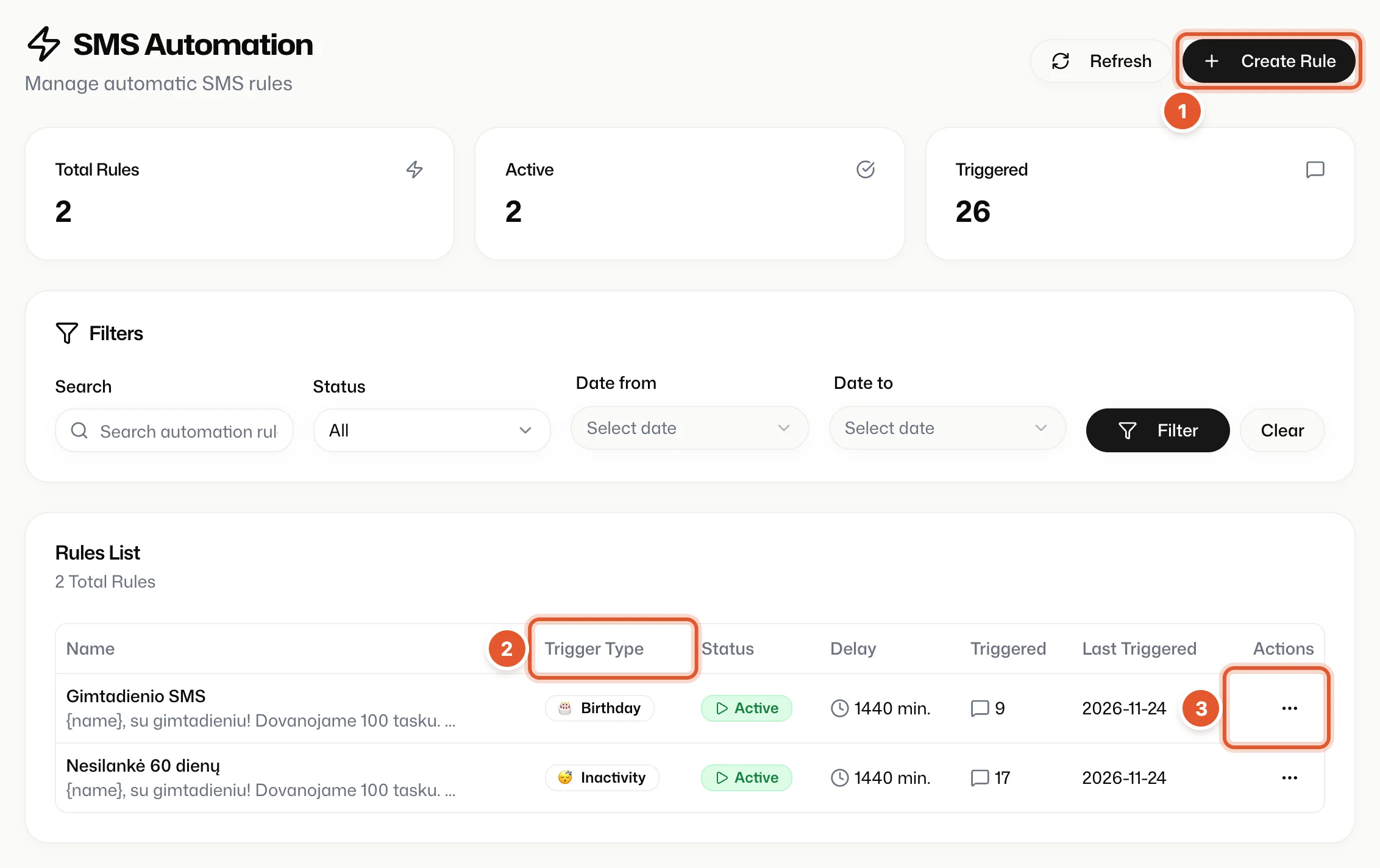
- 1. Create Rule — a new rule.
- 2. Trigger type — when it is sent.
- 3. Actions — edit, turn off, delete.
Create a rule
Every message costs money
The rule keeps sending until you turn it off. First check how many customers meet the condition.
Press Create Rule, choose the sender name and a template, or write the text.
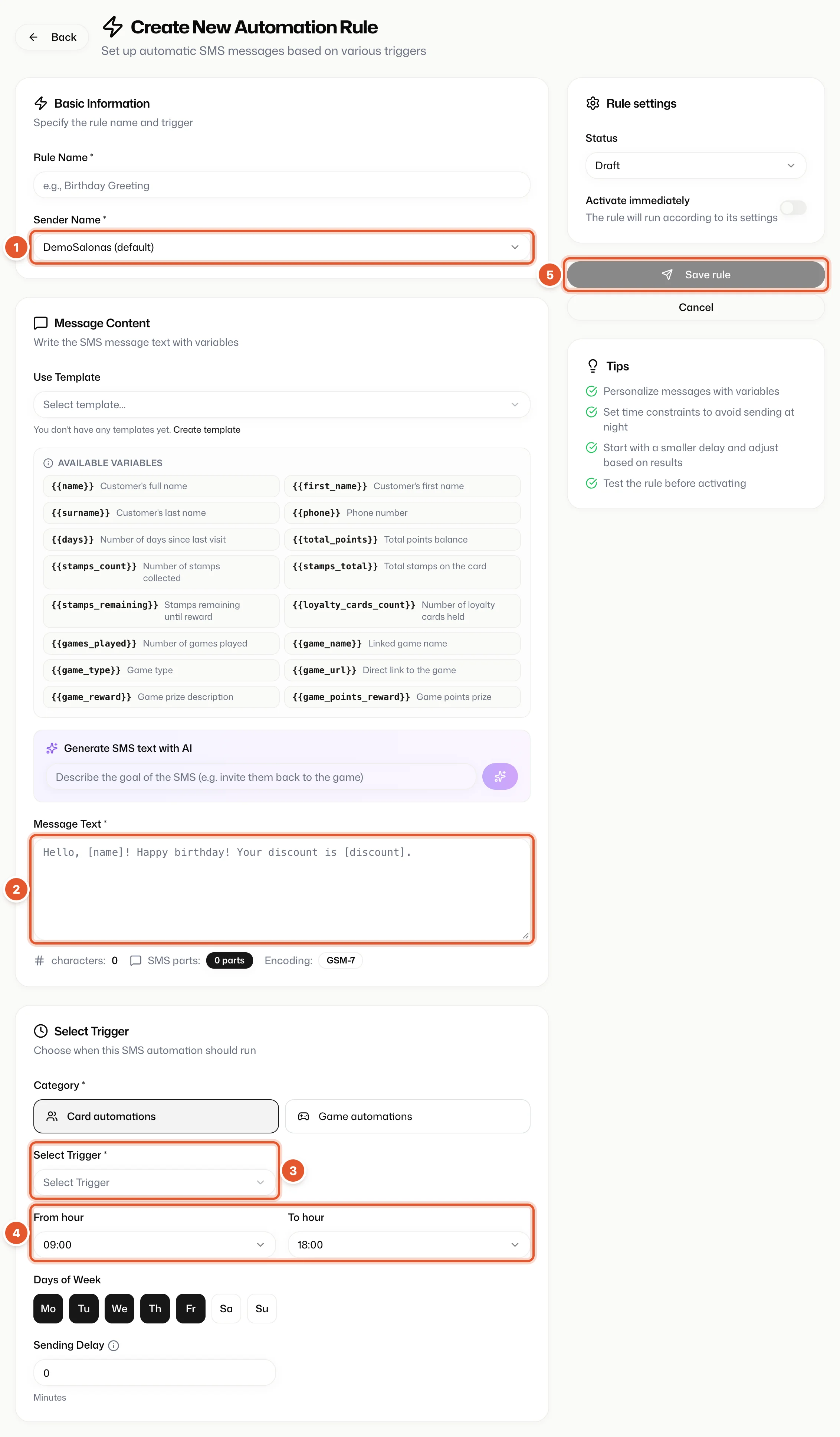
- 1. Sender name — an approved name.
- 2. Text — from a template or your own.
- 3. Trigger — when to send.
- 4. Hours — when sending is allowed.
- 5. Save rule — sends by itself when on.
Choose the trigger – when to send.
Set the hours and days when sending is allowed. Press Save rule.
Only customers who agreed to your messages get the SMS.