

Till devices
Which computers and tablets use the till and who can sign in with a PIN on them.
A device appears by itself when a staff member signs in on it. The same code shows in the till's corner.
Open Till devices.
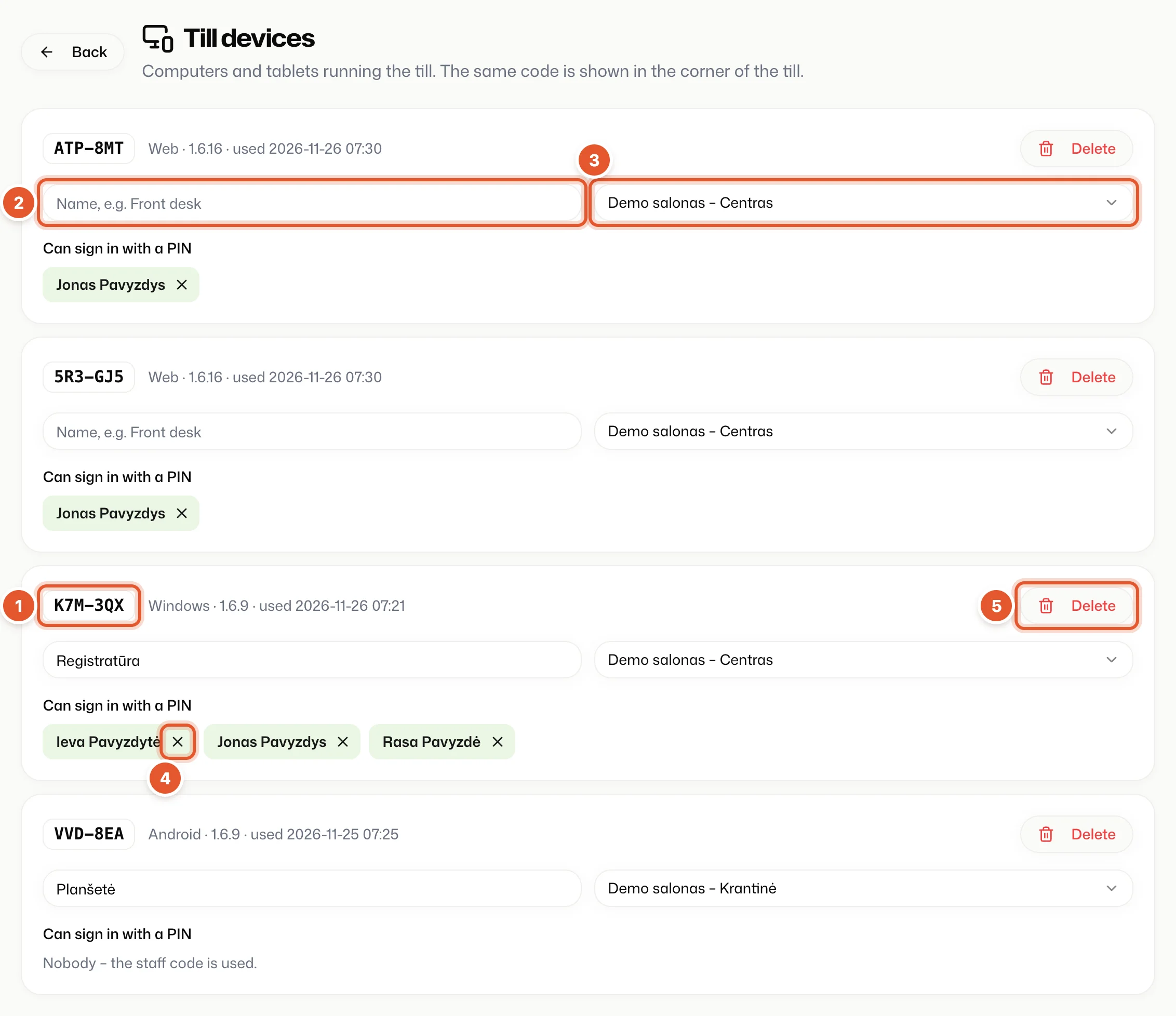
- 1. Code — the same as in the till's corner.
- 2. Name — write where the device stands.
- 3. Shop — which shop it belongs to.
- 4. Remove from device — the person will sign in with the code again.
- 5. Delete — everyone will sign in with the code again.
- Name – so you know which device it is, such as “Front desk”.
- Shop – where the device stands.
- Can sign in with a PIN – who already signed in on this device with a code and has a PIN. The cross removes a person from this device.
A device is lost or sold
Find it by its code and press Delete.
Everyone who used it will have to sign in with their staff code next time.
If a staff code was lost too, generate a new card: Staff.