

Payment collection
How to take customer payments through Stripe and what it costs.
The service lets you take customer payments online. The money goes to your Stripe account; the fee is taken off by itself.
Open Payment Collection.
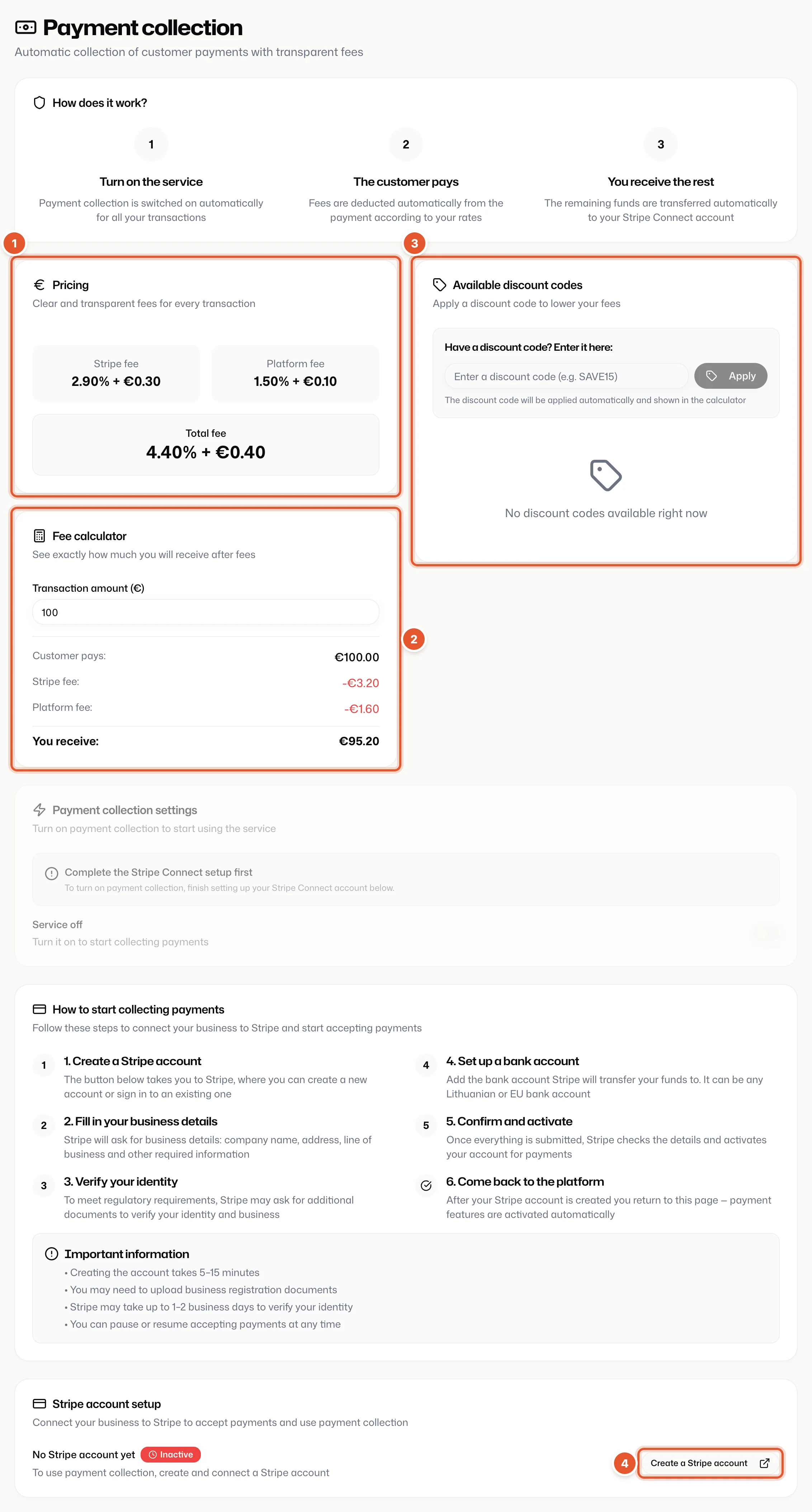
- 1. Pricing — Stripe and platform fees.
- 2. Fee calculator — what is left from an amount.
- 3. Discount code — if you have one.
- 4. Create a Stripe account — start here.
Turn it on
At the bottom of the page press Create a Stripe account. The Stripe website opens.
Fill in the company details, confirm your identity and enter the bank account. It takes 5–15 minutes.
Come back to the portal. When Stripe approves the account (up to 1–2 working days), turn the service on.
What it costs
The Pricing block shows the prices. The Fee calculator shows what is left from a given amount.
If you have a discount code, type it on the right and press Apply.
If something goes wrong
| What you see | What to do |
|---|---|
| “Complete the Stripe Connect setup first” | The Stripe account is not finished. Continue with the same button. |
| Stripe asks for more documents | Upload them on the Stripe website. Loyalty.lt does not see them. |