

Dashboard
What the portal's start page, the getting-started guide and the charts show.
You land here after signing in. You see what matters most today.
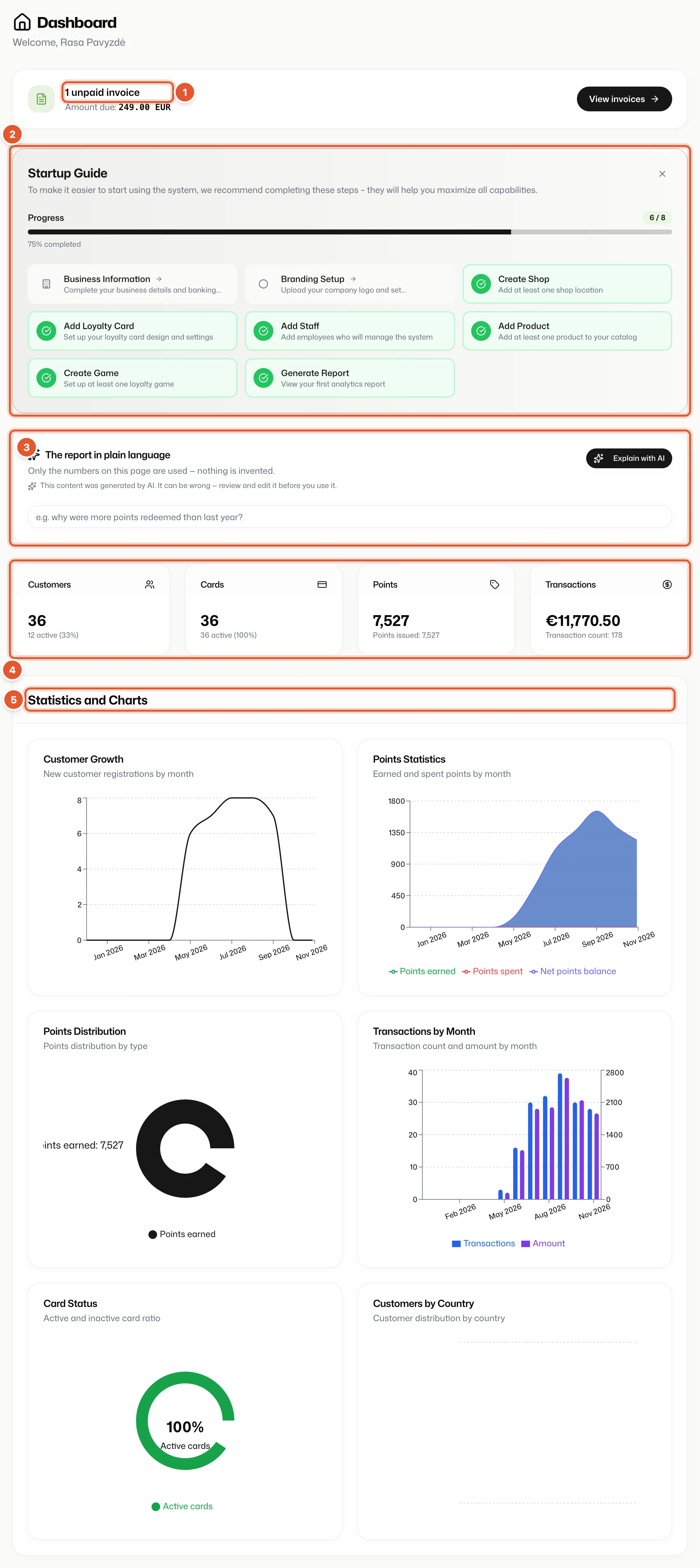
- 1. Invoices — whether any are unpaid.
- 2. Getting started — what is still worth doing.
- 3. The report in plain language — a question in your own words.
- 4. Numbers — customers, cards, points, purchases.
- 5. Charts — how it changed over the year.
- Invoices – whether any are unpaid.
- Getting started – what is still worth doing. Done steps are marked. The cross hides the guide.
- Numbers – customers, cards, points and the purchase total. Refunds are taken off the total.
- Charts – how it changed over the year.
Ask in your own words
In the The report in plain language block type a question and press Explain with AI. The AI uses only this page's numbers.
AI can be wrong
Check the numbers in a report before making a decision.
Menu
On the left – all sections of the portal. At the top – search, language, notifications and help. The question mark opens the guide page about what you see.
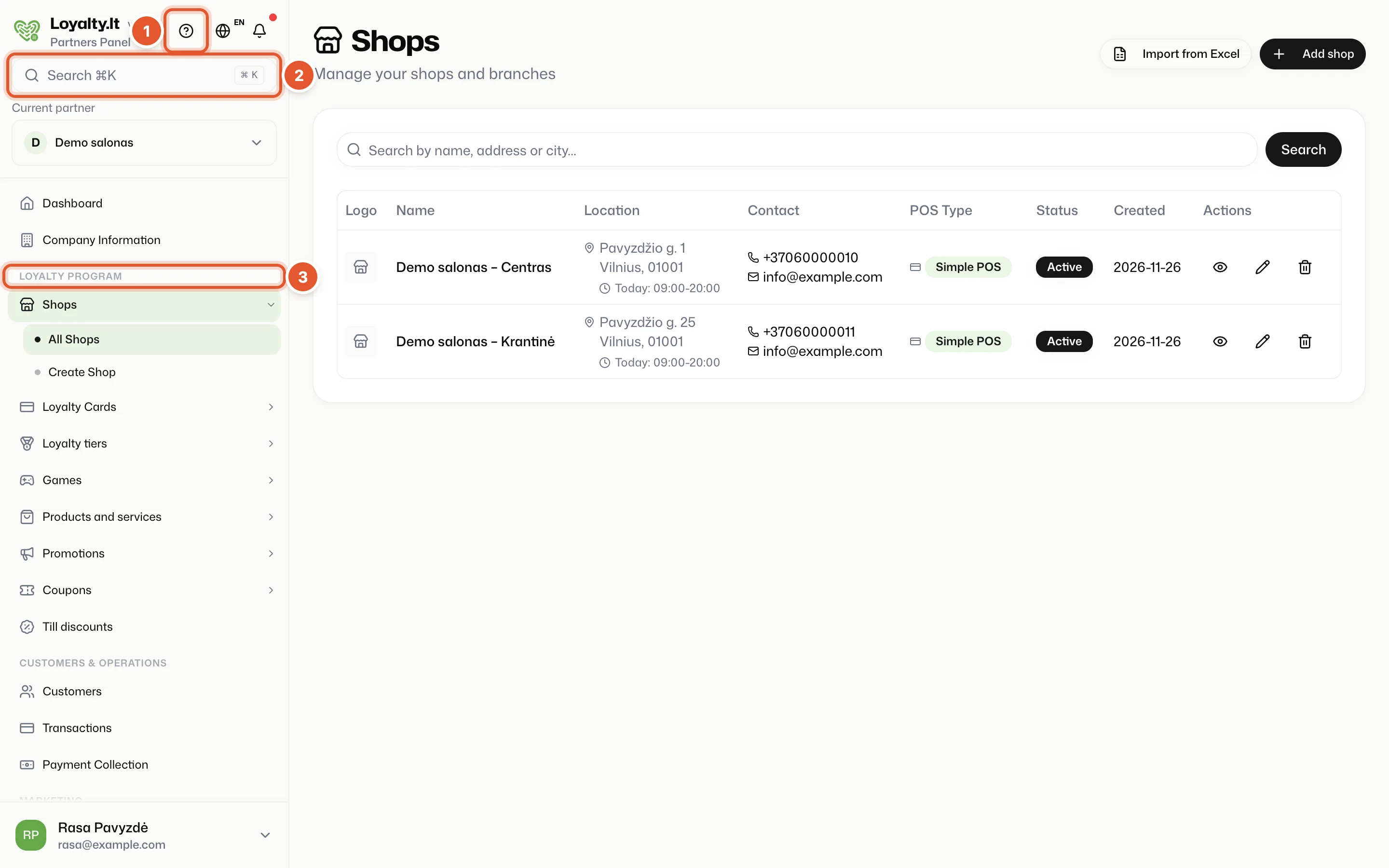
- 1. Help — the guide page about this screen.
- 2. Search — customers, purchases, pages.
- 3. Sections — programme, customers, marketing, administration.