

Plan and services
How to change the plan, turn on an add-on and find the contract.
Plan
Open BillingMonthly plan.
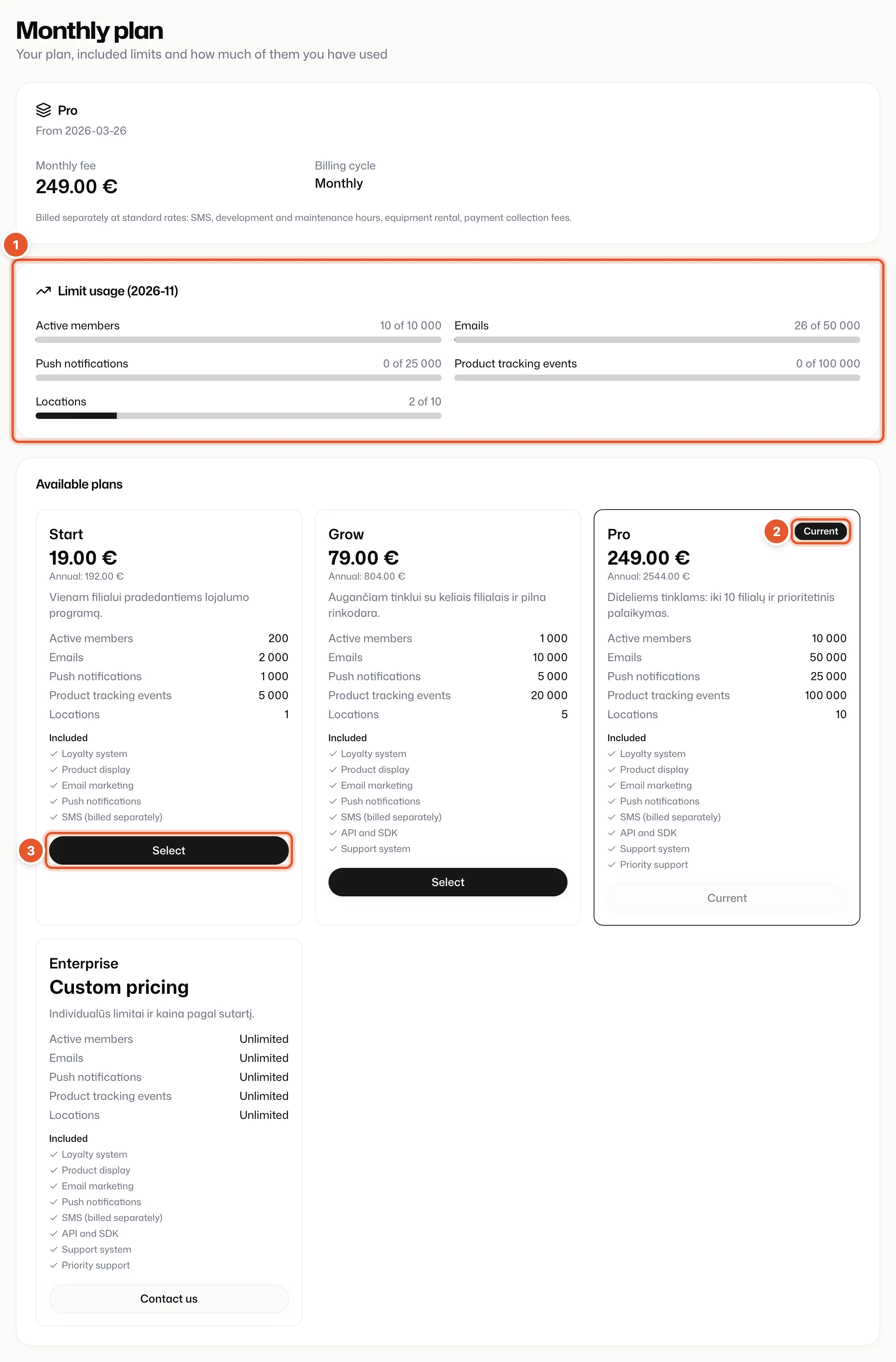
- 1. Limit usage — how much is left.
- 2. Current — your plan.
- 3. Select — change the plan.
You see your plan, its limits and the other plans. To change, press Select next to a plan. Before confirming you see from when it applies and what it costs.
The price changes
The plan should be changed by whoever is responsible for invoices. If unsure, write a support ticket.
Add-ons
BillingServices & Pricing: extras on top of the plan, such as more emails.
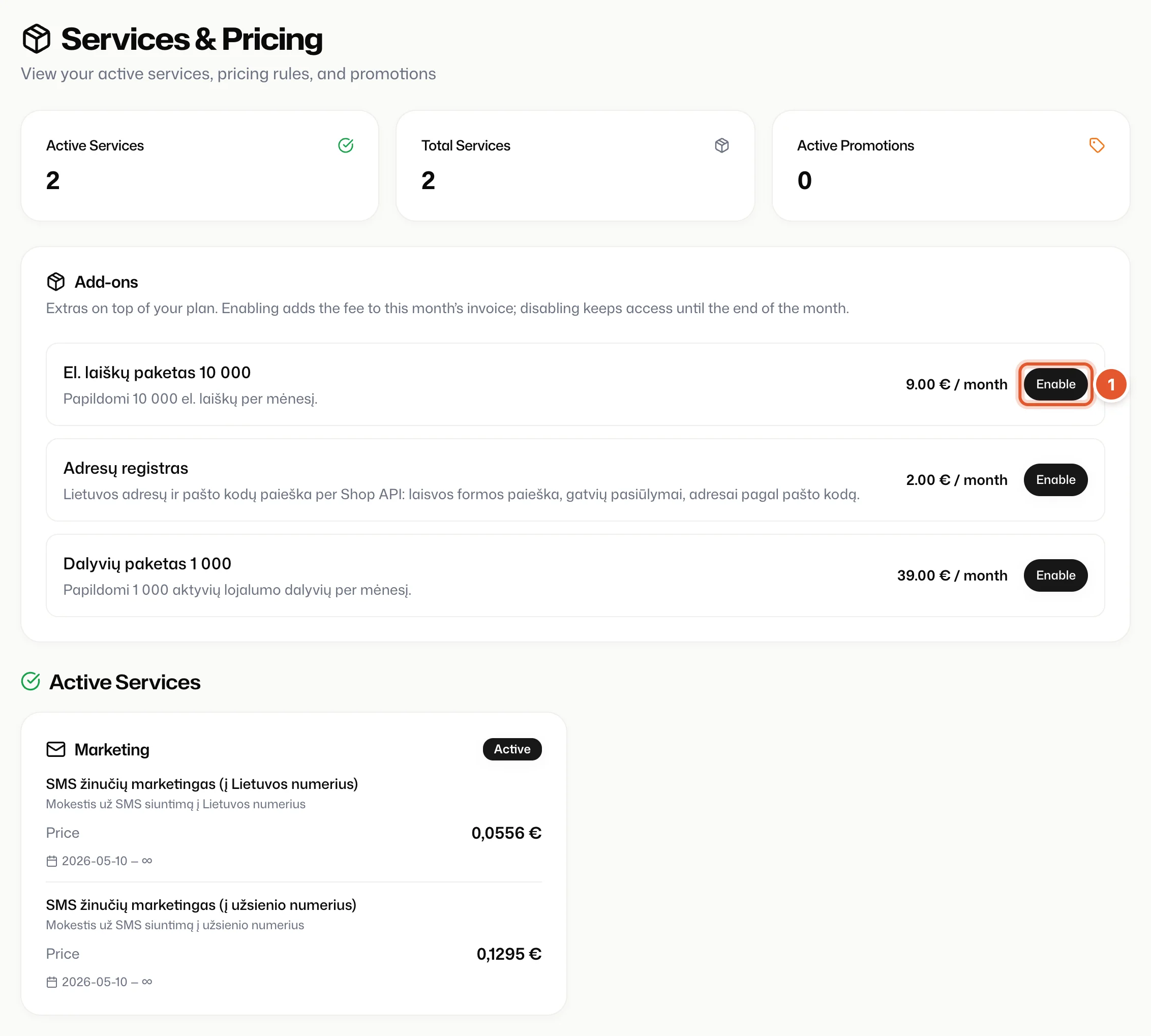
- 1. Enable — the fee is added to the invoice.
Once turned on, the fee is added to the monthly invoice. A turned-off add-on stays valid until the end of the month.
Contract
BillingContract: the contract number, status and a file to download.