

SMS campaigns
How to send an SMS to customers, what it costs and what the results show.
An SMS reaches everyone whose phone number you have and who agreed. No app is needed.
Open SMS MarketingCampaigns.
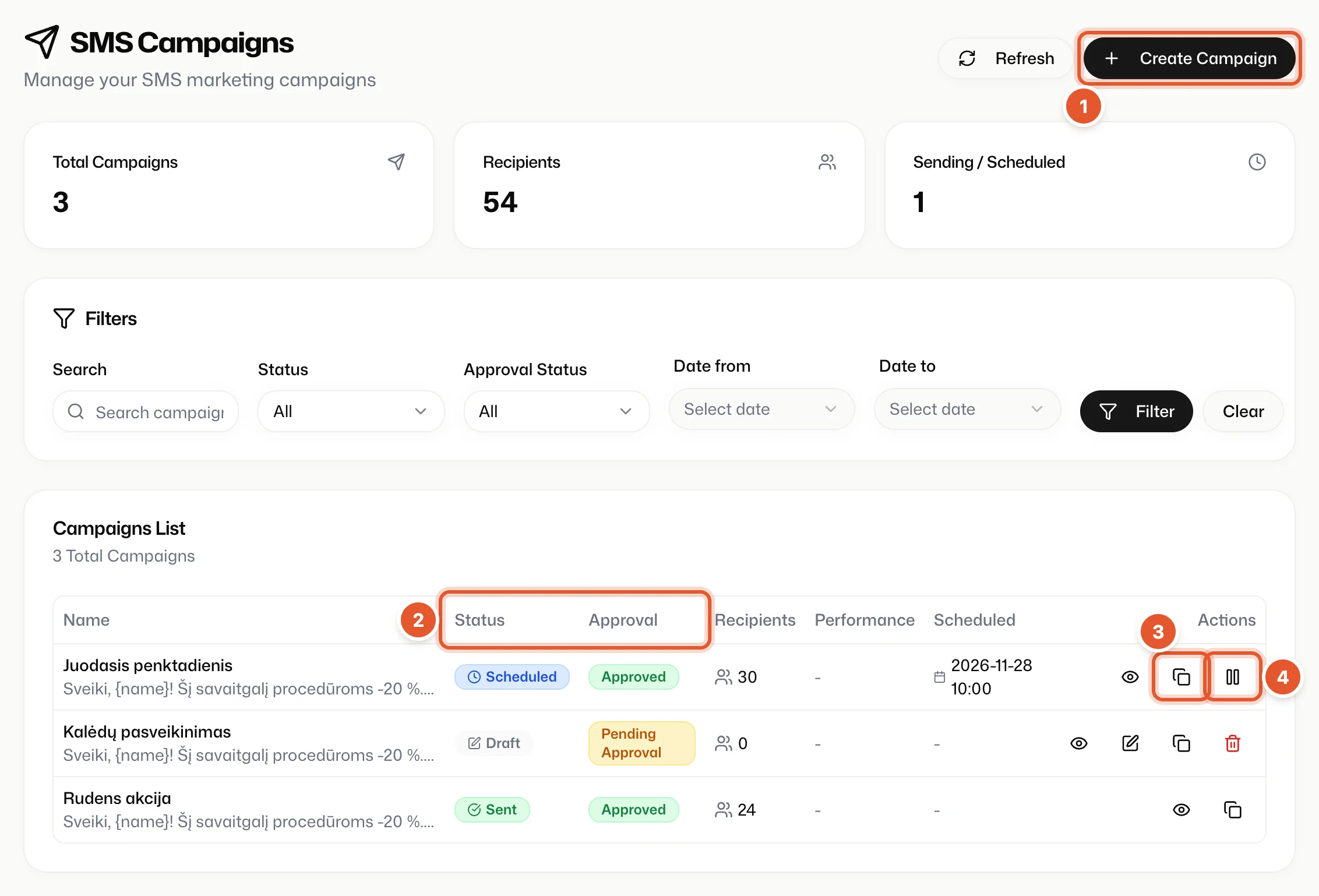
- 1. Create Campaign — a new campaign.
- 2. Status and approval — only an approved one is sent.
- 3. Duplicate — a copy for a new campaign.
- 4. Cancel campaign — while it is not sent yet.
If you see a request form instead of campaigns, the SMS service is not on yet. Fill in the form – we will get in touch.
Send a campaign
Costs money and cannot be undone
You pay for every part of a message. Sent messages cannot be taken back. Send only to those who agreed.
Press Create Campaign. Choose the sender name and write the text.
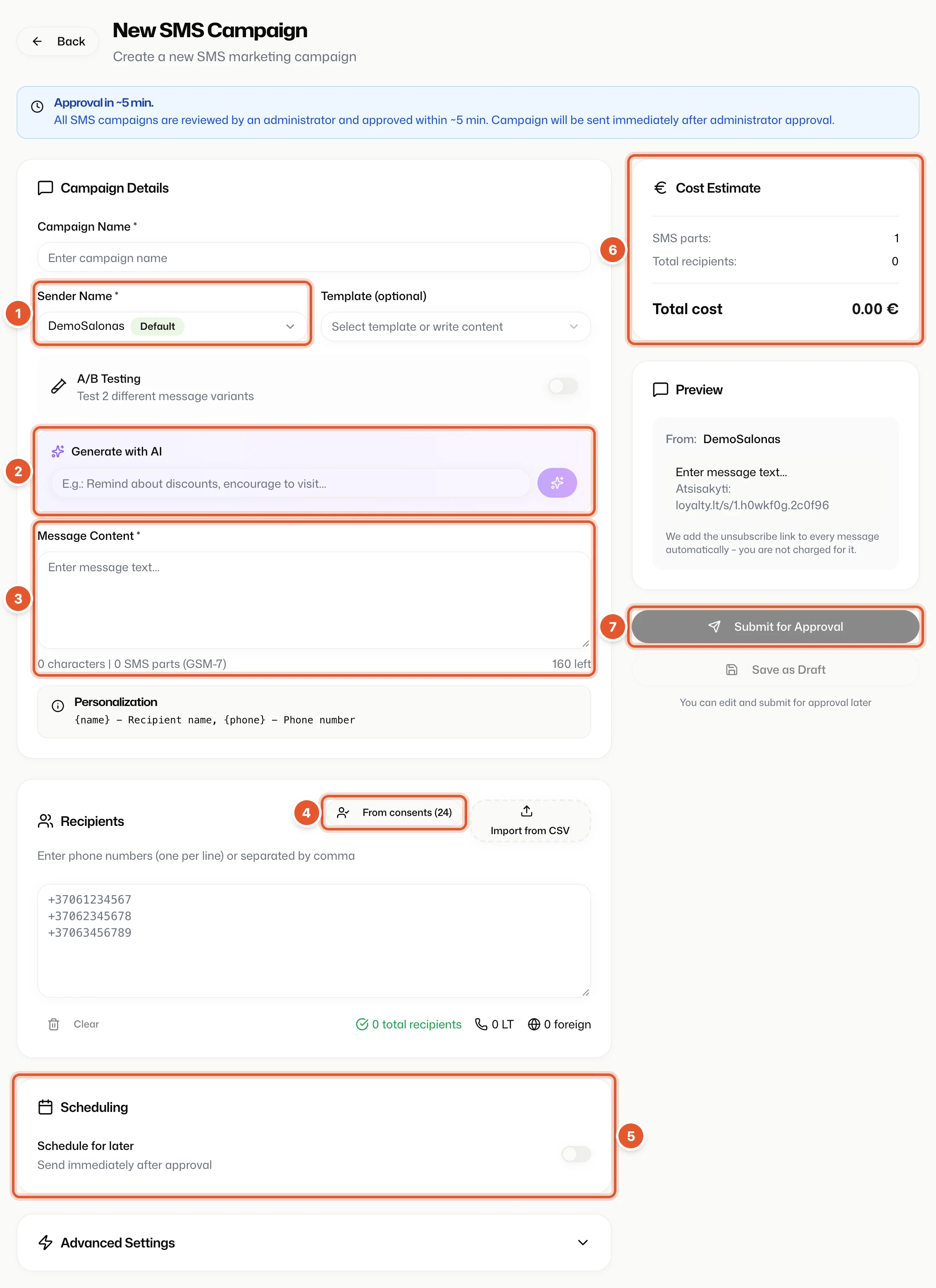
- 1. Sender name — what the customer sees instead of a number.
- 2. Generate with AI — suggests the text.
- 3. Message content — below it – characters and parts.
- 4. From consents — those who agreed.
- 5. Scheduling — send later.
- 6. Cost Estimate — what it will cost.
- 7. Submit for Approval — Loyalty.lt reviews it before sending.
Choose the recipients: the button with the number of consents takes those who agreed.
Check the Cost Estimate and press Submit for Approval.
Loyalty.lt reviews the campaign – usually within 5 minutes. An approved campaign is sent at once or at the set time.
How many parts a message takes
- Without Lithuanian letters, one part is 160 characters.
- With Lithuanian letters (ą, č, ę, ė, į, š, ų, ū, ž) – 70 characters.
- A longer message is sent in several parts. You pay for each.
We add the opt-out link to the message ourselves. You do not pay for it.
Results
Open the campaign. You see how many messages were delivered, how many failed and what it cost. The Recipients tab lists every number.
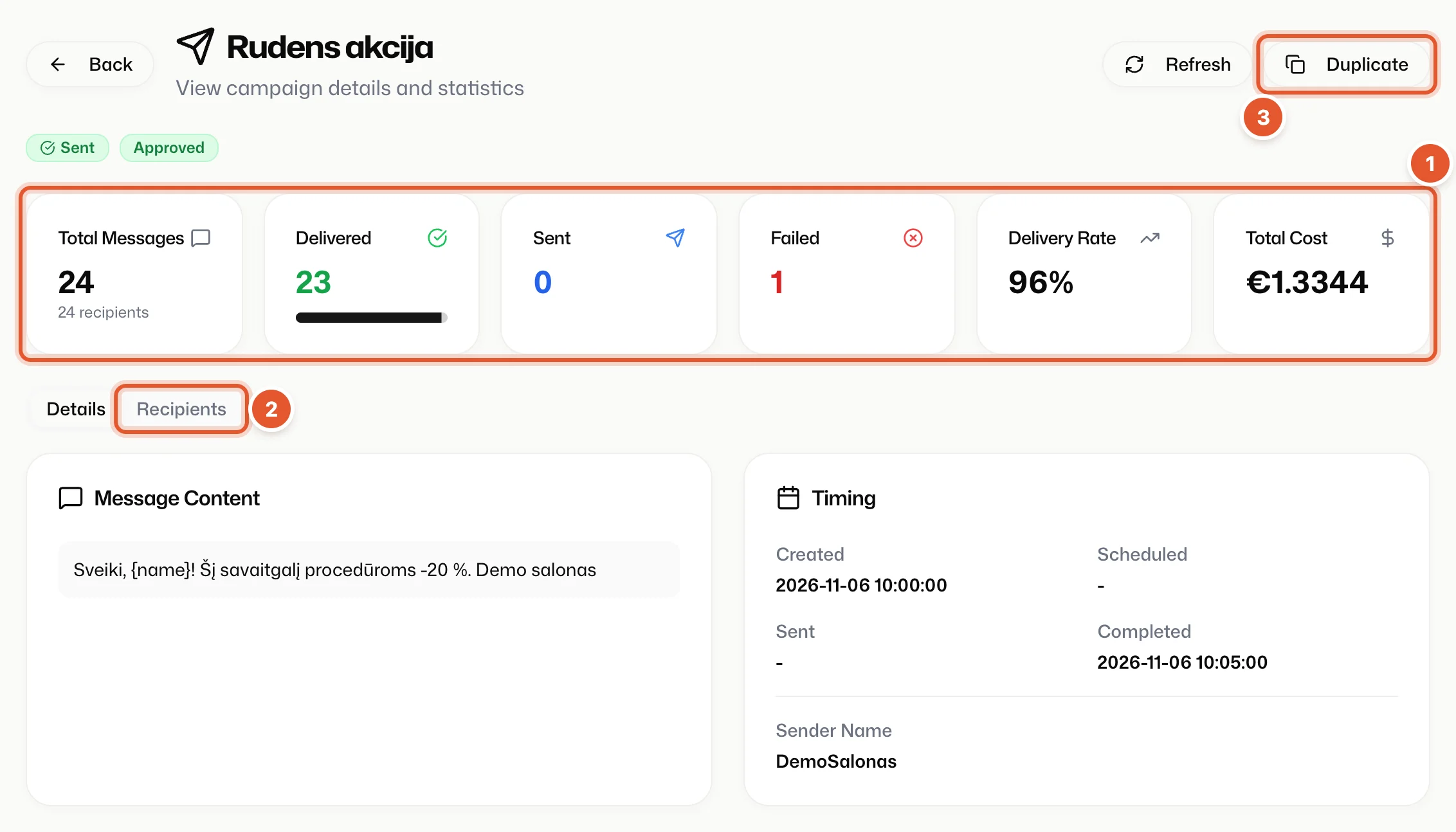
- 1. Results — delivered, failed, cost.
- 2. Recipients — every number.
- 3. Duplicate — send a similar one.
If something goes wrong
| What you see | What to do |
|---|---|
| “No approved sender names” | First register a sender name. |
| Approval Rejected | Open the campaign, read the reason, fix it and submit again. |
| The message was not delivered | The number is wrong or switched off. Fix the customer's contacts. |