

Games
How to create a stamp card, a wheel of fortune or another game and follow the results.
The customer plays in the Loyalty.lt app; the cashier adds stamps. A winner gets a coupon or points.
Open GamesAll Games.
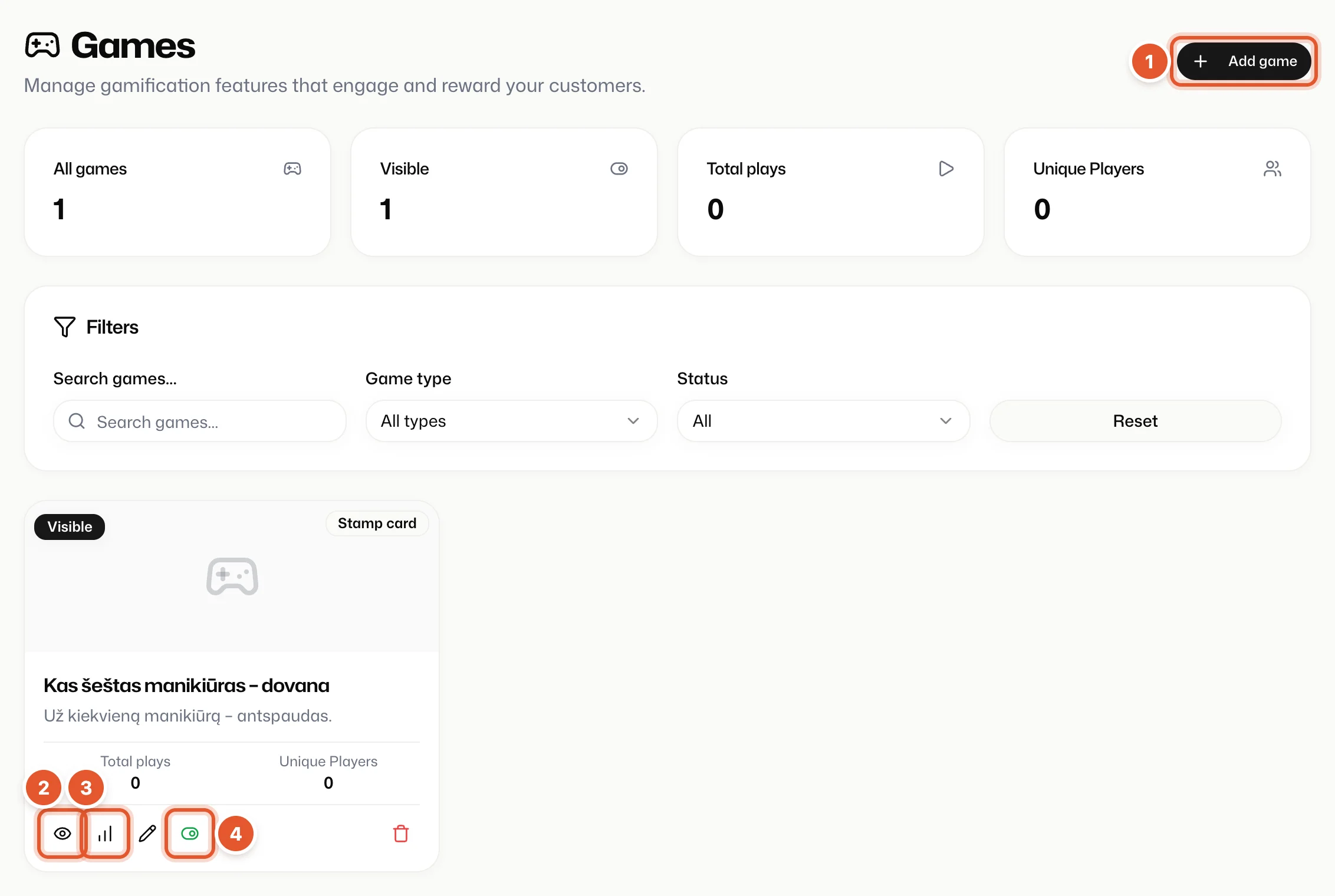
- 1. Add game — a new game.
- 2. View — the game's page.
- 3. Statistics — who played and how much.
- 4. Deactivate — hides the game.
Create a game
Press Add game and choose the type. All types open under Show all game types.
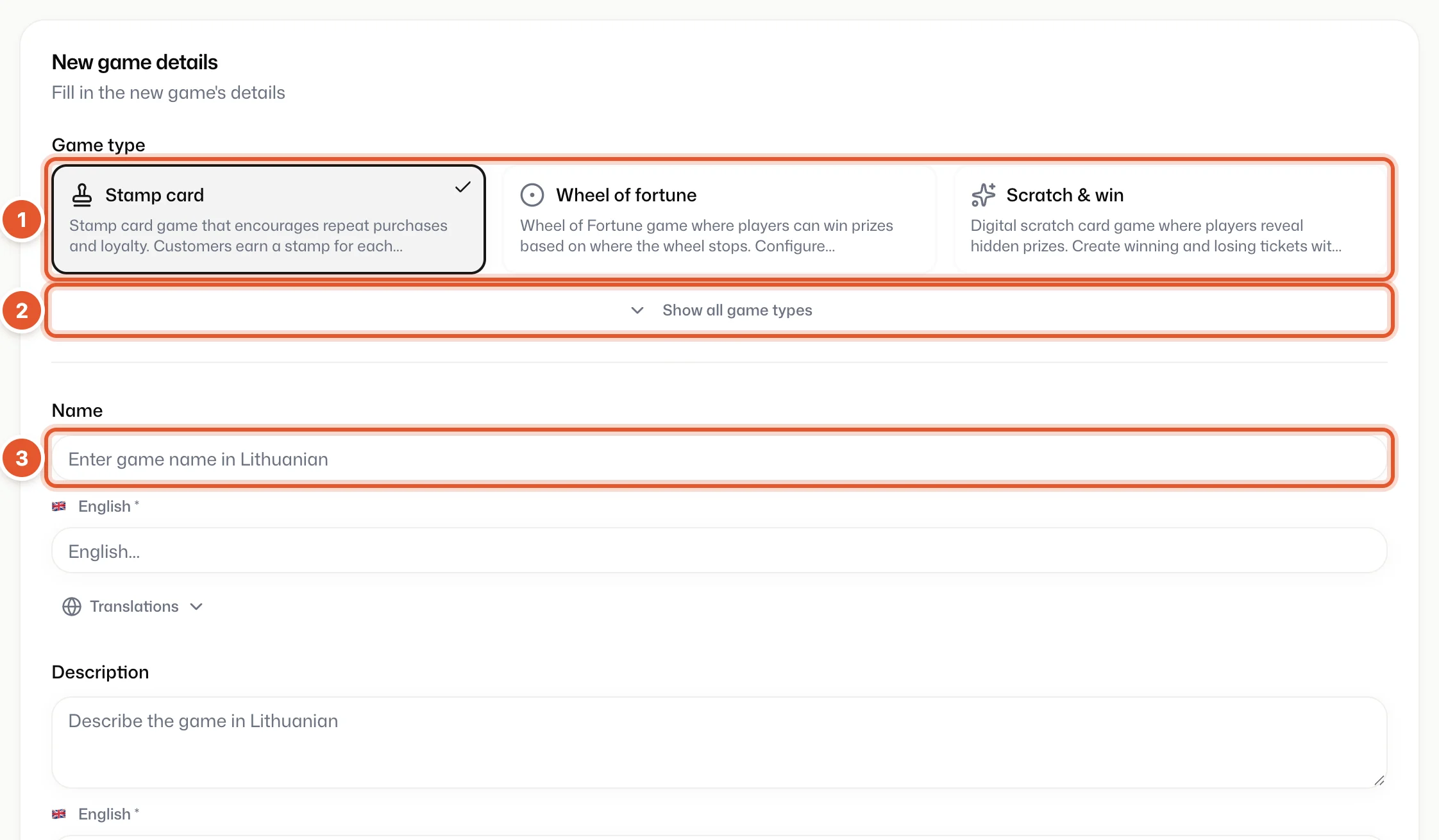
- 1. Game type — the three most popular.
- 2. Show all game types — quiz, lottery, calendar and more.
- 3. Name — how the customer sees the game.
Type the name, description and prize, upload the pictures.
Set up the coupons: how many days they are valid and whether a customer can have several.
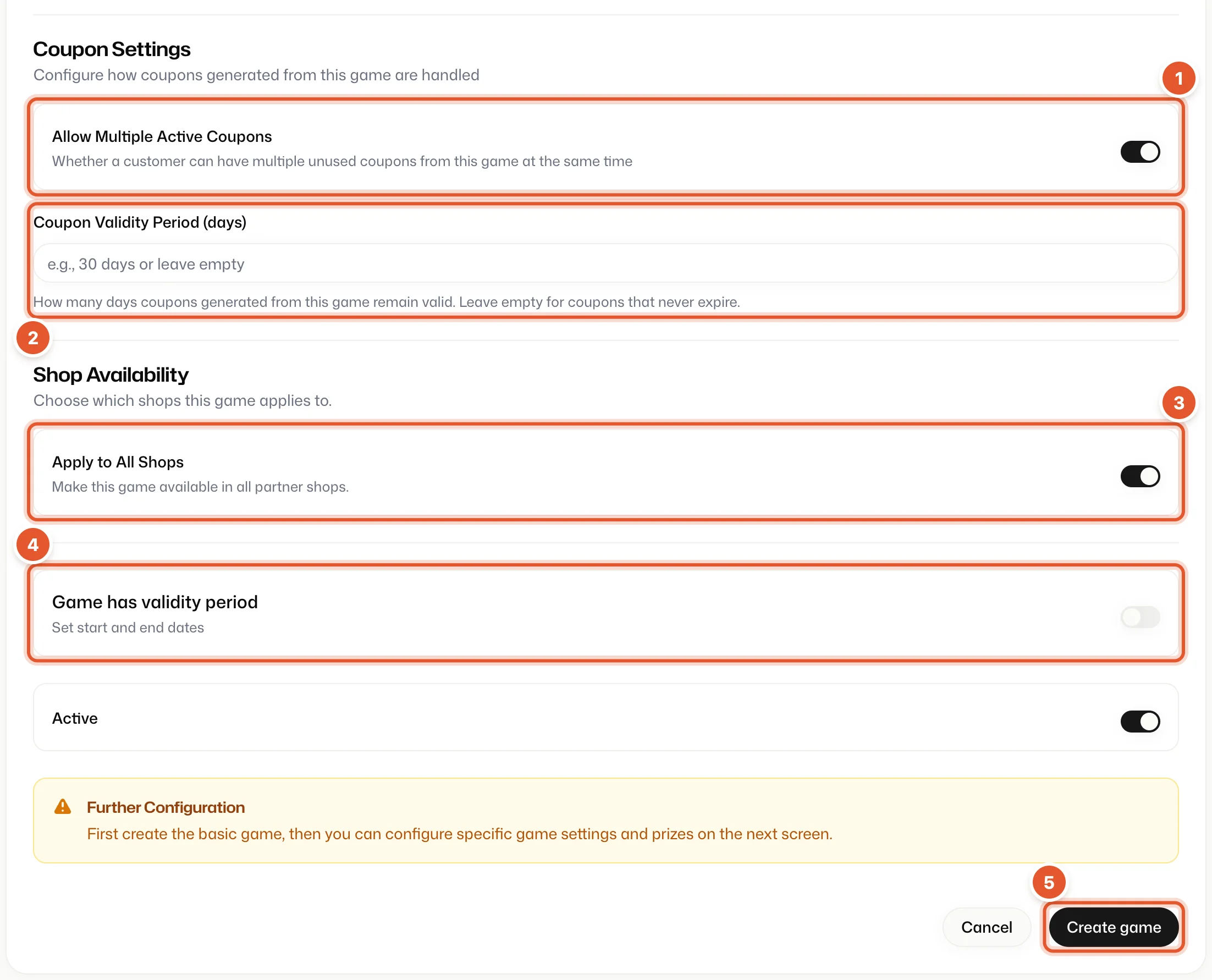
- 1. Allow Multiple Active Coupons — whether a customer can have several unused ones.
- 2. Coupon validity — empty – no end.
- 3. Apply to all shops — turn off to choose some.
- 4. Validity period — from when until when.
- 5. Create game — next – the prizes.
Press Create game. Then set the prizes and rules.
Until the prizes are set
A new game has no prizes yet. Set them first, then turn the game on.
Set the prizes
On the game's page press the type's settings, for example the stamps settings. On the right you see how the game looks on a phone.
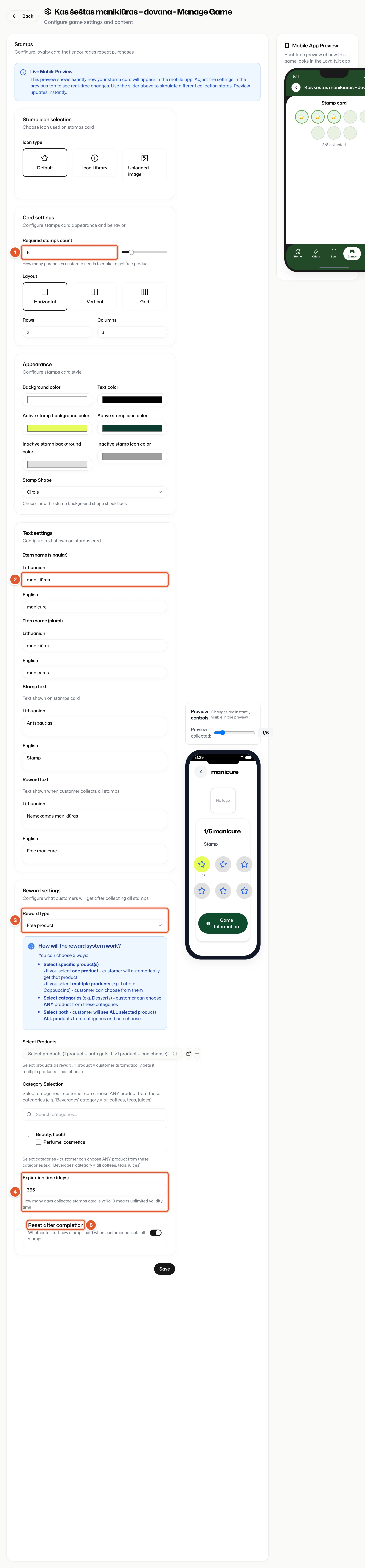
- 1. Required stamps count — how many stamps to collect.
- 2. Card name — what the customer collects.
- 3. Reward type — a free product, a discount or points.
- 4. Expiration time (days) — within how many days to collect.
- 5. Reset after completion — a new card starts after the gift.
| Type | What you set |
|---|---|
| Stamp card | How many stamps are needed and what the customer gets. |
| Wheel of fortune | The wheel's segments, their prizes and chances. |
| Scratch and win | The tickets, prizes and cover colour. |
| Quiz | Questions, answers and time. |
Rules
| Field | What it means |
|---|---|
| Cooldown (min) | How often one can play. 1440 – once a day. |
| Max plays per day | The limit for one customer per day. |
| Max plays in total | The limit for one customer over all time. |
| Play cost (points) | How many points one play costs. 0 – free. |
| Require a purchase | A purchase is needed first. |
Remind about the game
On the game's page, in the Notification automations block, create a push or SMS reminder. Our recommendations suggests ready-made ones.
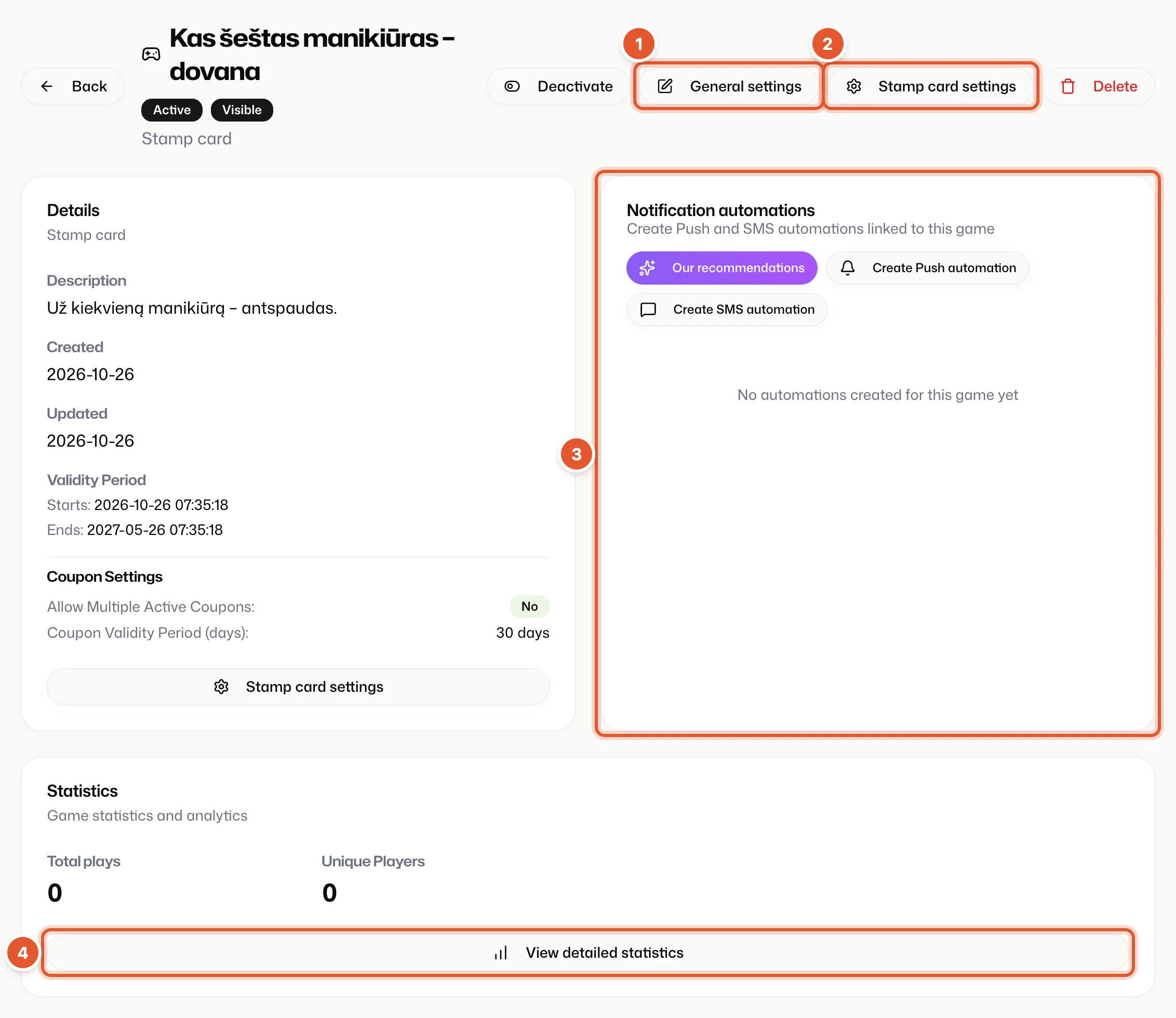
- 1. General settings — name, dates, shops.
- 2. Stamp card settings — the prize and the look.
- 3. Notification automations — reminders about the game.
- 4. View detailed statistics — players and prizes.
Results
Press View detailed statistics. You see how many times it was played, who played most and which prizes were given.
Turn off and delete
Deactivate hides the game, but the results stay. Coupons already won stay valid.
Cannot be undone
A deleted game cannot be restored. If it has only ended, deactivate it.
If something goes wrong
| What you see | What to do |
|---|---|
| The customer does not see the game | Check that the game is active and the dates and shop fit. |
| No game at the till | At the till, choose the customer first. The game must be assigned to that shop. |