

Games
How to add stamps and how the other games work at the till.
The till shows the games your manager turned on.
Stamp card
Choose the customer and open Games.
Choose the stamp card, set the number and press Add Stamps.
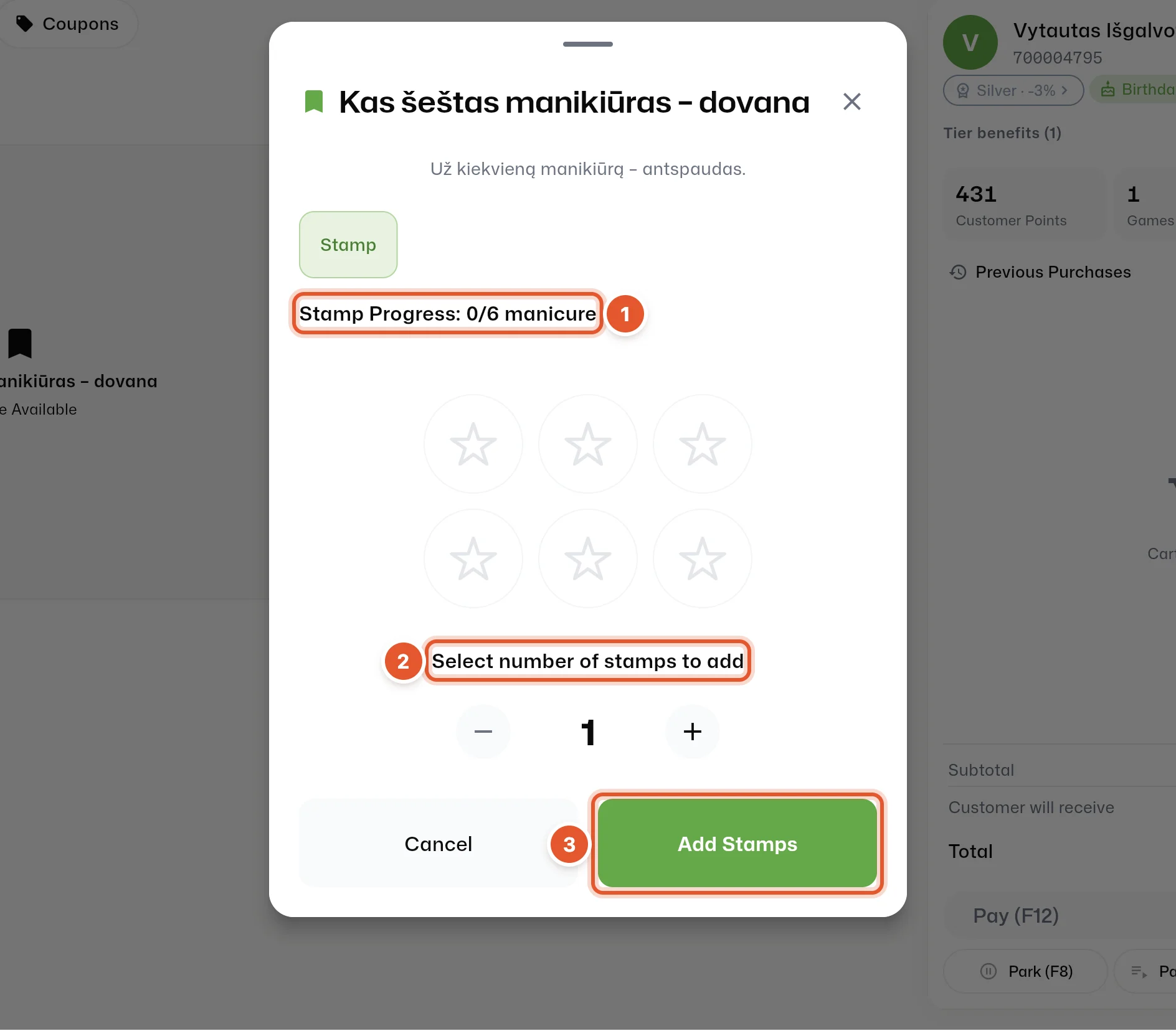
- 1. Stamp progress — how many stamps the customer already has.
- 2. Number of stamps — how many to add: − and +.
- 3. Add Stamps — adds them. With all collected, the customer gets the prize.
When all the stamps are collected, the customer gets the prize at once – a coupon in their app.
Other games
The wheel of fortune, scratch card, quiz and memory game are played in the customer's app. At the till you can start the ones that allow it.
If something goes wrong
| What you see | What to do |
|---|---|
| “No games available” | Choose the customer first. If it is still empty, no games are on for this shop. |