

Signing in and PIN
How to sign in the first time, how to sign in with a PIN and how to switch staff.
Everyone works under their own name. The first time you sign in with your staff code, after that with your PIN.
Sign in the first time
Scan the QR code on your card or type your staff code. You get the code from your manager.
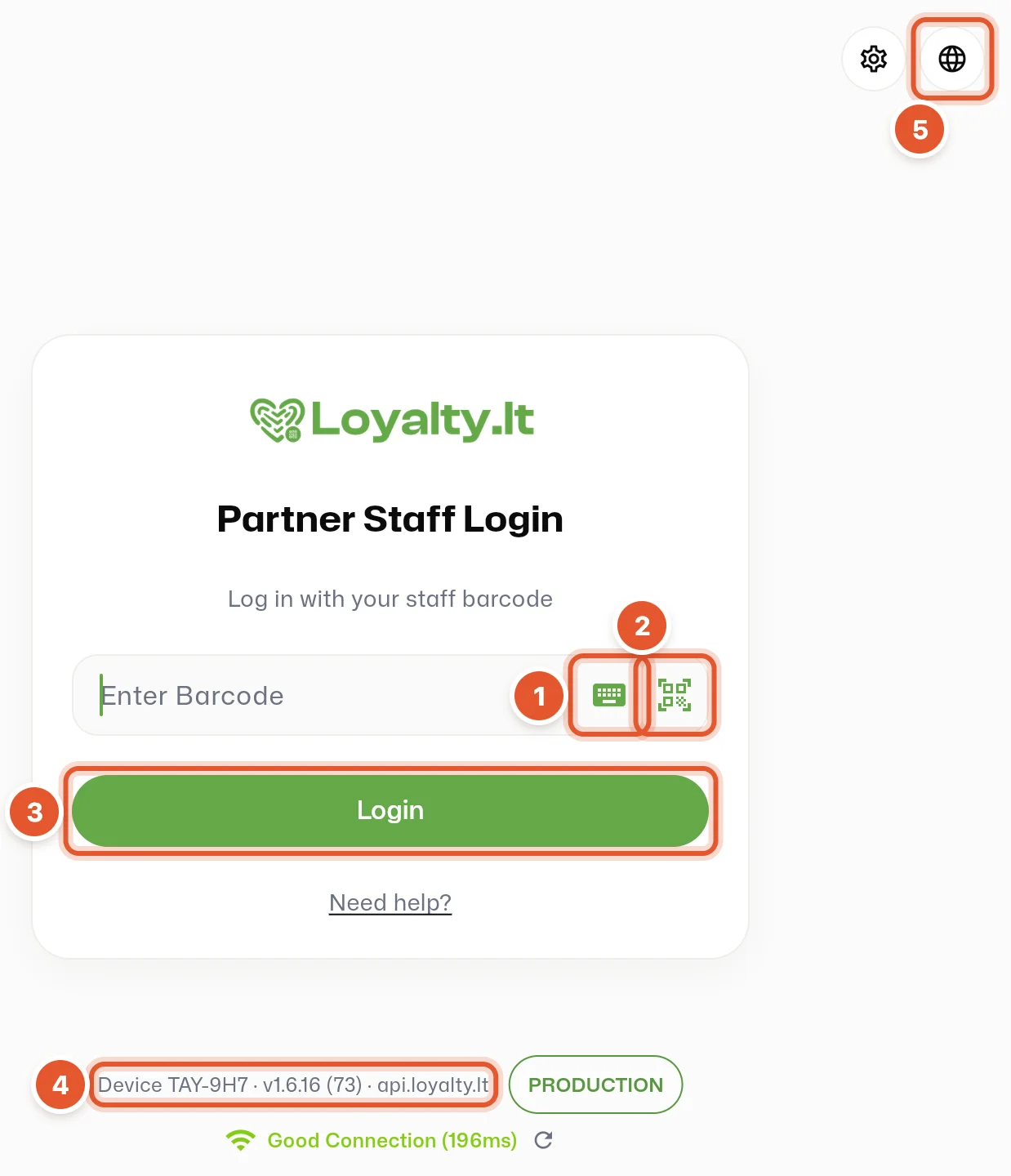
- 1. Keyboard — an on-screen keyboard to type the code.
- 2. Camera — scans the QR code on the staff card.
- 3. Login — signs in with the code typed.
- 4. Device — this till's code, the app version and the server.
- 5. Change language — Lithuanian or English.
Create a 4-digit PIN and repeat it. Avoid one that is easy to guess, such as 1234.
If you work in several shops, choose the one you are in.
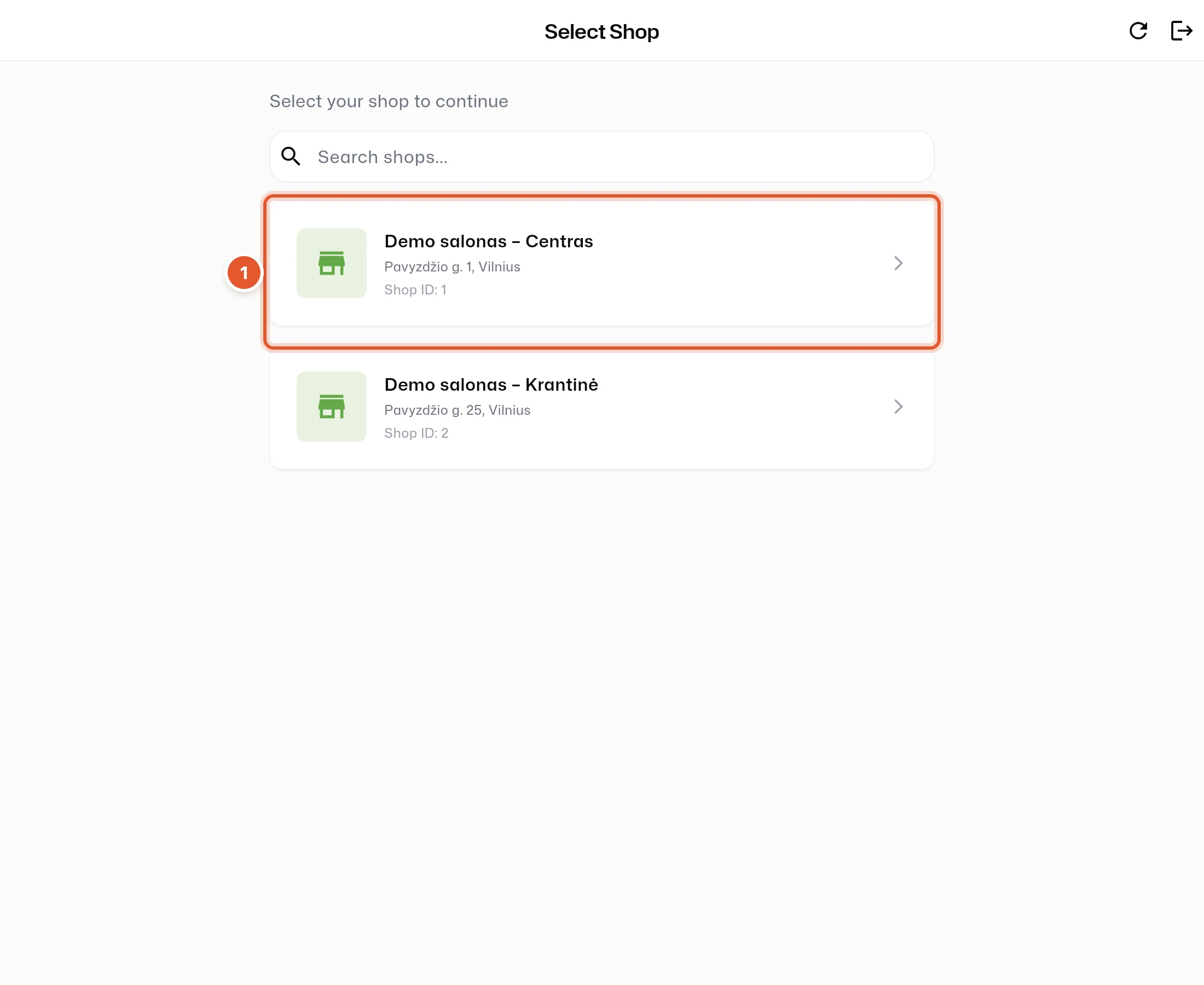
- 1. Shop — choose the one you work in. The till remembers it.
Sign in every day
In “Who is working?” choose yourself.
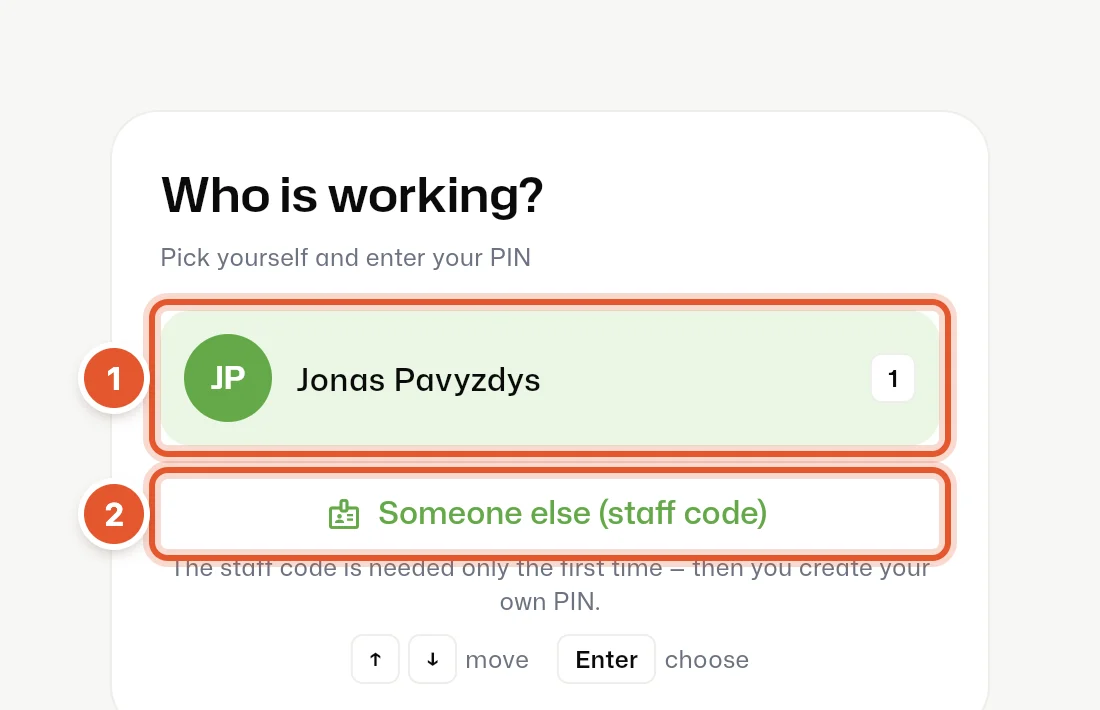
- 1. Staff member — choose yourself with the mouse or the number on the right.
- 2. Someone else (staff code) — when you are not in the list yet.
Enter your PIN.
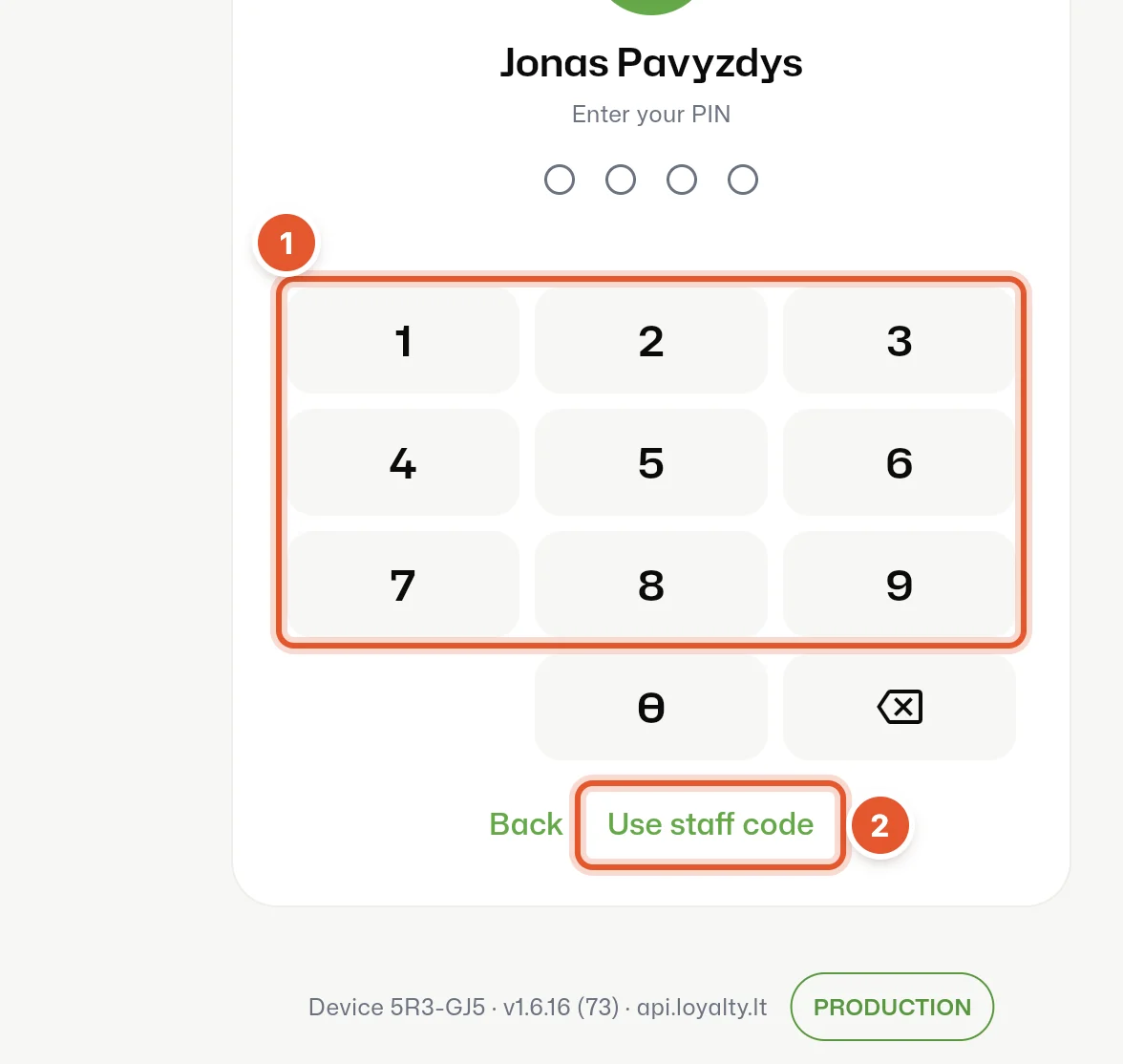
- 1. PIN — 4 digits. After the fourth, the till unlocks by itself.
- 2. Use staff code — forgot the PIN? Sign in with your staff code.
Switch staff
At the top, press Switch staff. An unfinished sale is parked, so the next person does not record it under their name.
The till locked itself
If your manager turned the lock on, the till asks for the PIN after the set time without activity. The manager sets the time in the portal – see Shops.
Forgot the PIN
Press Use staff code, sign in with your staff code and create a new PIN. If you have no code, your manager presses Reset PIN in the portal.
Device code
Every till has a code, for example “K7M-3QX”. You see it on the sign-in screen and at the bottom left. With it, your manager sees in the portal who worked at which till.
If something goes wrong
| What you see | What to do |
|---|---|
| “Wrong PIN” | Try again. After 5 mistakes the PIN is locked for 15 minutes. |
| Too many wrong attempts | Wait 15 minutes or sign in with your staff code. |
| “Sign in with your staff code on this device” | There is no PIN of yours on this till yet, or your manager reset it. |
| “TEST ENVIRONMENT – real codes do not work” | Press Change and choose production. |
| “No Connection” | Check the internet connection. |