

Coupons
How to redeem a customer's coupon.
A customer wins a coupon in a game or gets it for an offer. Each coupon can be used once.
Redeem a coupon
Choose the customer and open Coupons.
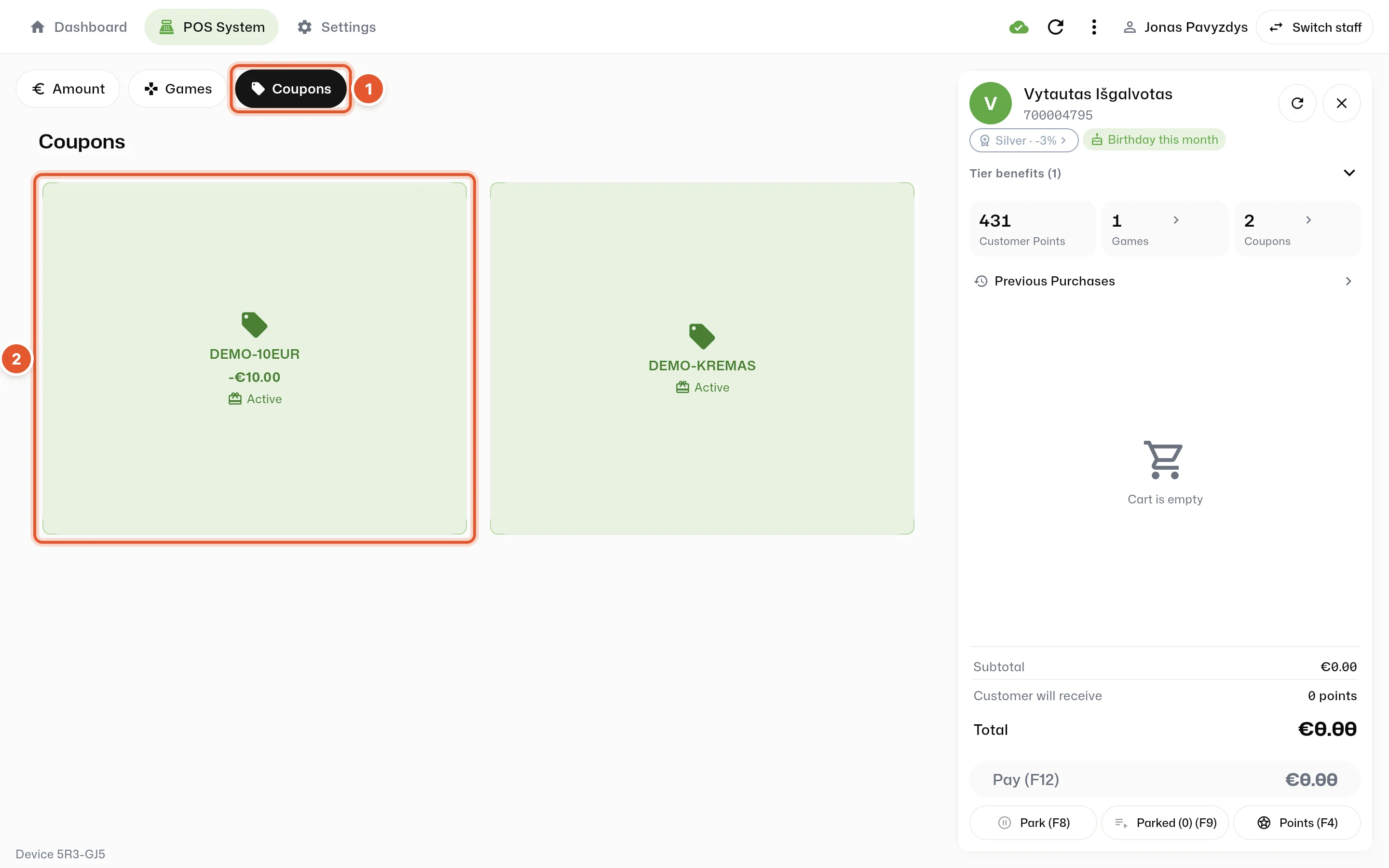
- 1. Coupons — this customer's coupons.
- 2. Coupon — code, discount and status. Tap to open.
Open the coupon, read the terms and press Redeem coupon.
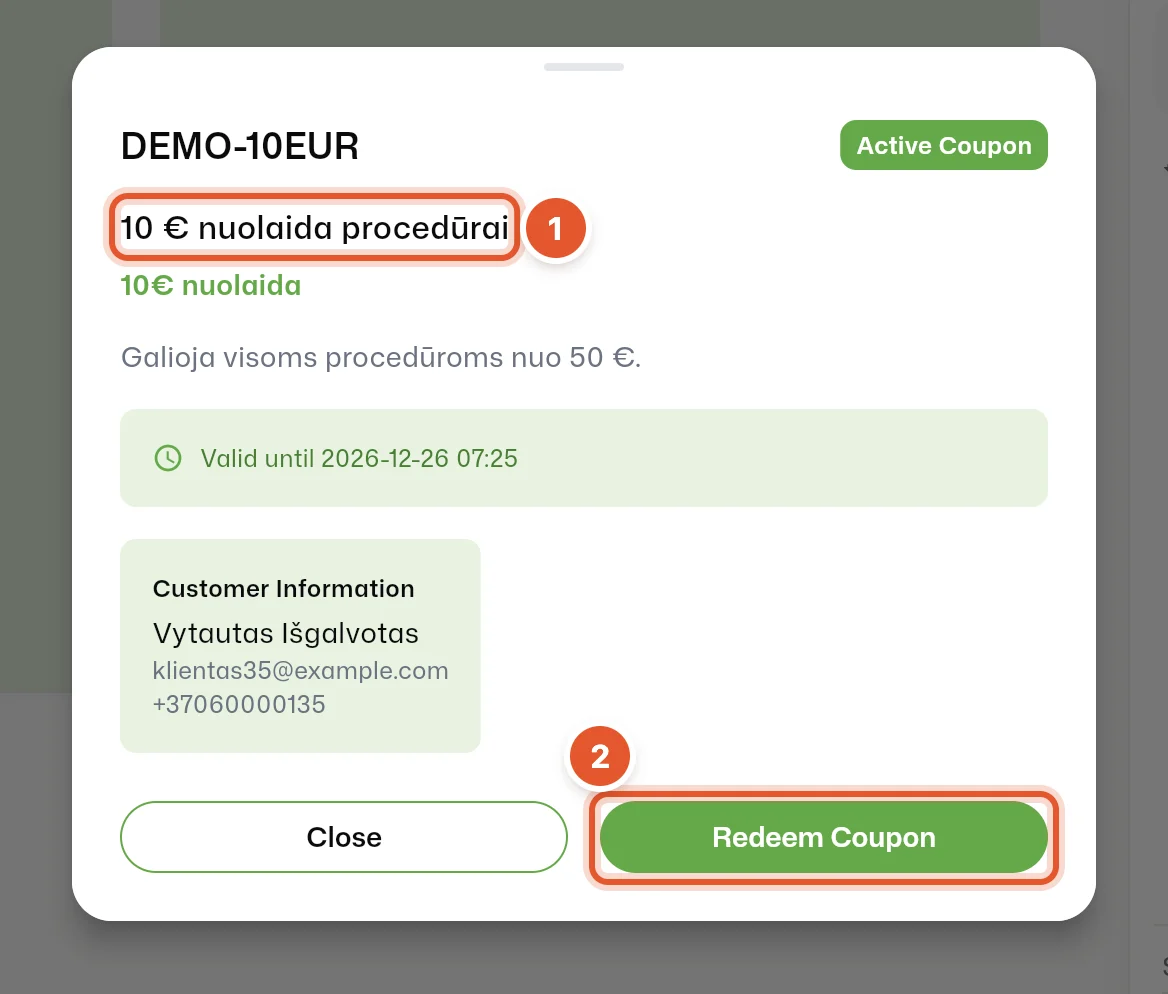
- 1. Coupon — what it gives and on what terms.
- 2. Redeem coupon — the coupon becomes used.
If the customer shows the coupon's QR code on their phone, just scan it – the window opens by itself.
A redeemed coupon cannot be returned
Before you press, make sure this customer is buying and the terms are met.
If something goes wrong
| What you see | What to do |
|---|---|
| “No coupons available” | The customer has no valid coupons, or no customer is chosen. |
| “Used” or “Expired” | The coupon is no longer valid. |
| The coupon is already waiting for payment | It is already in the purchase. Finish the purchase. |