

Parked sales
How to park an unfinished sale and continue it later.
Park a sale when the customer goes back for their wallet or is still choosing. Serve the next customer in the meantime.
Park and continue
Press Park (F8). The till is empty for the next customer.
Later press the parked sales button with the number, or F9, and choose the sale.
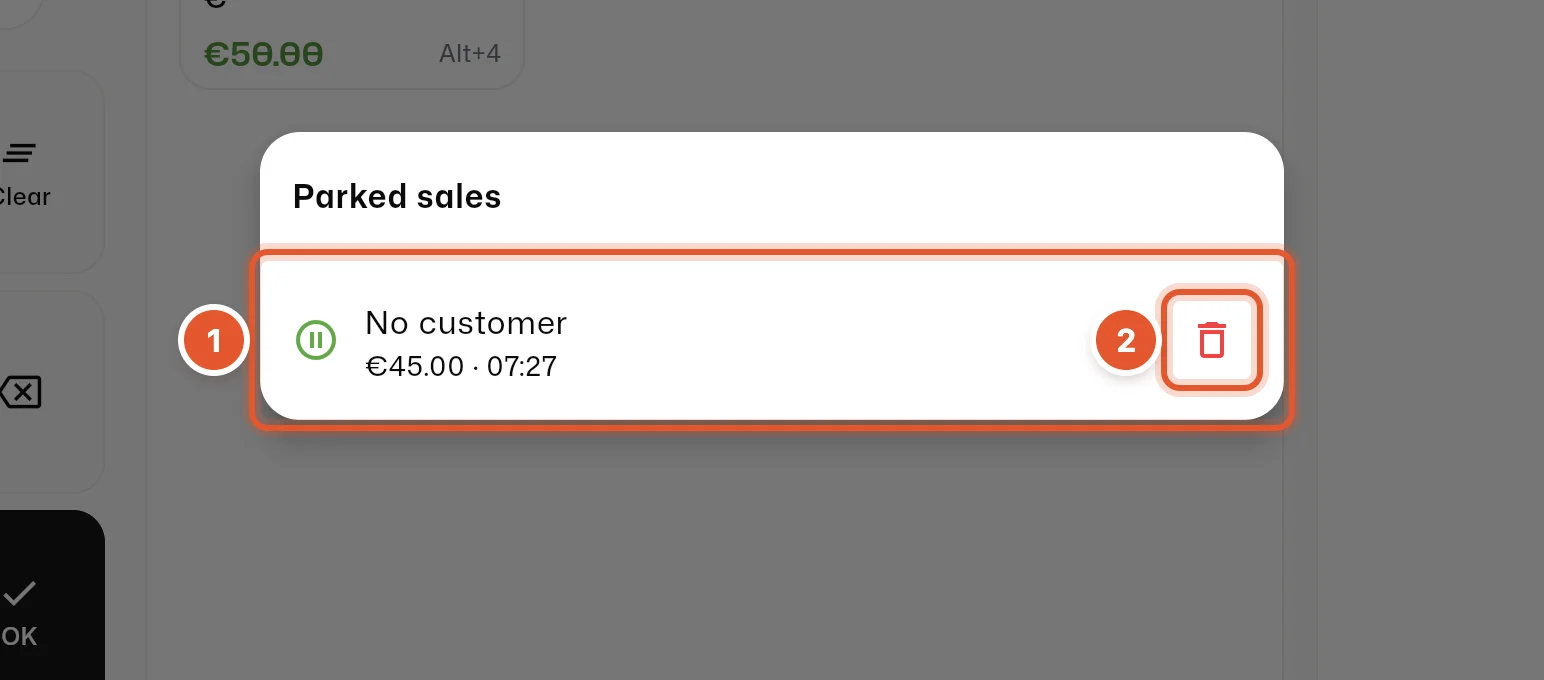
- 1. Parked sale — the customer's name, amount and time. Tap to continue.
- 2. Delete — removes the parked sale.
Parked sales stay on this till even after a restart. Those older than a day are marked.
A discount approved by a manager is dropped when you continue the sale: its approval is short-lived. Apply it again.