

Past purchases and refunds
How to find a customer's purchase and refund all of it or a part.
Find a purchase
Choose the customer and press Previous Purchases.
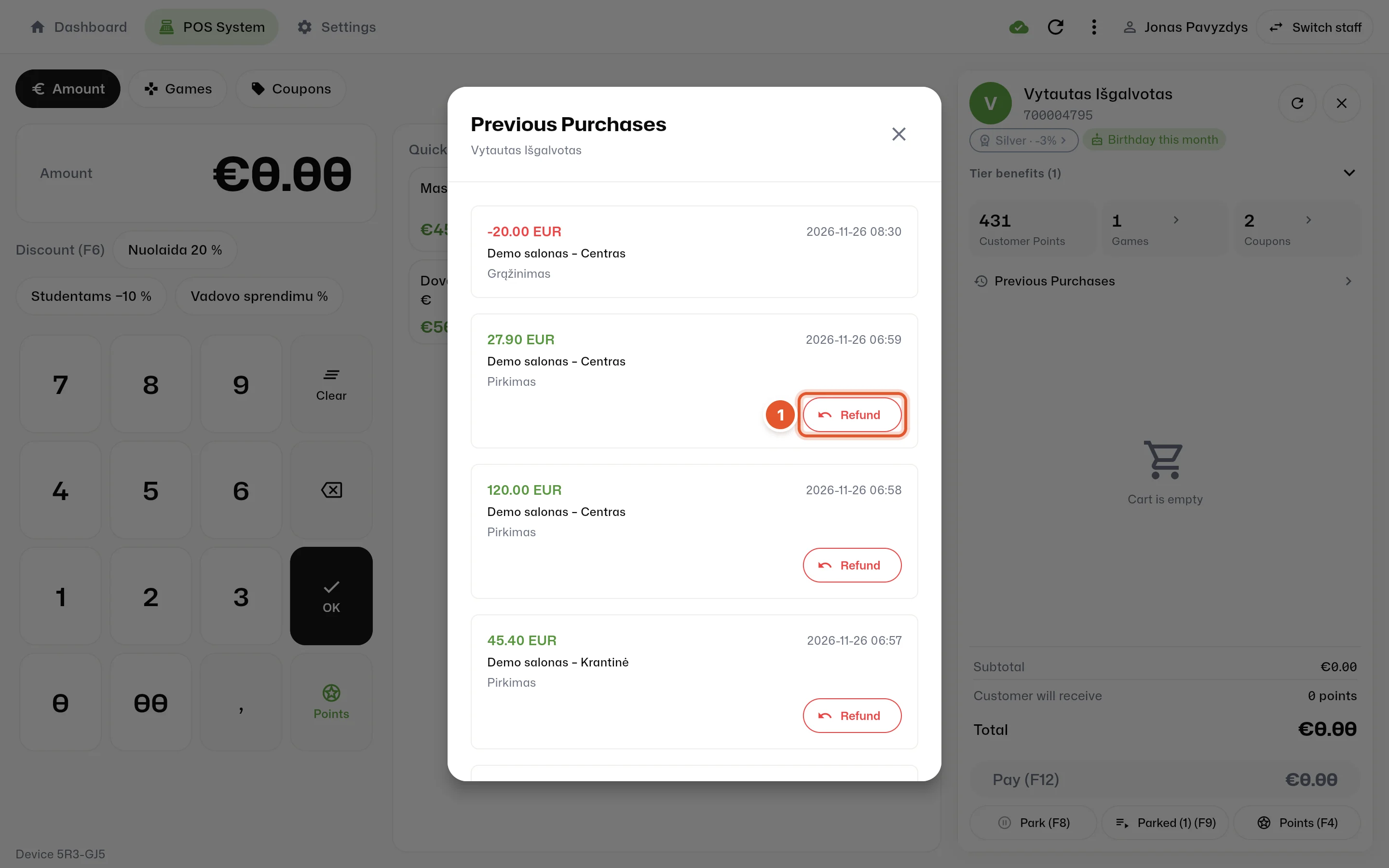
- 1. Refund — opens the refund window.
Refund
Next to the purchase, press Refund.
Keep ticked only the parts being returned. If not the whole amount is refunded, change it.
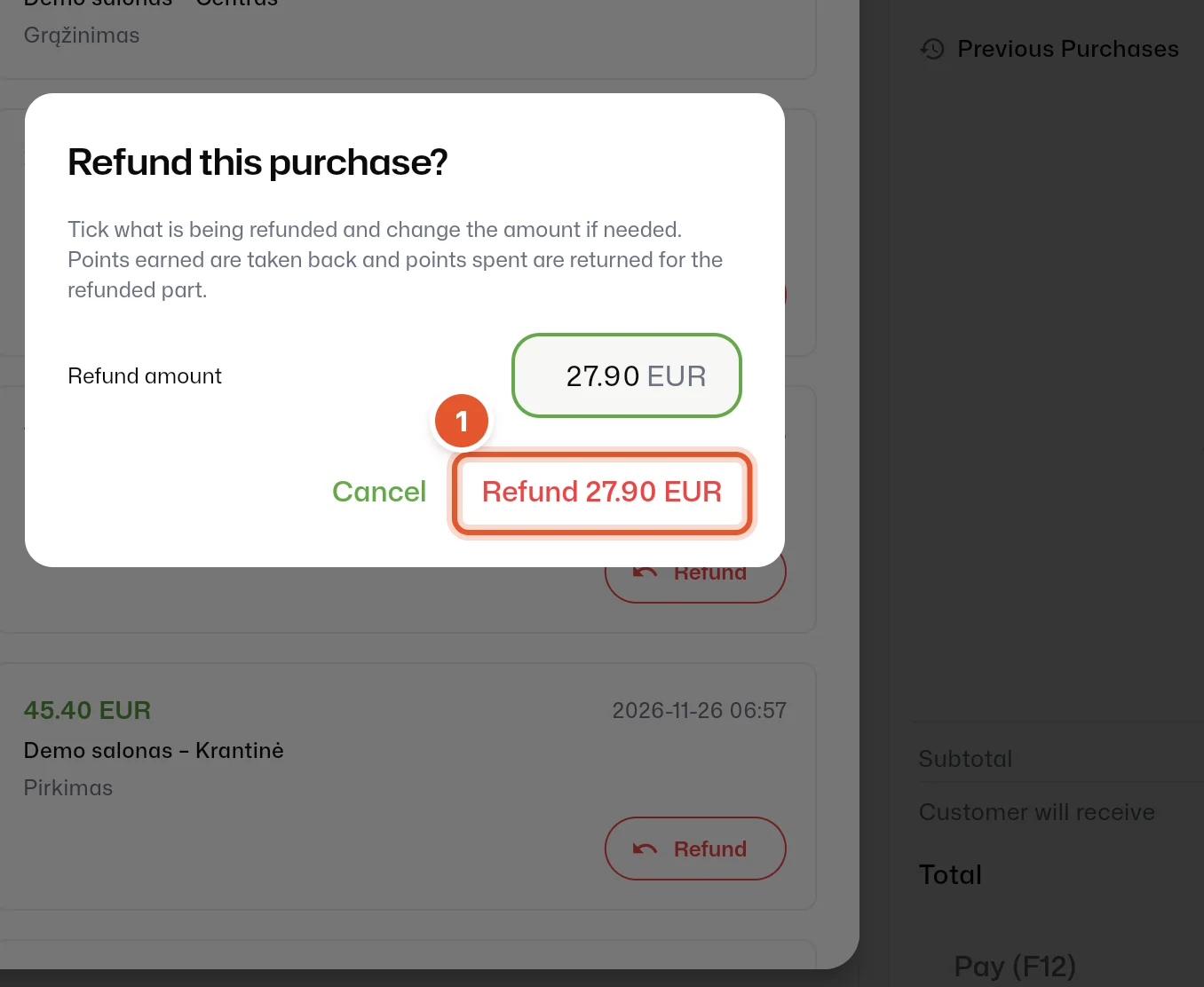
- 1. Refund — refunds the ticked parts.
Press the refund button with the amount. Hand the money back yourself.
What happens to the points
- Points earned on the refunded part are taken back.
- Points used on the refunded part are returned to the customer.
- The customer's tier is recalculated at once.
Cannot be undone
A refund cannot be cancelled. If you made a mistake, enter the purchase again.
If something goes wrong
| What you see | What to do |
|---|---|
| The purchase is already refunded | The whole amount was refunded. |
| The amount does not match the purchase | Enter no more than is left to refund. |
| The purchase is not in the list | Another customer is chosen. |