

Settings
The till's look, language, shop and layout.
Open Settings. Most settings apply only to this device.
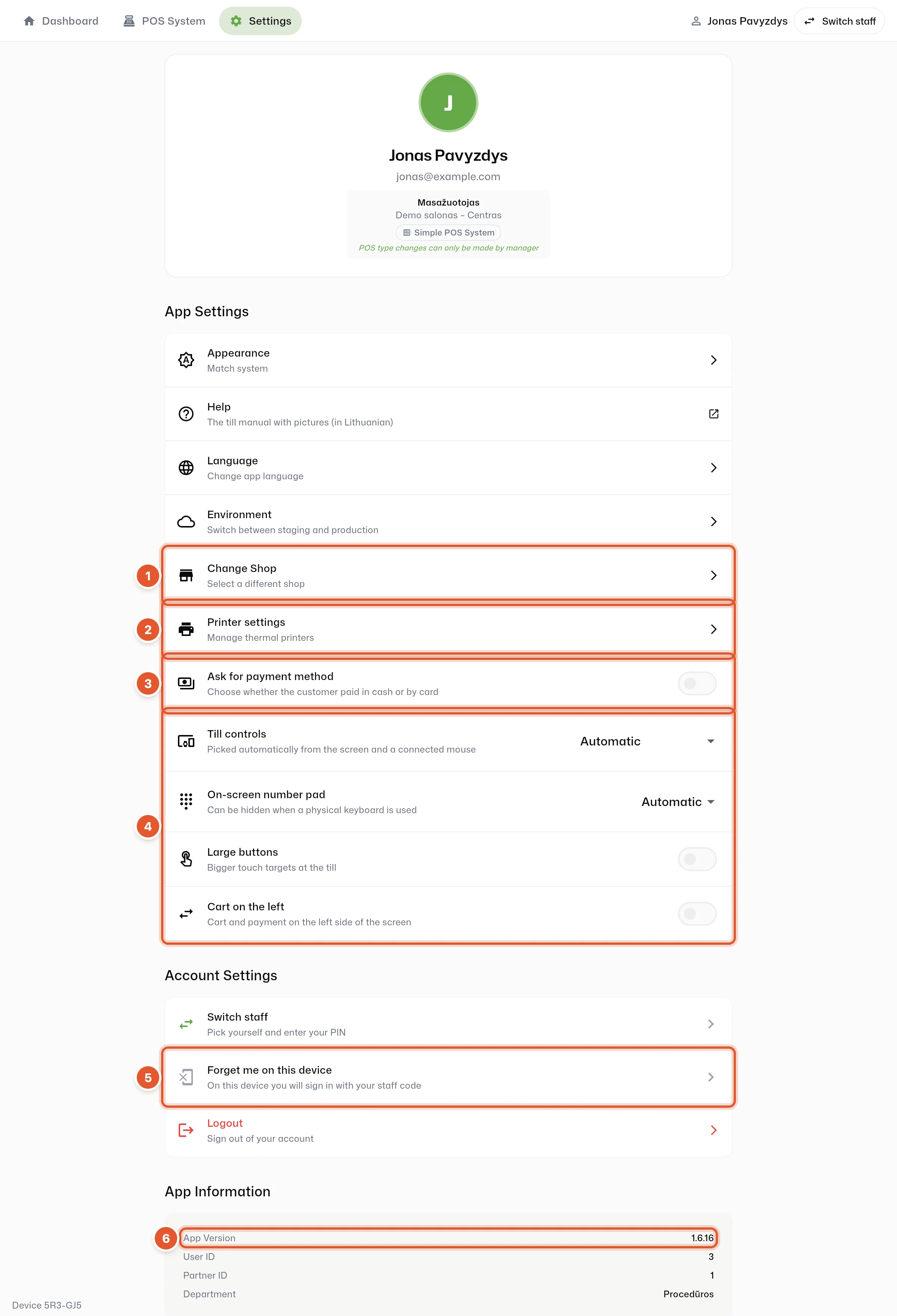
- 1. Change shop — when you work in several.
- 2. Printer settings — the receipt printer.
- 3. Ask for payment method — choose cash or card before paying.
- 4. Till layout — control, keyboard, button size and basket side.
- 5. Forget me on this device — here you will sign in with your code again.
- 6. App Version — you see it here when asking for help.
Fit the till to your work
- Till control – for a mouse and keyboard, or for touch. Automatic suits most.
- On-screen number pad – hide it if you have a physical keyboard.
- Large buttons – easier on a touch screen.
- Basket on the left – for left-handed people or a screen set up the other way.
Environment
Under Environment, production must be chosen. In the test environment real codes and customers do not work.
Change the language
SettingsLanguage. Lithuanian and English are available.