

Company information
How to change the company details, bank account, logo and colours.
We use these details on invoices; customers see the name and the logo.
Open Company Information.
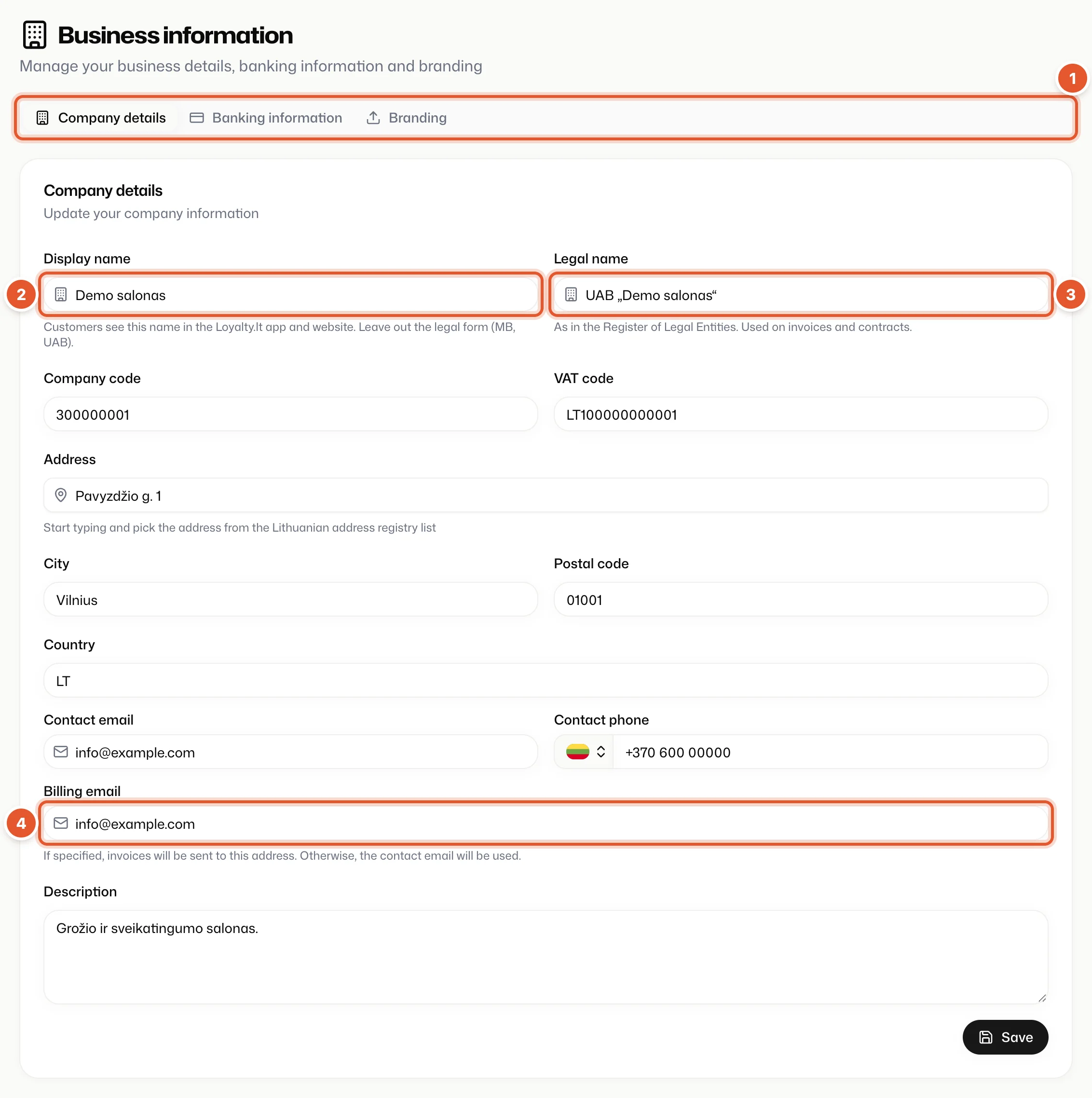
- 1. Tabs — details, bank, brand.
- 2. Display name — customers see it.
- 3. Legal name — goes on invoices.
- 4. Billing email — where we send invoices.
Tabs
- Company details – names, codes, address and contacts.
- Bank details – the bank and the account number.
- Brand – the logo and the colours. They colour what customers see in the app.
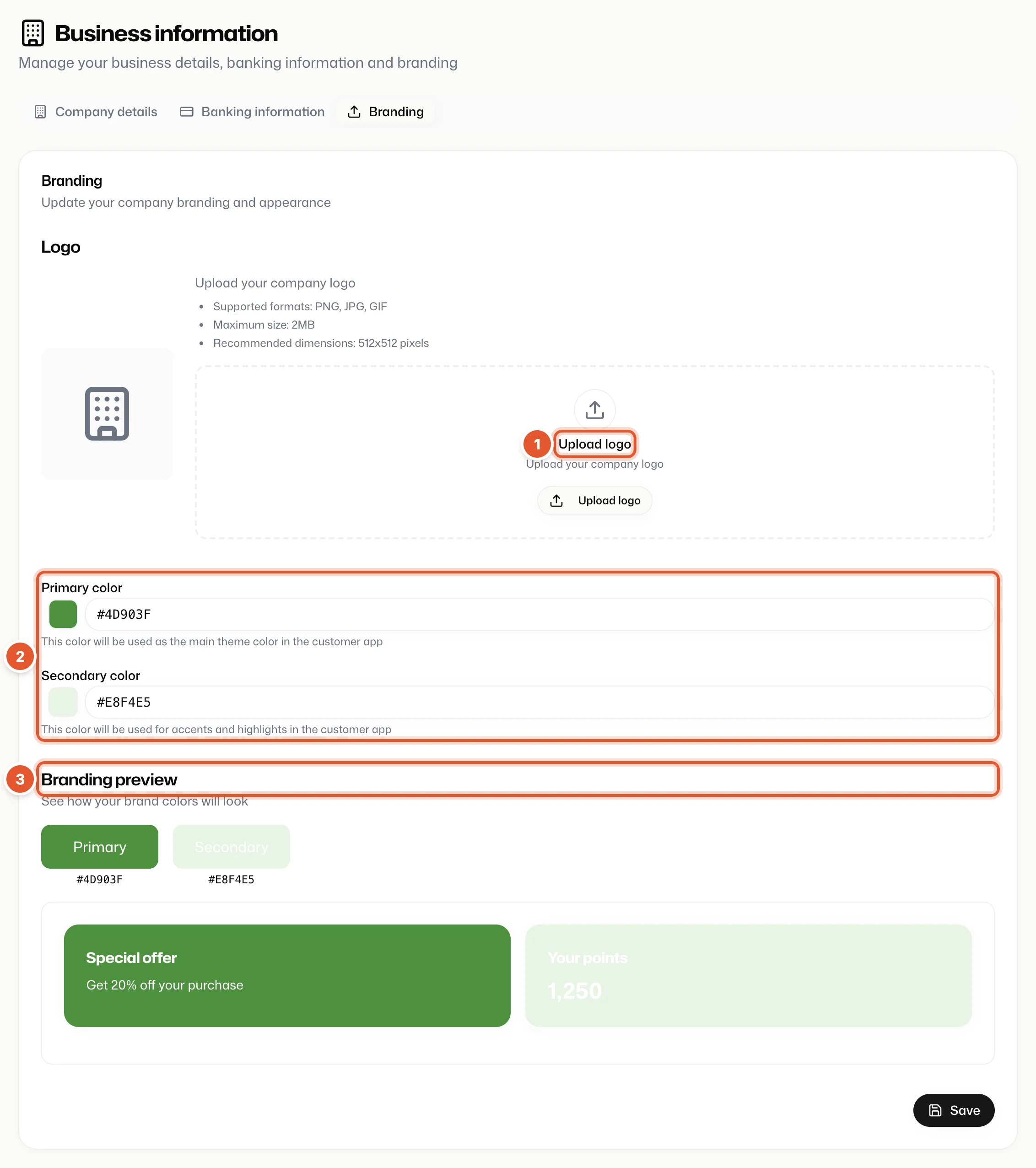
- 1. Upload logo — PNG, JPG or GIF, up to 2 MB.
- 2. Colours — used in the app.
- 3. Branding preview — how the colours will look.
After changing, press Save.
Two names
The “Display name” is what customers see. The “Legal name” is what goes on invoices.
If something goes wrong
| What you see | What to do |
|---|---|
| Invoices go to the wrong person | Fill in Billing email. If it is empty, the contact email is used. |
| The colour is not saved | Write it with a hash and 6 characters, such as #4D903F. |