

Signing in
How to sign in to the portal, reset the password and sign the confidentiality pledge.
The portal is at partners.loyalty.lt. You sign in with your email and password.
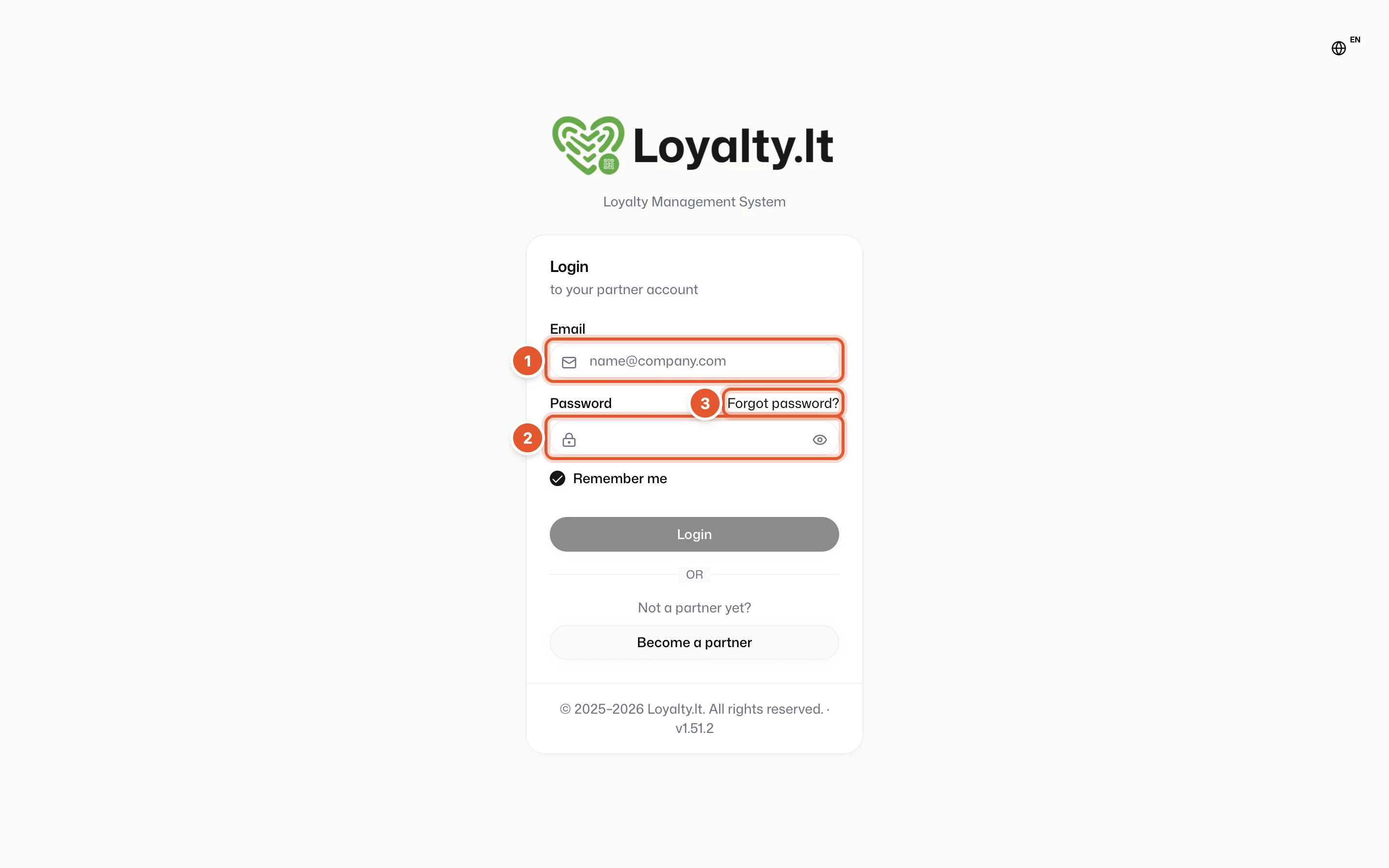
- 1. Email — the one you got the invitation to.
- 2. Password — at least 8 characters.
- 3. Forgot password? — we send you a link.
Cashiers do not sign in to the portal – they use the till app.
Forgot the password
Press Forgot password? and type your email.
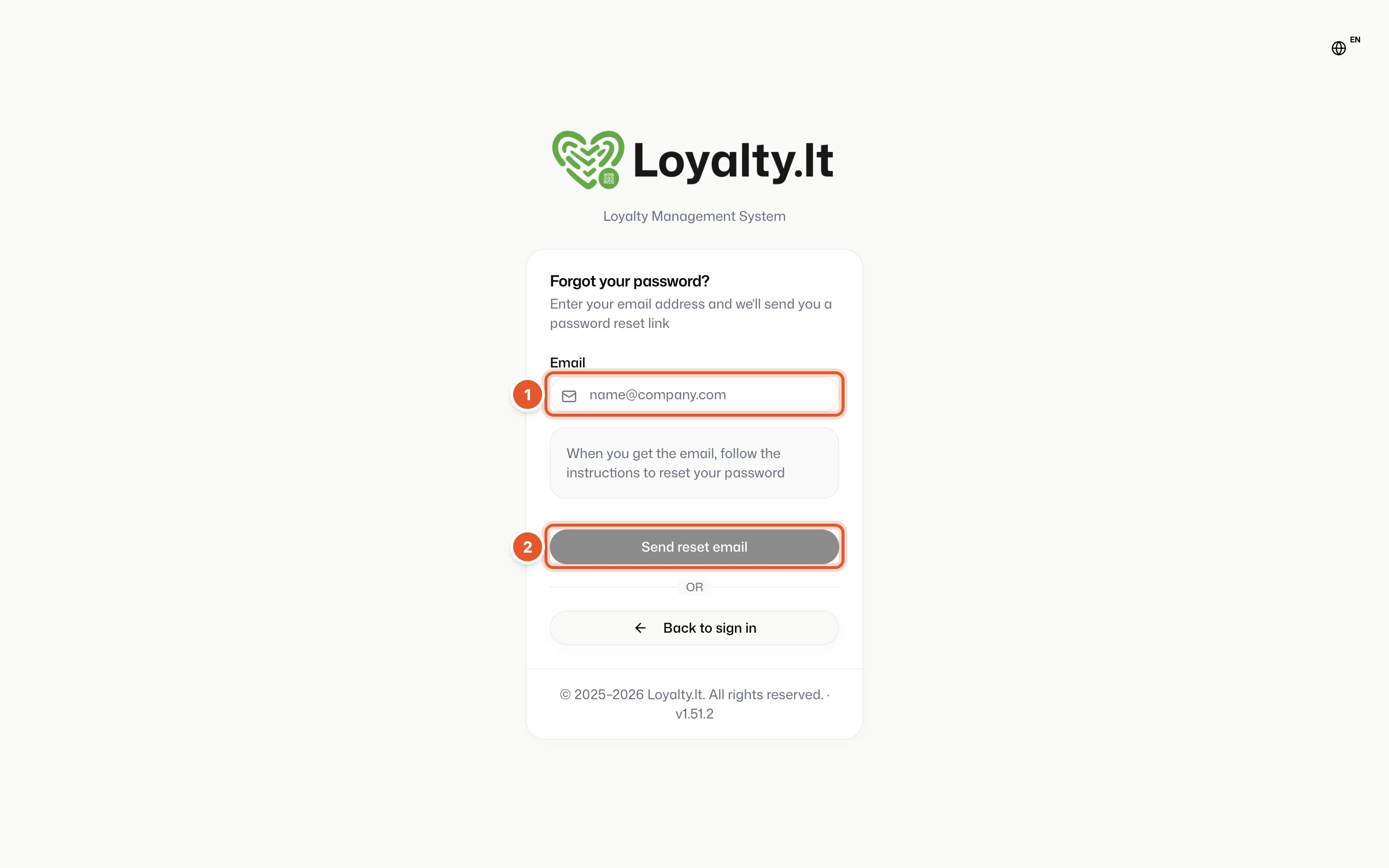
- 1. Email — the one you sign in with.
- 2. Send reset email — the email arrives within minutes.
Open the email and press the link. It is valid for 24 hours.
Type the new password twice. It must be at least 8 characters long.
Confidentiality pledge
If the portal asks, sign that you will protect your customers' data. You confirm your identity with a one-time code and draw your signature. Until you sign, you do not see customer data.
If something goes wrong
| What you see | What to do |
|---|---|
| “Invalid email or password” | Check that Caps Lock is off. Reset the password. |
| No email arrives | Look in the spam folder. Make sure it is the same email address. |
| “The link has expired or has already been used” | Ask for a new link. |
| “Security check failed. Please try again.” | Reload the page. Turn off ad blocking for this site. |