

Email campaigns
How to create and send an email to customers and see who opened it.
Open Email messagesCampaigns.
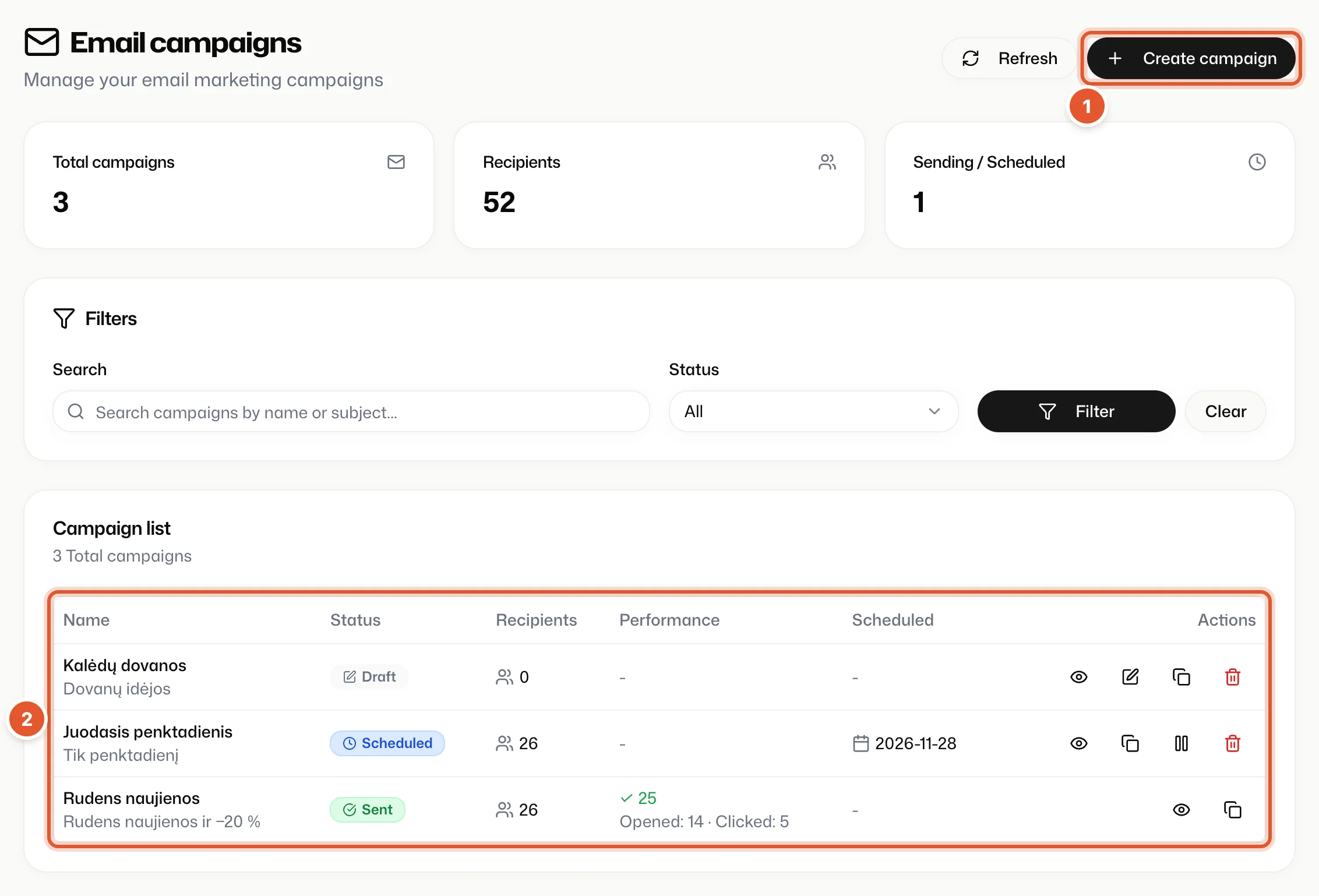
- 1. Create Campaign — a new email.
- 2. Campaign list — status, recipients and results.
Create a campaign
Press Create Campaign. A campaign is a list of steps. A finished step is marked green.
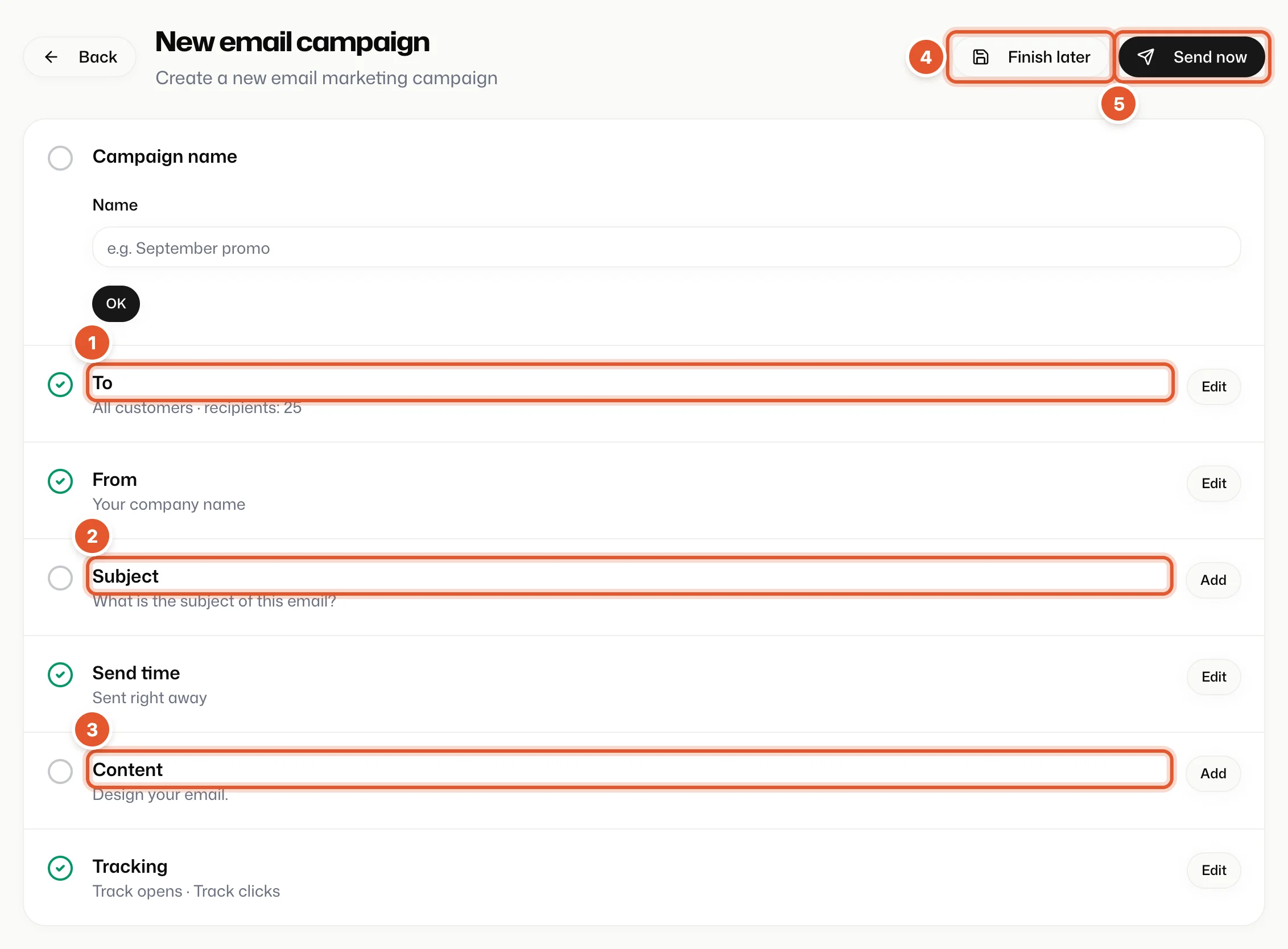
- 1. To — the recipients and their number.
- 2. Subject — what the customer sees in the inbox.
- 3. Content — the email's design.
- 4. Finish later — saves a draft.
- 5. Send now — cannot be undone.
To – all customers, a saved audience or a filter. You see the number of recipients.
From – the sender name and the email for replies.
Subject – what the customer sees in the inbox. You can test two subjects (A/B).
Content – the email's design. Start from a template or build it from blocks.
Send a test email to yourself. If all is well – Send now or set a time.
A sent email cannot be recalled
Finish later saves an unfinished campaign.
Results
Open a sent campaign. You see how many people opened the email and what they clicked.
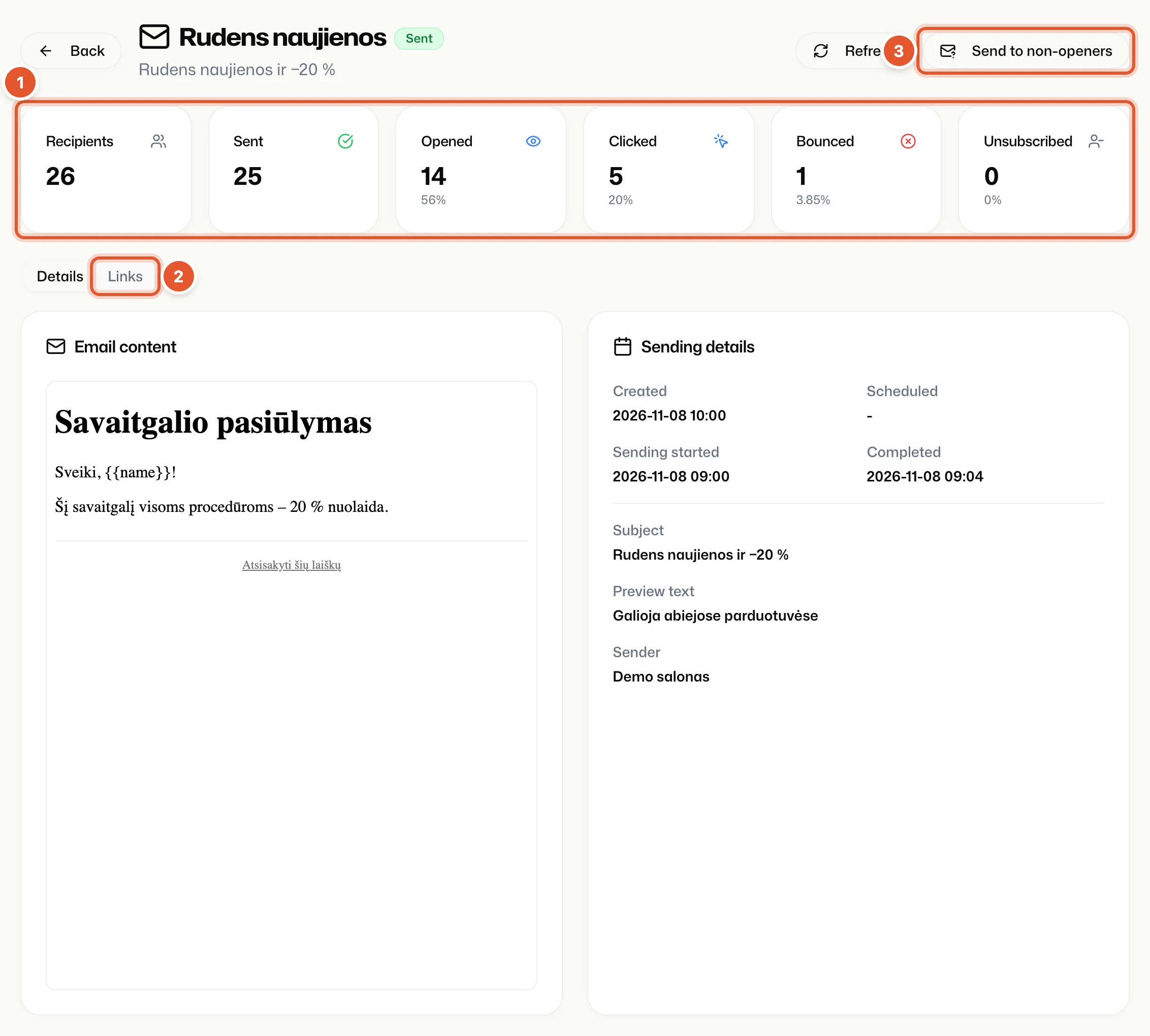
- 1. Results — opened, clicked, bounced, unsubscribed.
- 2. Links — what people clicked.
- 3. Send to non-openers — a follow-up email.
Send to non-openers creates a follow-up for those who did not open the first one.
If something goes wrong
| What you see | What to do |
|---|---|
| 0 recipients | Check who agreed to get emails: Consents. |
| Emails land in spam | Verify your domain. |