

Support tickets
How to write to Loyalty.lt, follow the answer and attach a file.
Here you report a problem or ask for help.
Open SupportAll Tickets.
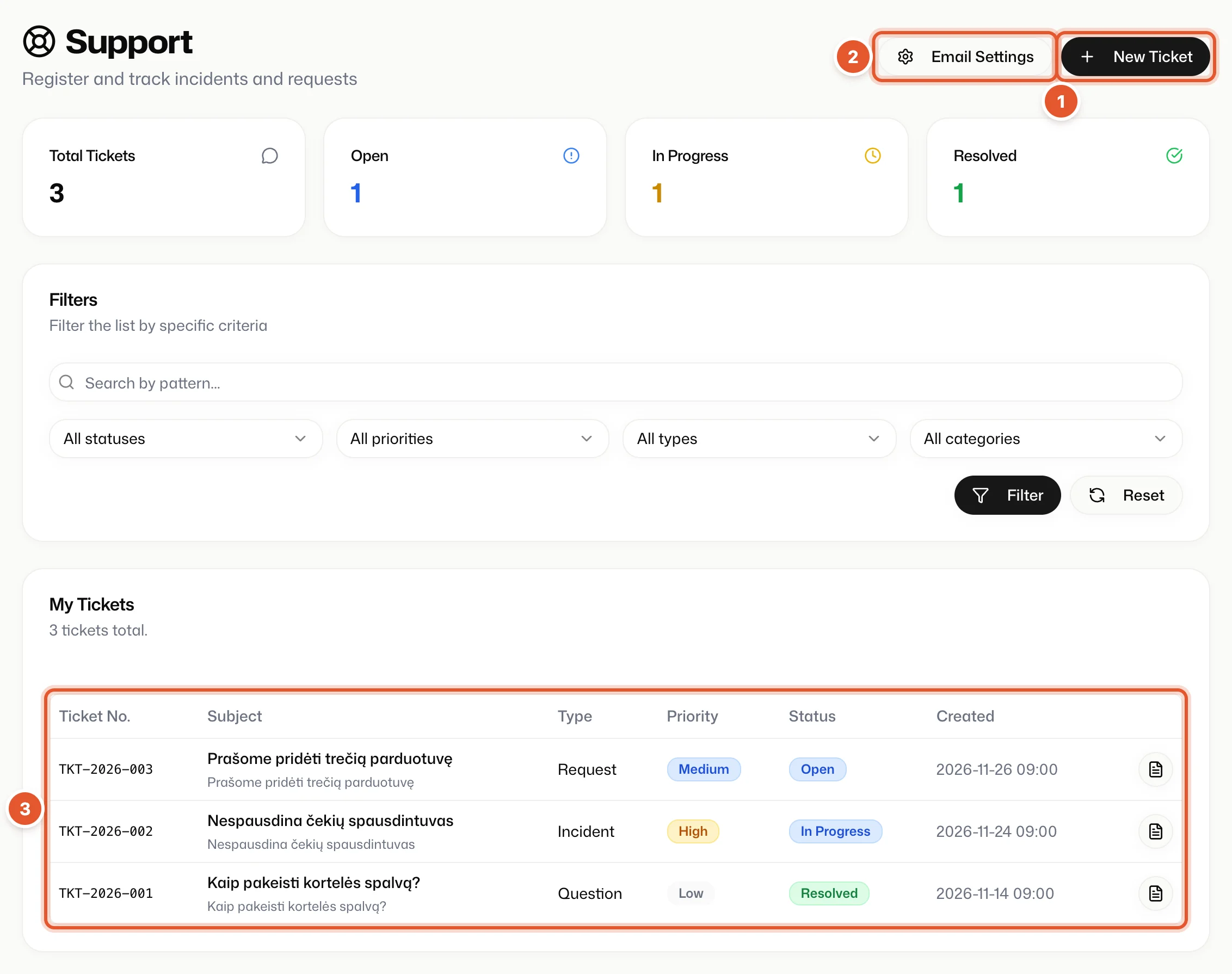
- 1. New Ticket — write to us.
- 2. Email Settings — tickets by email.
- 3. All Tickets — press the subject – the conversation opens.
Write to us
Press New Ticket.
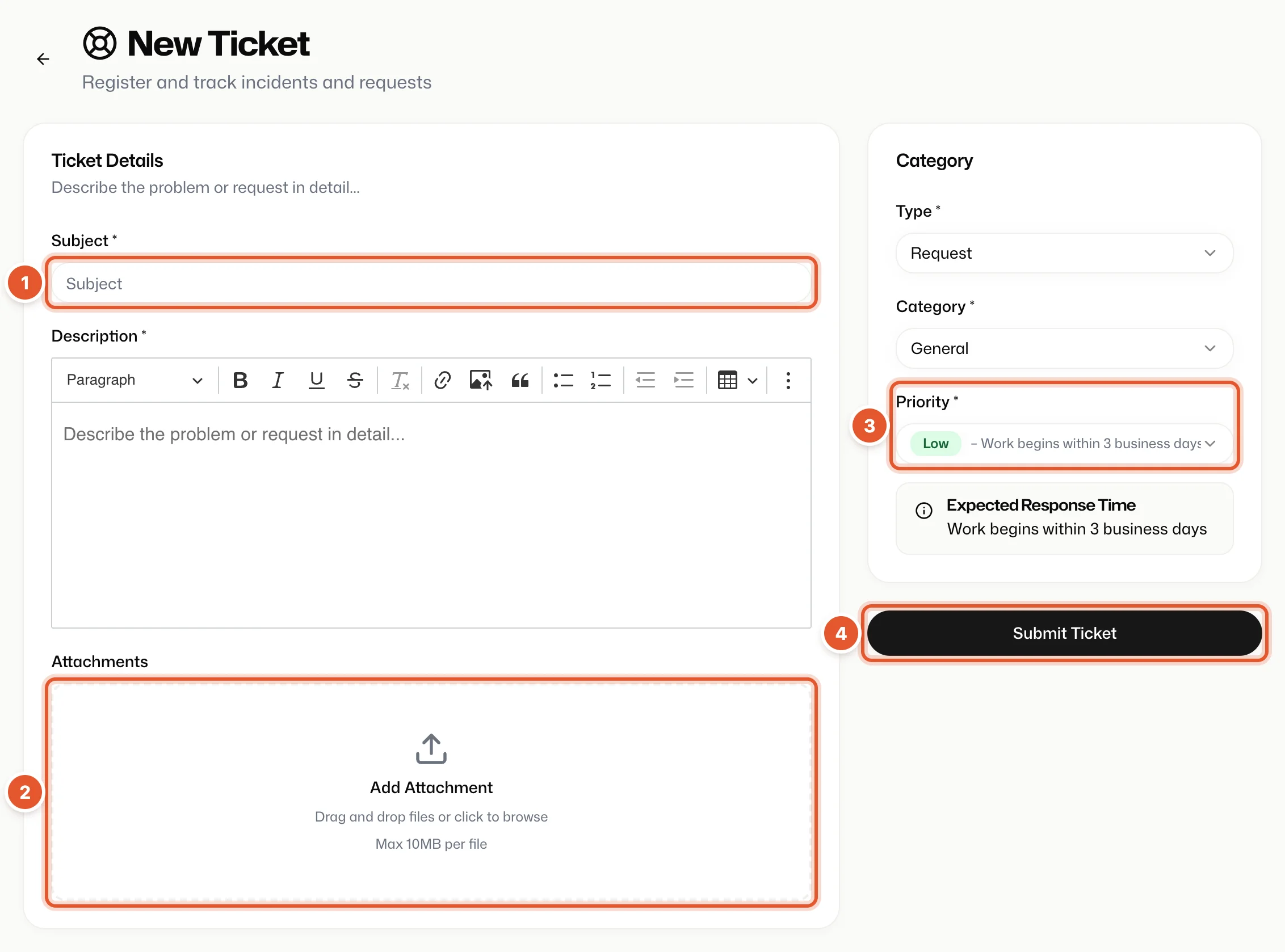
- 1. Subject — briefly, what happened.
- 2. Attachments — a screenshot helps a lot.
- 3. Priority — how soon it is needed.
- 4. Submit Ticket — sends it to us.
Type the subject and the description: what you did, what you saw, when. Attach a screenshot.
Choose the type and the priority, press Submit Ticket.
When to choose a high priority
When you cannot sell or the till does not work. Each priority shows how soon we start working on it.
The answer
Open the ticket. Here you see the conversation and can add a comment. You get a notification about our answer.
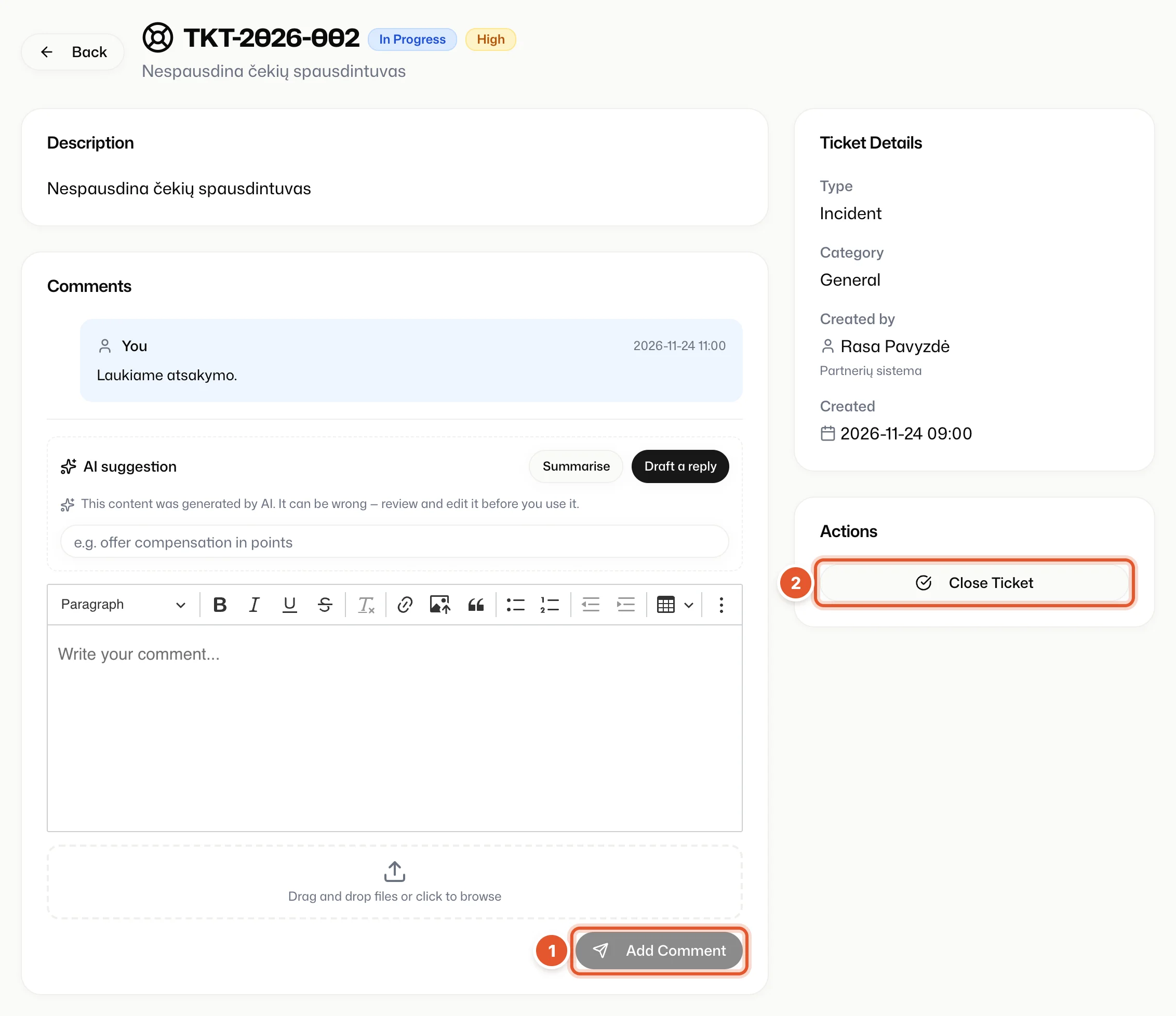
- 1. Add comment — your answer.
- 2. Close ticket — when the problem is solved.
Tickets by email
Under Email Settings you link your address. Then an email sent to the address shown there becomes a ticket by itself.